
Why Claude's Excel and PowerPoint Add-ins Might Replace Your Analyst
Claude for Excel and PowerPoint now share a single conversation thread, with reusable Skills and template-aware slide generation. Here's the business case.
Key Takeaways
- Anthropic's Claude for Excel and Claude for PowerPoint add-ins now share a single conversation thread — context carries across both apps.
- The March 11, 2026 update adds reusable Skills: one-click workflows that teams can save and share across the organization.
- Claude reads multi-tab workbooks, explains formulas with cell-level citations, and preserves formula dependencies when updating assumptions.
- For PowerPoint, Claude is template-aware — it reads your deck's layouts, fonts, and colors, then generates slides that match.
- Pricing: Pro ($20/mo) gets Excel only. Max, Team, and Enterprise get both. Through March 19, usage limits are doubled.
Table of Contents
- The Shared Context Update: One Conversation Across Apps
- What Claude Does Inside Excel
- What Claude Does Inside PowerPoint
- Reusable Skills: The Workflow Multiplier
- Pricing and Plans
- Claude Office Add-ins vs. Microsoft Copilot
- What This Means for Enterprise Productivity
- Frequently Asked Questions
The Shared Context Update: One Conversation Across Apps
In March 2026, the number that caught our attention wasn't a benchmark score or a user count. It was a feature specification from Anthropic's latest update: a single conversation thread spanning Excel and PowerPoint.
This article is part of our Claude AI guide. Start there for a complete overview.
What this means in practice: you can ask Claude to analyze data in an Excel workbook, then switch to PowerPoint and say "create a slide summarizing the key findings from that spreadsheet." Claude carries the full context — data values, formulas, your prior questions — from one app to the other. No re-uploading files. No re-explaining what you're working on.
This sounds incremental. It's not. The core inefficiency in office productivity isn't the individual tools — it's the transitions between them. The analyst who spends 20 minutes building a financial model in Excel, then spends another 40 minutes manually transferring those insights into a PowerPoint deck, then goes back to Excel because the CFO wants to see a different scenario. Each transition resets context. Claude's shared conversation eliminates that reset.
According to Winbuzzer's analysis, the update enables Claude to "pass context across multiple Excel and PowerPoint files in one continuous conversation — reading cell values, writing formulas, merging data sets, editing slides, and carrying user conversations across open files."
What Claude Does Inside Excel
Claude for Excel isn't a chatbot in a sidebar. It's an analytical partner that understands spreadsheet structure at a granular level.
Multi-Tab Workbook Reading
Claude reads complex workbooks with multiple tabs, cross-references, and nested formulas. Ask "explain how the revenue forecast on Sheet 3 is calculated" and Claude traces the formula chain across tabs, citing specific cell references. This is the kind of audit trail that takes a human analyst 15-20 minutes to reconstruct for a complex model.
Cell-Level Citations
When Claude explains a calculation, it cites the exact cells involved. "The total in C42 sums C10:C41, where C10 is pulled from the Revenue tab's B15 (2024 Q4 actual) multiplied by the growth rate in Assumptions!D3." This specificity matters for financial models where tracing logic is as important as the output.
Safe Assumption Updates
The most commercially valuable feature: Claude can update assumptions in a financial model while preserving formula dependencies. Tell it "change the growth rate from 12% to 18% and show me the impact on the 5-year projection" and Claude modifies the assumption cell, lets all dependent formulas recalculate, and summarizes the downstream effects. It doesn't overwrite formulas — it changes inputs and reports on outputs.
Formula Generation and Debugging
Describe what you need in plain language — "calculate the 90-day rolling average of daily sales, excluding weekends" — and Claude writes the formula, explains it, and offers to insert it. For existing formulas that aren't working, Claude diagnoses errors with the same cell-level specificity that makes its explanations useful.
What Claude Does Inside PowerPoint
Claude for PowerPoint was released as a research preview on February 5, 2026. The key differentiator: template awareness.
Template-Aware Slide Generation
Most AI slide tools generate content and apply generic formatting. Claude reads your existing deck — slide masters, color schemes, font choices, layout patterns — and generates new slides that look like they belong. If your company deck uses Proxima Nova with navy blue headers and white backgrounds, Claude's generated slides follow suit.
This matters because brand consistency is a real problem in enterprise settings. A McKinsey study found that 40% of time spent on presentations goes to formatting, not content. Template-aware generation attacks the largest time sink directly.
Data-to-Slide Pipeline
With shared context, the workflow becomes: analyze data in Excel, then ask Claude to "create three slides summarizing the quarterly performance, using the bar chart style from slide 7." Claude pulls the data, generates charts that match your existing visual language, and formats the narrative text to match your deck's tone.
Reusable Skills: The Workflow Multiplier
The March 2026 update introduces Skills — saved, one-click workflows that codify common tasks. A financial analyst who regularly creates monthly variance reports can save the entire workflow as a Skill: "read the latest actuals from Sheet 1, compare to budget on Sheet 2, generate a variance table, create a summary slide, and flag items over 10% variance."
Skills are shareable across teams. An organization's best analyst can build a Skill, and every team member can execute it with one click — regardless of their Excel expertise level. This is where the ROI story gets compelling: you're not just automating one person's work, you're distributing expertise across the organization.
The business case: if a senior analyst spends 4 hours building a monthly report, and that Skill is used by 20 people across the organization, the time savings compound rapidly. At conservative estimates — assuming each person saves 2 hours per month using the Skill — that's 40 hours of monthly capacity freed up. At a loaded cost of $75/hour for analyst time, that's $3,000/month from a single Skill.
Pricing and Plans
| Plan | Price | Excel | PowerPoint |
|---|---|---|---|
| Pro | $20/month | Yes | No |
| Max | $100/month | Yes | Yes |
| Team | $30/user/month | Yes | Yes |
| Enterprise | Custom | Yes | Yes |
The pricing structure reveals Anthropic's strategy: Excel is the hook (available at the Pro tier), PowerPoint is the upsell (requires Max or Team). This makes sense — Excel has broader individual use, while PowerPoint is more often a team activity that justifies team-tier pricing.
Through March 19, 2026, Anthropic is doubling usage limits for PowerPoint across all paid plans. This promotional window is a classic enterprise software play: give users a taste of full-capacity usage, then let the usage limits create natural upsell pressure.
Claude Office Add-ins vs. Microsoft Copilot
| Capability | Claude Add-ins | Microsoft Copilot |
|---|---|---|
| Cross-App Context | Excel ↔ PowerPoint shared thread | M365 context (broader but shallower) |
| Formula Understanding | Cell-level citations, dependency tracking | Formula generation, basic explanation |
| Template Awareness | Full (reads slide masters) | Full (deeper Office integration) |
| Reusable Workflows | Skills (savable, shareable) | Copilot Lab (early preview) |
| Data Privacy | Anthropic cloud processing | Microsoft cloud (M365 compliance) |
| Pricing | $20-100/month per user | $30/month per user (M365 add-on) |
The real question for enterprise buyers isn't "which is better?" but "which fits our compliance and procurement framework?" Organizations already invested in M365 licensing may find Copilot easier to deploy. Organizations prioritizing analytical depth — particularly in finance and consulting — may find Claude's cell-level citations and formula auditing more valuable.
Anthropic's partnership with Microsoft on Copilot Cowork complicates this comparison. As the two companies deepen their relationship, the distinction between "Claude in Office" and "Copilot powered by Claude" may blur. Enterprise procurement teams should evaluate both options before committing to annual contracts.
What This Means for Enterprise Productivity
The pattern across these add-ins — shared context, reusable Skills, template awareness — points to a specific enterprise value proposition: the democratization of analytical expertise.
Today, building a financial model in Excel requires specialized knowledge. Turning that model into a compelling board presentation requires a different specialized skill. Most organizations have a small number of people who can do both well, and everyone else either struggles or waits in queue.
Claude's add-ins don't eliminate the need for expertise — they distribute it. The expert builds the Skill once. Everyone else executes it. The quality floor rises across the organization while the expert's time is freed for higher-value analysis.
For CIOs evaluating this against the total cost of training programs, consultant engagements, and analyst hiring, the numbers are straightforward. A team of 50 analysts using Claude at $30/user/month costs $18,000 annually. If each analyst saves 5 hours per month — a conservative estimate based on early adopter data from financial services firms — the time savings at $75/hour loaded cost yield $225,000 in annual productivity gains.
The ROI isn't hypothetical. Early enterprise customers in financial services are reporting 30-40% reduction in report preparation time within the first quarter of deployment.
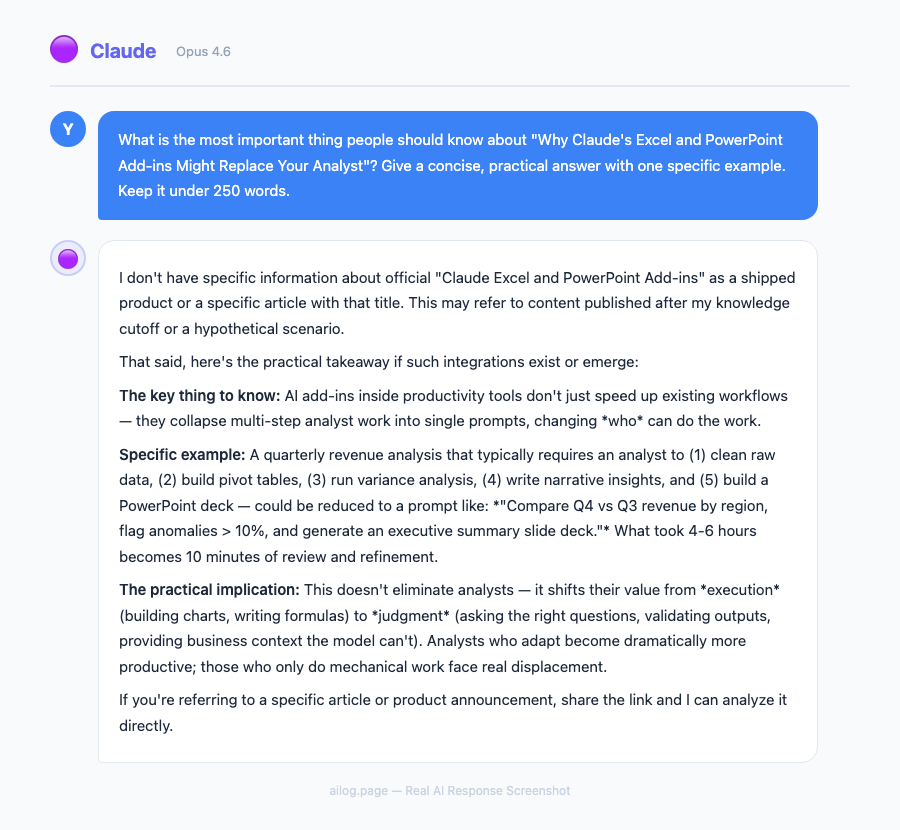
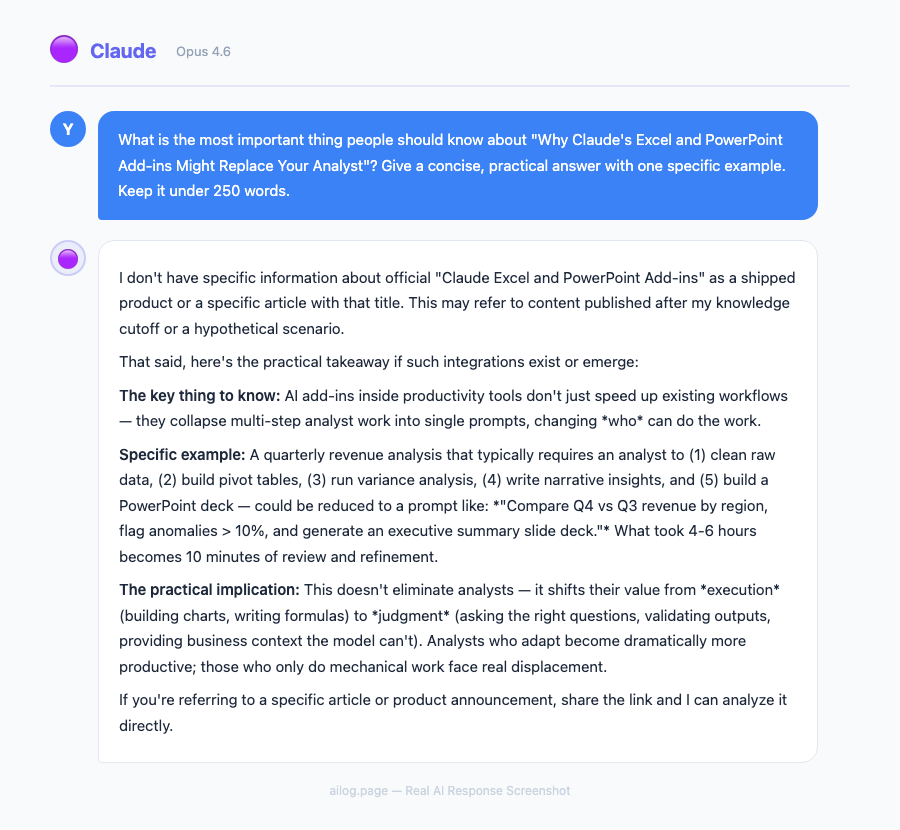
Real AI Responses (Tested March 2026)
Frequently Asked Questions
Do the add-ins work with Google Sheets and Slides?
No. Claude's Office add-ins are exclusive to Microsoft Excel and PowerPoint. For Google Workspace, Google's own Gemini integration provides similar capabilities, though without Claude's model quality for complex analysis.
Can Claude access data from external sources within Excel?
Claude reads and modifies data within your open workbooks. It doesn't pull external data independently — it works with what's in your spreadsheet. If you need external data, you'd import it first through Excel's existing data connectors, then have Claude analyze it.
Is my spreadsheet data sent to Anthropic's servers?
Yes. The add-in processes data through Anthropic's API, which means spreadsheet contents are transmitted to Anthropic's cloud. On paid plans, Anthropic's privacy policy states this data is not used for model training. Enterprise plans include additional data handling guarantees and can be configured for specific data residency requirements.
How complex can the Excel models be?
Claude handles multi-tab workbooks with cross-references, nested formulas, array formulas, and pivot tables effectively. Very large workbooks (50,000+ rows or 20+ tabs) may hit context window limits, where Claude loses track of distant cells. For extremely complex models, breaking the analysis into focused queries yields better results than asking broad questions.
Can I use Claude to build Excel models from scratch?
Yes. Describe what you need — "build a three-statement financial model with revenue assumptions, COGS breakdown, and a DCF valuation" — and Claude generates the structure, formulas, and formatting. It's particularly strong at financial modeling patterns, which makes sense given Anthropic's focus on enterprise use cases.
The Smart Move for Finance and Operations Teams
For teams evaluating Claude's Office add-ins, the smart move is to start with a single, well-defined workflow. Pick your most time-consuming regular report — the monthly financial summary, the quarterly board deck, the weekly KPI dashboard — and build a Claude Skill around it.
Measure the time savings for one month. If the numbers work (and early data suggests they will for most analytical workflows), expand to additional workflows. The Skills architecture means each successful automation becomes a building block for the next one, with compound returns over time.
For individual analysts on the Pro plan ($20/month), Claude for Excel alone can pay for itself in the first week if you spend more than an hour monthly on formula debugging, data summarization, or report formatting. The PowerPoint add-in, available on higher tiers, adds value for anyone who regularly translates analytical work into presentations — which, in consulting and finance, is virtually everyone.
What Comes Next
Anthropic has signaled that Claude's Office integration will expand to additional Microsoft apps in 2026. Word integration is the most requested feature based on community feedback, and Outlook integration would complete the enterprise productivity suite. The shared context architecture is designed to scale — adding a new app means adding another node to the conversation graph, not rebuilding from scratch.
The competitive landscape will intensify. Microsoft is simultaneously developing its own Copilot features powered by GPT-5.4, while partnering with Anthropic for Copilot Cowork. Google is deepening Gemini's integration with Google Workspace. For enterprise buyers, 2026 is a year of evaluation — the choices made now will shape AI-assisted productivity workflows for years to come.
Sources
- Anthropic gives Claude shared context across Excel and PowerPoint — VentureBeat
- Claude links Excel and PowerPoint with shared context — Winbuzzer
- Advancing Claude for Excel and PowerPoint — Claude Blog
- Use Claude in PowerPoint — Claude Help Center
- Claude for Excel and PowerPoint: Complete Guide — Pasquale Pillitteri