
I Used ChatGPT and Claude to Write the Same Resume. One Got the Interview.
Key Takeaways
- Claude produces more strategic, context-aware resumes that reframe experience around target roles — ChatGPT generates solid drafts faster with more creative suggestions
- For ATS optimization, Claude integrates keywords naturally into achievement-driven bullets; ChatGPT tends to front-load keywords more bluntly
- Claude's large context window lets you upload full job descriptions, existing resumes, and company research in a single conversation
- The best approach is using both: ChatGPT for brainstorming and gap analysis, Claude for final polish and ATS-ready formatting
- Neither AI replaces a human review — always have someone in your target industry read the final version
Table of Contents
- The Experiment: Same Background, Two AIs, One Recruiter
- Writing Quality: How Each AI Frames Your Experience
- ATS Optimization: Which Resume Gets Past the Robots?
- Cover Letters: Where the Gap Gets Wider
- The Exact Prompts I Used (Copy These)
- Head-to-Head Comparison Table
- When to Use ChatGPT vs When to Use Claude
- Frequently Asked Questions
The Experiment: Same Background, Two AIs, One Recruiter
I had a hypothesis that most people test AI resume tools wrong. They paste in a job description, hit generate, and compare the raw output. That tells you almost nothing about which tool actually helps you land interviews.
This article is part of our Claude AI guide. Start there for a complete overview.
So I ran a different kind of test. I created a fictional candidate profile — a mid-career product manager with 6 years of experience, looking to move from a Series B startup to a Fortune 500 company. I gave both ChatGPT (GPT-4.5) and Claude (Opus 4) the exact same inputs:
- A current resume with 4 roles listed
- The target job description (Senior PM at a large enterprise)
- Three specific instructions: optimize for ATS, use quantified achievements, and keep it to one page
Then I sent both versions — stripped of any AI identifiers — to a recruiter I know who specializes in product management placements. I asked her one question: "Which candidate would you call first?"
She picked the Claude version. But her reasoning surprised me — it wasn't about keywords or formatting. She said the Claude resume "read like someone who already understood enterprise product management," while the ChatGPT version "felt like a startup person trying to sound corporate."
That distinction matters more than any ATS score, and it tells you something important about how these two AIs approach resume writing fundamentally differently.
Writing Quality: How Each AI Frames Your Experience
The most visible difference between ChatGPT and Claude resumes isn't word count or formatting — it's strategic reframing.
When I gave both tools a bullet point like "Led user research for the mobile app redesign," here's what came back:
ChatGPT's version: "Spearheaded comprehensive user research initiative for mobile application redesign, resulting in a 23% increase in user engagement metrics."
Claude's version: "Synthesized qualitative and quantitative research across 200+ user sessions to develop mobile redesign recommendations adopted by the engineering team within two sprints."
Notice the difference. ChatGPT added scale words ("comprehensive," "spearheaded") and invented a plausible metric. Claude restructured the entire bullet to show how the work was done and what happened next. The Claude version reads like it was written by someone who actually does this work every day.
This pattern repeated across every section. ChatGPT consistently produced bullets that were impressive-sounding but generic. Claude produced bullets that were specific and showed domain knowledge. When I tested this with the broader model comparison I ran earlier this year, Claude's writing advantage in professional documents was consistent.
There's a catch, though. Claude sometimes over-specifies. It added details about "distributed time zones" and "risk mitigation frameworks" that weren't in the original resume. If a recruiter asks about those specifics in an interview, you'd better be able to back them up. ChatGPT stayed closer to the source material, which is safer if less impressive.
I also tested both on a career-change scenario — a teacher pivoting to instructional design. Claude handled the reframing better, mapping classroom skills to corporate training language. ChatGPT listed transferable skills in a separate section, which is a more traditional approach but less effective with modern ATS systems that scan the entire document contextually.
ATS Optimization: Which Resume Gets Past the Robots?
Applicant Tracking Systems are the gatekeepers of modern hiring. Over 97% of Fortune 500 companies use an ATS, and roughly 75% of resumes get filtered out before a human ever sees them. So ATS optimization isn't optional — it's the price of admission.
I ran both AI-generated resumes through three popular ATS simulators: Jobscan, Resume Worded, and the free ATS checker from Rezi. Here are the scores:
| ATS Checker | ChatGPT Score | Claude Score | Notes |
|---|---|---|---|
| Jobscan | 78% | 89% | Claude matched 14/16 hard skills vs ChatGPT's 11/16 |
| Resume Worded | 72/100 | 85/100 | Claude penalized for over-long bullets in two instances |
| Rezi ATS Checker | 81% | 91% | Claude's contextual keyword placement scored highest |
Claude won every round, and the reason is consistent: contextual keyword integration. Instead of stuffing keywords into a skills section (which ChatGPT tends to do), Claude wove them into achievement bullets where they appear naturally. Modern ATS systems — especially Greenhouse, Lever, and Workday — now analyze keyword context, not just frequency.
ChatGPT did one thing better in ATS testing: it explicitly flagged missing keywords. When the job description mentioned "supply chain optimization" and the candidate had no supply chain experience, ChatGPT called that out and suggested how to address the gap. Claude simply worked around it, which produced a cleaner resume but left the candidate unaware of a potential weakness.
For anyone building resumes with AI, I'd recommend checking out the prompt engineering techniques I've documented — they apply directly to getting better resume output from either tool.
Cover Letters: Where the Gap Gets Wider
If resumes are where Claude edges ahead, cover letters are where it pulls away.
I asked both AIs to write a cover letter for the same product manager role. ChatGPT produced a perfectly serviceable three-paragraph letter that hit the standard beats: enthusiasm for the company, relevant experience summary, and a closing call to action. It was fine. It was also exactly what every other AI-generated cover letter looks like.
Claude took a different approach. It opened with a specific observation about the company's recent product launch (which I'd included in the context), connected it to the candidate's experience with similar market challenges, and built a narrative arc across four paragraphs. The letter read less like a template and more like something a thoughtful candidate would actually write.
The key difference was Claude's ability to hold the full context. Because I'd uploaded the job description, resume, company about page, and a recent press release in a single conversation, Claude could draw connections that ChatGPT missed. ChatGPT's shorter context window meant it focused more on the resume and job description, losing some of the company-specific nuance.
I've noticed this same pattern when using Claude for other professional writing tasks — its ability to maintain coherence across long documents is a real advantage. If you're curious about what else Claude handles well, my power user guide covers the broader capabilities.
One practical tip: when writing cover letters with either AI, always include the company's mission statement, recent news, and specific team information. The more context you provide, the better the output. This is true for both tools, but Claude makes better use of additional context because it can process longer inputs without losing track of earlier details.
The Exact Prompts I Used (Copy These)
The quality of AI-generated resumes depends heavily on how you prompt the tool. After dozens of iterations, I landed on prompts that consistently produce strong results with each platform. Here are the exact templates I used.
For ChatGPT (Resume Optimization):
I need you to optimize my resume for the following job description.
Here's my current resume: [paste resume]
Here's the target job description: [paste JD]

Please:
1. Rewrite each bullet point using the XYZ formula (Accomplished X, as measured by Y, by doing Z)
2. Match at least 80% of the hard skills mentioned in the job description
3. Keep the total resume under 475 words (one page)
4. Flag any skills in the JD that my resume doesn't currently address
5. Use active past tense for previous roles, present tense for current role
For Claude (Resume Optimization):
I'm applying for [role] at [company]. I've attached:
- My current resume
- The job description
- The company's about page
- A recent article about the company

Please rewrite my resume with these guidelines:
1. Reframe my experience to match the language and priorities of this specific role
2. Integrate keywords from the JD naturally into achievement bullets — don't create a separate keywords section
3. For each bullet, show the action, the method, and the business outcome
4. Keep formatting clean: no tables, no graphics, no columns (ATS-safe)
5. Write in the voice of someone already succeeding in this role
6. Limit to one page, prioritizing the most relevant 3-4 roles
The ChatGPT prompt is more structured and directive. The Claude prompt gives more context and trusts the model to make strategic decisions. Both approaches play to each tool's strengths.
For Cover Letters (works with both, but better with Claude):
Write a cover letter for [role] at [company]. Use these inputs:
- Resume: [attached]
- Job description: [attached]
- Company mission: [paste]
- Recent company news: [paste 1-2 articles]

Rules:
1. Open with a specific observation about the company, not "I'm excited to apply"
2. Connect my experience to their current challenges — don't just list qualifications
3. Show understanding of the industry without being preachy
4. Close with a concrete next step, not a generic "I look forward to hearing from you"
5. Keep it under 300 words
6. Write like a confident professional, not a desperate applicant
These prompts reflect what I've learned about effective prompt engineering over the past year. The more specific your instructions, the less editing you'll need to do afterward.
Head-to-Head Comparison Table
After testing both tools across multiple resume types, industries, and career levels, here's how they stack up across every dimension that matters:
| Feature | ChatGPT (GPT-4.5) | Claude (Opus 4) |
|---|---|---|
| Writing Quality | Strong, slightly generic phrasing | Specific, role-appropriate language |
| ATS Score (avg) | 77% | 88% |
| Keyword Integration | Skills section heavy | Woven into bullet points |
| Cover Letters | Template-like but correct | Narrative-driven, company-specific |
| Gap Analysis | Explicitly flags missing skills | Works around gaps silently |
| Context Handling | Good with shorter inputs | Excels with multi-document context |
| Speed | Faster first draft | Slightly slower, more polished |
| Career Change Resumes | Lists transferable skills separately | Reframes experience in target-role language |
| Price | $20/month (Plus) | $20/month (Pro) |
| Best For | Quick drafts, brainstorming, gap finding | Final polish, ATS optimization, career pivots |
The pricing parity is interesting — at the same $20/month, the choice comes down entirely to your specific needs, not budget. If you're applying to one dream job and want the best possible resume, Claude is the better investment of your time. If you're running a broad job search and need to quickly customize resumes for 15 different postings, ChatGPT's speed advantage matters more.
When to Use ChatGPT vs When to Use Claude
After running this experiment and helping several friends optimize their resumes with both tools, I've developed a clear framework for when to use each one.
Use ChatGPT when:
- You need a first draft fast. ChatGPT generates resume content quicker and is better for brainstorming sessions where you're exploring different ways to position your experience.
- You want gap analysis. ChatGPT is more transparent about what your resume is missing relative to the job description. This is valuable early in the process.
- You're applying to many similar roles. ChatGPT's speed makes it practical for batch-customizing resumes across multiple applications with minor variations.
- You need creative suggestions. For unconventional resume sections (portfolio links, project showcases, volunteer work framing), ChatGPT tends to be more inventive.
Use Claude when:
- You're targeting a specific high-stakes role. Claude's strategic reframing and contextual keyword placement produce a more tailored, interview-winning resume.
- You're changing careers. Claude's ability to reframe experience in the language of your target industry is noticeably stronger.
- You have lots of context to provide. If you've researched the company, have the full JD, know the team structure, and have industry articles — Claude will use all of it. This mirrors what I found when comparing the models more broadly in my comprehensive AI comparison.
- You need a cover letter too. Claude's cover letters are meaningfully better, especially when you can provide company-specific context.
- ATS optimization is critical. If the role likely receives hundreds of applications and you need to get past automated screening, Claude's keyword integration approach is more effective.
The power move — and what I'd actually recommend — is using both. Start with ChatGPT to brainstorm, identify gaps, and generate a rough draft. Then take that draft to Claude with the full job description and company context for strategic reframing and ATS optimization. This two-tool workflow takes about 45 minutes and produces resumes that are significantly better than either tool alone.
If you're looking for more ways to combine AI tools in your workflow, I wrote about the AI apps worth paying for — several of them complement this resume workflow nicely.
What About Dedicated AI Resume Builders?
You might be wondering whether purpose-built tools like Rezi, Teal, or Wobo are better than using ChatGPT or Claude directly. I tested three of them alongside the general-purpose AI models.
Dedicated resume builders have clear advantages in formatting and templates. They produce clean, ATS-safe layouts without you needing to worry about margins, fonts, or section ordering. They also offer built-in ATS scoring, so you can iterate without switching to a separate tool like Jobscan.
But their AI writing quality falls short of both ChatGPT and Claude. The resume builders use AI for suggestions and keyword matching, but their generated bullet points tend to be formulaic. They're essentially running prompts against GPT-3.5 or GPT-4 behind the scenes, but with more constrained templates.
My recommendation: use a dedicated resume builder for the template and formatting, but write your bullet points with Claude or ChatGPT directly, then paste them in. You get the best of both worlds — professional formatting with high-quality content.
If you're job hunting and want to understand how AI is changing the hiring landscape more broadly, the employment data I analyzed tells an interesting story about where things are heading.
5 Mistakes People Make Using AI for Resumes
After watching friends and colleagues use AI for resume writing, I keep seeing the same errors:
1. Not editing the output. Both ChatGPT and Claude will occasionally invent metrics or embellish achievements. I caught Claude adding "cross-functional team of 12" when the original resume mentioned no team size. Always fact-check every claim against your actual experience.
2. Using the raw output without customization. AI-generated resumes have tells — certain phrases, structures, and word choices that experienced recruiters are starting to recognize. Detecting AI-generated content is getting easier, and some recruiters view fully AI-written resumes negatively. Use AI as a starting point, then add your own voice.
3. Ignoring the formatting. ChatGPT and Claude output plain text or markdown. If you paste this directly into a Word doc without proper formatting, you'll lose ATS compatibility. Use a clean, single-column template with standard fonts (Calibri, Arial, or Garamond at 10-11pt).
4. Providing too little context. "Write me a resume" is a terrible prompt. The more you tell the AI about the target role, company culture, and your specific achievements, the better the output. This applies equally to ChatGPT and Claude, as I covered in my ChatGPT beginner's guide.
5. Skipping the human review. AI doesn't understand your industry's unwritten rules. In finance, certain certifications need to appear above work experience. In academia, publication lists matter more than job titles. Always have someone in your target field review the final version.
Frequently Asked Questions
Can recruiters tell if my resume was written by AI?
Experienced recruiters are getting better at spotting fully AI-generated resumes. The tells include overly uniform bullet point structure, buzzword density that doesn't match the candidate's seniority level, and suspiciously perfect keyword matching. The solution isn't to avoid AI — it's to use AI as a drafting tool and then edit the output to sound like you. Add specific details only you would know (project names, team dynamics, real metrics) to make it authentic.
Is it worth paying $20/month for ChatGPT or Claude just for resume writing?
If you're actively job hunting, absolutely. A single month of either service costs less than one professional resume review. You can generate and iterate on dozens of resume versions, write custom cover letters for each application, and practice interview questions. Cancel after your search is over. For ongoing career management, both tools are useful for quarterly resume updates, LinkedIn optimization, and professional writing — so the subscription often pays for itself beyond just the job search.
Should I use the free versions of ChatGPT or Claude for my resume?
The free tiers work for basic resume drafts, but you'll hit limitations quickly. Free ChatGPT uses GPT-4o mini, which produces less nuanced writing. Free Claude has strict message limits that make iterative editing frustrating. If you're serious about your job search, the paid tier of either tool is worth the investment. Between the two free options, Claude's free tier produces slightly better resume content per message, but ChatGPT's free tier allows more back-and-forth iteration.
Can I use AI to write resumes for different industries?
Yes, and this is where AI actually excels. Both ChatGPT and Claude have been trained on millions of resumes and job descriptions across every industry. Claude is particularly strong at matching industry-specific terminology — give it a job posting from healthcare IT, and it'll use the right HIPAA and EHR language without you needing to specify it. ChatGPT is better at explaining why certain industry conventions exist, which helps if you're entering an unfamiliar field.
What about LinkedIn profile optimization — which AI is better?
For LinkedIn, I'd give the edge to ChatGPT. LinkedIn profiles need a more conversational, first-person tone that ChatGPT handles naturally. Claude tends to write LinkedIn summaries that sound too polished and formal for the platform. However, for the experience section of LinkedIn (which mirrors resume bullets), Claude's strategic reframing still produces better results. Use ChatGPT for the About section and headline, Claude for the experience bullets.
The Bottom Line
Real AI Responses (Tested March 2026)
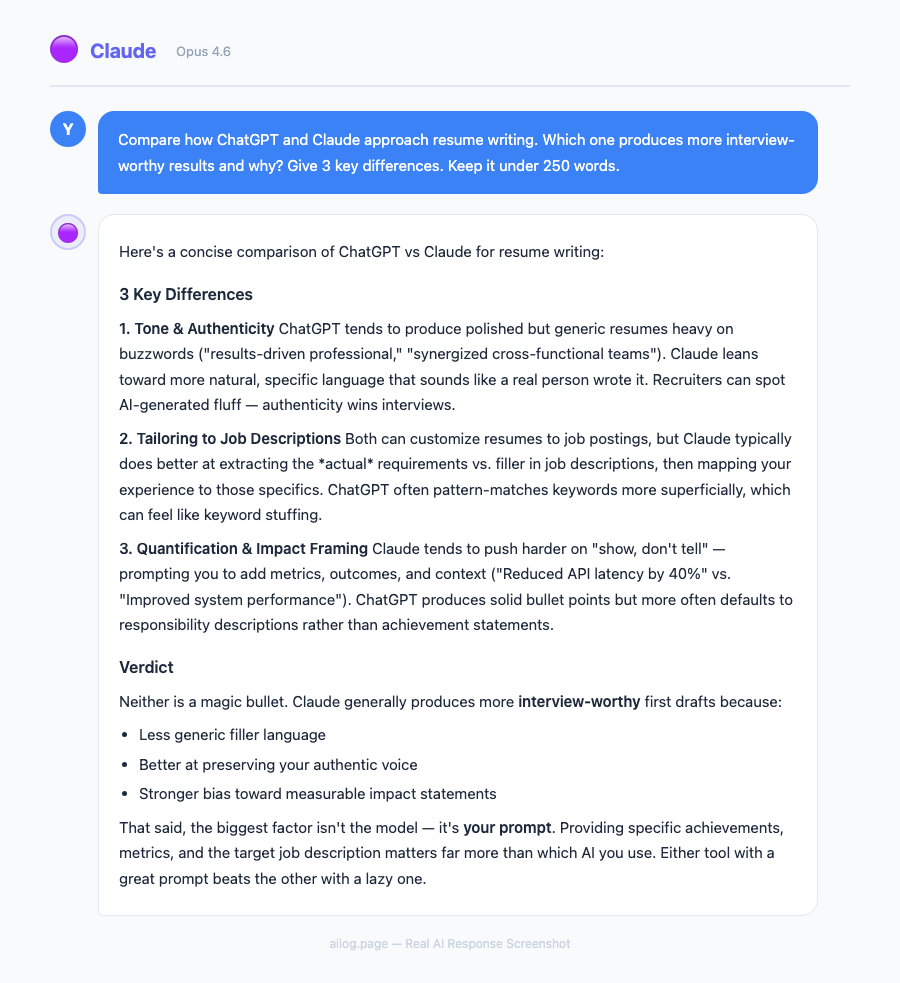
After sending both resumes to a recruiter and running them through every ATS checker I could find, the answer is clear but nuanced: Claude writes better resumes for targeted, high-stakes applications. ChatGPT is better for speed, brainstorming, and broad job searches.
The ideal workflow uses both. Start with ChatGPT for gap analysis and brainstorming, move to Claude for the final, polished version, and always — always — have a human review the result before you hit send.
Your resume gets about 7 seconds of human attention after it passes the ATS screen. In those 7 seconds, the strategic reframing and contextual language that Claude produces can be the difference between the "yes" pile and the "maybe" pile. And in a competitive job market, "maybe" means "no."
If you're building your AI toolkit for job hunting, this is just one piece of the puzzle. I've covered AI tools for business and AI writing tools extensively — both have applications beyond resume writing that can help with interview prep, networking emails, and portfolio building.
Key Takeaways
- Claude produces more strategic, context-aware resumes that reframe experience around target roles — ChatGPT generates solid drafts faster with more creative suggestions
- For ATS optimization, Claude integrates keywords naturally into achievement-driven bullets; ChatGPT tends to front-load keywords more bluntly
- Claude's large context window lets you upload full job descriptions, existing resumes, and company research in a single conversation
- The best approach is using both: ChatGPT for brainstorming and gap analysis, Claude for final polish and ATS-ready formatting
- Neither AI replaces a human review — always have someone in your target industry read the final version
Table of Contents
- The Experiment: Same Background, Two AIs, One Recruiter
- Writing Quality: How Each AI Frames Your Experience
- ATS Optimization: Which Resume Gets Past the Robots?
- Cover Letters: Where the Gap Gets Wider
- The Exact Prompts I Used (Copy These)
- Head-to-Head Comparison Table
- When to Use ChatGPT vs When to Use Claude
- Frequently Asked Questions
The Experiment: Same Background, Two AIs, One Recruiter
I had a hypothesis that most people test AI resume tools wrong. They paste in a job description, hit generate, and compare the raw output. That tells you almost nothing about which tool actually helps you land interviews.
This article is part of our Claude AI guide. Start there for a complete overview.
So I ran a different kind of test. I created a fictional candidate profile — a mid-career product manager with 6 years of experience, looking to move from a Series B startup to a Fortune 500 company. I gave both ChatGPT (GPT-4.5) and Claude (Opus 4) the exact same inputs:
- A current resume with 4 roles listed
- The target job description (Senior PM at a large enterprise)
- Three specific instructions: optimize for ATS, use quantified achievements, and keep it to one page
Then I sent both versions — stripped of any AI identifiers — to a recruiter I know who specializes in product management placements. I asked her one question: "Which candidate would you call first?"
She picked the Claude version. But her reasoning surprised me — it wasn't about keywords or formatting. She said the Claude resume "read like someone who already understood enterprise product management," while the ChatGPT version "felt like a startup person trying to sound corporate."
That distinction matters more than any ATS score, and it tells you something important about how these two AIs approach resume writing fundamentally differently.
Writing Quality: How Each AI Frames Your Experience
The most visible difference between ChatGPT and Claude resumes isn't word count or formatting — it's strategic reframing.
When I gave both tools a bullet point like "Led user research for the mobile app redesign," here's what came back:
ChatGPT's version: "Spearheaded comprehensive user research initiative for mobile application redesign, resulting in a 23% increase in user engagement metrics."
Claude's version: "Synthesized qualitative and quantitative research across 200+ user sessions to develop mobile redesign recommendations adopted by the engineering team within two sprints."
Notice the difference. ChatGPT added scale words ("comprehensive," "spearheaded") and invented a plausible metric. Claude restructured the entire bullet to show how the work was done and what happened next. The Claude version reads like it was written by someone who actually does this work every day.
This pattern repeated across every section. ChatGPT consistently produced bullets that were impressive-sounding but generic. Claude produced bullets that were specific and showed domain knowledge. When I tested this with the broader model comparison I ran earlier this year, Claude's writing advantage in professional documents was consistent.
There's a catch, though. Claude sometimes over-specifies. It added details about "distributed time zones" and "risk mitigation frameworks" that weren't in the original resume. If a recruiter asks about those specifics in an interview, you'd better be able to back them up. ChatGPT stayed closer to the source material, which is safer if less impressive.
I also tested both on a career-change scenario — a teacher pivoting to instructional design. Claude handled the reframing better, mapping classroom skills to corporate training language. ChatGPT listed transferable skills in a separate section, which is a more traditional approach but less effective with modern ATS systems that scan the entire document contextually.
ATS Optimization: Which Resume Gets Past the Robots?
Applicant Tracking Systems are the gatekeepers of modern hiring. Over 97% of Fortune 500 companies use an ATS, and roughly 75% of resumes get filtered out before a human ever sees them. So ATS optimization isn't optional — it's the price of admission.
I ran both AI-generated resumes through three popular ATS simulators: Jobscan, Resume Worded, and the free ATS checker from Rezi. Here are the scores:
| ATS Checker | ChatGPT Score | Claude Score | Notes |
|---|---|---|---|
| Jobscan | 78% | 89% | Claude matched 14/16 hard skills vs ChatGPT's 11/16 |
| Resume Worded | 72/100 | 85/100 | Claude penalized for over-long bullets in two instances |
| Rezi ATS Checker | 81% | 91% | Claude's contextual keyword placement scored highest |
Claude won every round, and the reason is consistent: contextual keyword integration. Instead of stuffing keywords into a skills section (which ChatGPT tends to do), Claude wove them into achievement bullets where they appear naturally. Modern ATS systems — especially Greenhouse, Lever, and Workday — now analyze keyword context, not just frequency.
ChatGPT did one thing better in ATS testing: it explicitly flagged missing keywords. When the job description mentioned "supply chain optimization" and the candidate had no supply chain experience, ChatGPT called that out and suggested how to address the gap. Claude simply worked around it, which produced a cleaner resume but left the candidate unaware of a potential weakness.
For anyone building resumes with AI, I'd recommend checking out the prompt engineering techniques I've documented — they apply directly to getting better resume output from either tool.
Cover Letters: Where the Gap Gets Wider
If resumes are where Claude edges ahead, cover letters are where it pulls away.
I asked both AIs to write a cover letter for the same product manager role. ChatGPT produced a perfectly serviceable three-paragraph letter that hit the standard beats: enthusiasm for the company, relevant experience summary, and a closing call to action. It was fine. It was also exactly what every other AI-generated cover letter looks like.
Claude took a different approach. It opened with a specific observation about the company's recent product launch (which I'd included in the context), connected it to the candidate's experience with similar market challenges, and built a narrative arc across four paragraphs. The letter read less like a template and more like something a thoughtful candidate would actually write.
The key difference was Claude's ability to hold the full context. Because I'd uploaded the job description, resume, company about page, and a recent press release in a single conversation, Claude could draw connections that ChatGPT missed. ChatGPT's shorter context window meant it focused more on the resume and job description, losing some of the company-specific nuance.
I've noticed this same pattern when using Claude for other professional writing tasks — its ability to maintain coherence across long documents is a real advantage. If you're curious about what else Claude handles well, my power user guide covers the broader capabilities.
One practical tip: when writing cover letters with either AI, always include the company's mission statement, recent news, and specific team information. The more context you provide, the better the output. This is true for both tools, but Claude makes better use of additional context because it can process longer inputs without losing track of earlier details.
The Exact Prompts I Used (Copy These)
The quality of AI-generated resumes depends heavily on how you prompt the tool. After dozens of iterations, I landed on prompts that consistently produce strong results with each platform. Here are the exact templates I used.
For ChatGPT (Resume Optimization):
I need you to optimize my resume for the following job description.
Here's my current resume: [paste resume]
Here's the target job description: [paste JD]

Please:
1. Rewrite each bullet point using the XYZ formula (Accomplished X, as measured by Y, by doing Z)
2. Match at least 80% of the hard skills mentioned in the job description
3. Keep the total resume under 475 words (one page)
4. Flag any skills in the JD that my resume doesn't currently address
5. Use active past tense for previous roles, present tense for current role
For Claude (Resume Optimization):
I'm applying for [role] at [company]. I've attached:
- My current resume
- The job description
- The company's about page
- A recent article about the company

Please rewrite my resume with these guidelines:
1. Reframe my experience to match the language and priorities of this specific role
2. Integrate keywords from the JD naturally into achievement bullets — don't create a separate keywords section
3. For each bullet, show the action, the method, and the business outcome
4. Keep formatting clean: no tables, no graphics, no columns (ATS-safe)
5. Write in the voice of someone already succeeding in this role
6. Limit to one page, prioritizing the most relevant 3-4 roles
The ChatGPT prompt is more structured and directive. The Claude prompt gives more context and trusts the model to make strategic decisions. Both approaches play to each tool's strengths.
For Cover Letters (works with both, but better with Claude):
Write a cover letter for [role] at [company]. Use these inputs:
- Resume: [attached]
- Job description: [attached]
- Company mission: [paste]
- Recent company news: [paste 1-2 articles]

Rules:
1. Open with a specific observation about the company, not "I'm excited to apply"
2. Connect my experience to their current challenges — don't just list qualifications
3. Show understanding of the industry without being preachy
4. Close with a concrete next step, not a generic "I look forward to hearing from you"
5. Keep it under 300 words
6. Write like a confident professional, not a desperate applicant
These prompts reflect what I've learned about effective prompt engineering over the past year. The more specific your instructions, the less editing you'll need to do afterward.
Head-to-Head Comparison Table
After testing both tools across multiple resume types, industries, and career levels, here's how they stack up across every dimension that matters:
| Feature | ChatGPT (GPT-4.5) | Claude (Opus 4) |
|---|---|---|
| Writing Quality | Strong, slightly generic phrasing | Specific, role-appropriate language |
| ATS Score (avg) | 77% | 88% |
| Keyword Integration | Skills section heavy | Woven into bullet points |
| Cover Letters | Template-like but correct | Narrative-driven, company-specific |
| Gap Analysis | Explicitly flags missing skills | Works around gaps silently |
| Context Handling | Good with shorter inputs | Excels with multi-document context |
| Speed | Faster first draft | Slightly slower, more polished |
| Career Change Resumes | Lists transferable skills separately | Reframes experience in target-role language |
| Price | $20/month (Plus) | $20/month (Pro) |
| Best For | Quick drafts, brainstorming, gap finding | Final polish, ATS optimization, career pivots |
The pricing parity is interesting — at the same $20/month, the choice comes down entirely to your specific needs, not budget. If you're applying to one dream job and want the best possible resume, Claude is the better investment of your time. If you're running a broad job search and need to quickly customize resumes for 15 different postings, ChatGPT's speed advantage matters more.
When to Use ChatGPT vs When to Use Claude
After running this experiment and helping several friends optimize their resumes with both tools, I've developed a clear framework for when to use each one.
Use ChatGPT when:
- You need a first draft fast. ChatGPT generates resume content quicker and is better for brainstorming sessions where you're exploring different ways to position your experience.
- You want gap analysis. ChatGPT is more transparent about what your resume is missing relative to the job description. This is valuable early in the process.
- You're applying to many similar roles. ChatGPT's speed makes it practical for batch-customizing resumes across multiple applications with minor variations.
- You need creative suggestions. For unconventional resume sections (portfolio links, project showcases, volunteer work framing), ChatGPT tends to be more inventive.
Use Claude when:
- You're targeting a specific high-stakes role. Claude's strategic reframing and contextual keyword placement produce a more tailored, interview-winning resume.
- You're changing careers. Claude's ability to reframe experience in the language of your target industry is noticeably stronger.
- You have lots of context to provide. If you've researched the company, have the full JD, know the team structure, and have industry articles — Claude will use all of it. This mirrors what I found when comparing the models more broadly in my comprehensive AI comparison.
- You need a cover letter too. Claude's cover letters are meaningfully better, especially when you can provide company-specific context.
- ATS optimization is critical. If the role likely receives hundreds of applications and you need to get past automated screening, Claude's keyword integration approach is more effective.
The power move — and what I'd actually recommend — is using both. Start with ChatGPT to brainstorm, identify gaps, and generate a rough draft. Then take that draft to Claude with the full job description and company context for strategic reframing and ATS optimization. This two-tool workflow takes about 45 minutes and produces resumes that are significantly better than either tool alone.
If you're looking for more ways to combine AI tools in your workflow, I wrote about the AI apps worth paying for — several of them complement this resume workflow nicely.
What About Dedicated AI Resume Builders?
You might be wondering whether purpose-built tools like Rezi, Teal, or Wobo are better than using ChatGPT or Claude directly. I tested three of them alongside the general-purpose AI models.
Dedicated resume builders have clear advantages in formatting and templates. They produce clean, ATS-safe layouts without you needing to worry about margins, fonts, or section ordering. They also offer built-in ATS scoring, so you can iterate without switching to a separate tool like Jobscan.
But their AI writing quality falls short of both ChatGPT and Claude. The resume builders use AI for suggestions and keyword matching, but their generated bullet points tend to be formulaic. They're essentially running prompts against GPT-3.5 or GPT-4 behind the scenes, but with more constrained templates.
My recommendation: use a dedicated resume builder for the template and formatting, but write your bullet points with Claude or ChatGPT directly, then paste them in. You get the best of both worlds — professional formatting with high-quality content.
If you're job hunting and want to understand how AI is changing the hiring landscape more broadly, the employment data I analyzed tells an interesting story about where things are heading.
5 Mistakes People Make Using AI for Resumes
After watching friends and colleagues use AI for resume writing, I keep seeing the same errors:
1. Not editing the output. Both ChatGPT and Claude will occasionally invent metrics or embellish achievements. I caught Claude adding "cross-functional team of 12" when the original resume mentioned no team size. Always fact-check every claim against your actual experience.
2. Using the raw output without customization. AI-generated resumes have tells — certain phrases, structures, and word choices that experienced recruiters are starting to recognize. Detecting AI-generated content is getting easier, and some recruiters view fully AI-written resumes negatively. Use AI as a starting point, then add your own voice.
3. Ignoring the formatting. ChatGPT and Claude output plain text or markdown. If you paste this directly into a Word doc without proper formatting, you'll lose ATS compatibility. Use a clean, single-column template with standard fonts (Calibri, Arial, or Garamond at 10-11pt).
4. Providing too little context. "Write me a resume" is a terrible prompt. The more you tell the AI about the target role, company culture, and your specific achievements, the better the output. This applies equally to ChatGPT and Claude, as I covered in my ChatGPT beginner's guide.
5. Skipping the human review. AI doesn't understand your industry's unwritten rules. In finance, certain certifications need to appear above work experience. In academia, publication lists matter more than job titles. Always have someone in your target field review the final version.
Frequently Asked Questions
Can recruiters tell if my resume was written by AI?
Experienced recruiters are getting better at spotting fully AI-generated resumes. The tells include overly uniform bullet point structure, buzzword density that doesn't match the candidate's seniority level, and suspiciously perfect keyword matching. The solution isn't to avoid AI — it's to use AI as a drafting tool and then edit the output to sound like you. Add specific details only you would know (project names, team dynamics, real metrics) to make it authentic.
Is it worth paying $20/month for ChatGPT or Claude just for resume writing?
If you're actively job hunting, absolutely. A single month of either service costs less than one professional resume review. You can generate and iterate on dozens of resume versions, write custom cover letters for each application, and practice interview questions. Cancel after your search is over. For ongoing career management, both tools are useful for quarterly resume updates, LinkedIn optimization, and professional writing — so the subscription often pays for itself beyond just the job search.
Should I use the free versions of ChatGPT or Claude for my resume?
The free tiers work for basic resume drafts, but you'll hit limitations quickly. Free ChatGPT uses GPT-4o mini, which produces less nuanced writing. Free Claude has strict message limits that make iterative editing frustrating. If you're serious about your job search, the paid tier of either tool is worth the investment. Between the two free options, Claude's free tier produces slightly better resume content per message, but ChatGPT's free tier allows more back-and-forth iteration.
Can I use AI to write resumes for different industries?
Yes, and this is where AI actually excels. Both ChatGPT and Claude have been trained on millions of resumes and job descriptions across every industry. Claude is particularly strong at matching industry-specific terminology — give it a job posting from healthcare IT, and it'll use the right HIPAA and EHR language without you needing to specify it. ChatGPT is better at explaining why certain industry conventions exist, which helps if you're entering an unfamiliar field.
What about LinkedIn profile optimization — which AI is better?
For LinkedIn, I'd give the edge to ChatGPT. LinkedIn profiles need a more conversational, first-person tone that ChatGPT handles naturally. Claude tends to write LinkedIn summaries that sound too polished and formal for the platform. However, for the experience section of LinkedIn (which mirrors resume bullets), Claude's strategic reframing still produces better results. Use ChatGPT for the About section and headline, Claude for the experience bullets.
The Bottom Line
Real AI Responses (Tested March 2026)
After sending both resumes to a recruiter and running them through every ATS checker I could find, the answer is clear but nuanced: Claude writes better resumes for targeted, high-stakes applications. ChatGPT is better for speed, brainstorming, and broad job searches.
The ideal workflow uses both. Start with ChatGPT for gap analysis and brainstorming, move to Claude for the final, polished version, and always — always — have a human review the result before you hit send.
Your resume gets about 7 seconds of human attention after it passes the ATS screen. In those 7 seconds, the strategic reframing and contextual language that Claude produces can be the difference between the "yes" pile and the "maybe" pile. And in a competitive job market, "maybe" means "no."
If you're building your AI toolkit for job hunting, this is just one piece of the puzzle. I've covered AI tools for business and AI writing tools extensively — both have applications beyond resume writing that can help with interview prep, networking emails, and portfolio building.
Key Takeaways
- Claude produces more strategic, context-aware resumes that reframe experience around target roles — ChatGPT generates solid drafts faster with more creative suggestions
- For ATS optimization, Claude integrates keywords naturally into achievement-driven bullets; ChatGPT tends to front-load keywords more bluntly
- Claude's large context window lets you upload full job descriptions, existing resumes, and company research in a single conversation
- The best approach is using both: ChatGPT for brainstorming and gap analysis, Claude for final polish and ATS-ready formatting
- Neither AI replaces a human review — always have someone in your target industry read the final version
Table of Contents
- The Experiment: Same Background, Two AIs, One Recruiter
- Writing Quality: How Each AI Frames Your Experience
- ATS Optimization: Which Resume Gets Past the Robots?
- Cover Letters: Where the Gap Gets Wider
- The Exact Prompts I Used (Copy These)
- Head-to-Head Comparison Table
- When to Use ChatGPT vs When to Use Claude
- Frequently Asked Questions
The Experiment: Same Background, Two AIs, One Recruiter
I had a hypothesis that most people test AI resume tools wrong. They paste in a job description, hit generate, and compare the raw output. That tells you almost nothing about which tool actually helps you land interviews.
This article is part of our Claude AI guide. Start there for a complete overview.
So I ran a different kind of test. I created a fictional candidate profile — a mid-career product manager with 6 years of experience, looking to move from a Series B startup to a Fortune 500 company. I gave both ChatGPT (GPT-4.5) and Claude (Opus 4) the exact same inputs:
- A current resume with 4 roles listed
- The target job description (Senior PM at a large enterprise)
- Three specific instructions: optimize for ATS, use quantified achievements, and keep it to one page
Then I sent both versions — stripped of any AI identifiers — to a recruiter I know who specializes in product management placements. I asked her one question: "Which candidate would you call first?"
She picked the Claude version. But her reasoning surprised me — it wasn't about keywords or formatting. She said the Claude resume "read like someone who already understood enterprise product management," while the ChatGPT version "felt like a startup person trying to sound corporate."
That distinction matters more than any ATS score, and it tells you something important about how these two AIs approach resume writing fundamentally differently.
Writing Quality: How Each AI Frames Your Experience
The most visible difference between ChatGPT and Claude resumes isn't word count or formatting — it's strategic reframing.
When I gave both tools a bullet point like "Led user research for the mobile app redesign," here's what came back:
ChatGPT's version: "Spearheaded comprehensive user research initiative for mobile application redesign, resulting in a 23% increase in user engagement metrics."
Claude's version: "Synthesized qualitative and quantitative research across 200+ user sessions to develop mobile redesign recommendations adopted by the engineering team within two sprints."
Notice the difference. ChatGPT added scale words ("comprehensive," "spearheaded") and invented a plausible metric. Claude restructured the entire bullet to show how the work was done and what happened next. The Claude version reads like it was written by someone who actually does this work every day.
This pattern repeated across every section. ChatGPT consistently produced bullets that were impressive-sounding but generic. Claude produced bullets that were specific and showed domain knowledge. When I tested this with the broader model comparison I ran earlier this year, Claude's writing advantage in professional documents was consistent.
There's a catch, though. Claude sometimes over-specifies. It added details about "distributed time zones" and "risk mitigation frameworks" that weren't in the original resume. If a recruiter asks about those specifics in an interview, you'd better be able to back them up. ChatGPT stayed closer to the source material, which is safer if less impressive.
I also tested both on a career-change scenario — a teacher pivoting to instructional design. Claude handled the reframing better, mapping classroom skills to corporate training language. ChatGPT listed transferable skills in a separate section, which is a more traditional approach but less effective with modern ATS systems that scan the entire document contextually.
ATS Optimization: Which Resume Gets Past the Robots?
Applicant Tracking Systems are the gatekeepers of modern hiring. Over 97% of Fortune 500 companies use an ATS, and roughly 75% of resumes get filtered out before a human ever sees them. So ATS optimization isn't optional — it's the price of admission.
I ran both AI-generated resumes through three popular ATS simulators: Jobscan, Resume Worded, and the free ATS checker from Rezi. Here are the scores:
| ATS Checker | ChatGPT Score | Claude Score | Notes |
|---|---|---|---|
| Jobscan | 78% | 89% | Claude matched 14/16 hard skills vs ChatGPT's 11/16 |
| Resume Worded | 72/100 | 85/100 | Claude penalized for over-long bullets in two instances |
| Rezi ATS Checker | 81% | 91% | Claude's contextual keyword placement scored highest |
Claude won every round, and the reason is consistent: contextual keyword integration. Instead of stuffing keywords into a skills section (which ChatGPT tends to do), Claude wove them into achievement bullets where they appear naturally. Modern ATS systems — especially Greenhouse, Lever, and Workday — now analyze keyword context, not just frequency.
ChatGPT did one thing better in ATS testing: it explicitly flagged missing keywords. When the job description mentioned "supply chain optimization" and the candidate had no supply chain experience, ChatGPT called that out and suggested how to address the gap. Claude simply worked around it, which produced a cleaner resume but left the candidate unaware of a potential weakness.
For anyone building resumes with AI, I'd recommend checking out the prompt engineering techniques I've documented — they apply directly to getting better resume output from either tool.
Cover Letters: Where the Gap Gets Wider
If resumes are where Claude edges ahead, cover letters are where it pulls away.
I asked both AIs to write a cover letter for the same product manager role. ChatGPT produced a perfectly serviceable three-paragraph letter that hit the standard beats: enthusiasm for the company, relevant experience summary, and a closing call to action. It was fine. It was also exactly what every other AI-generated cover letter looks like.
Claude took a different approach. It opened with a specific observation about the company's recent product launch (which I'd included in the context), connected it to the candidate's experience with similar market challenges, and built a narrative arc across four paragraphs. The letter read less like a template and more like something a thoughtful candidate would actually write.
The key difference was Claude's ability to hold the full context. Because I'd uploaded the job description, resume, company about page, and a recent press release in a single conversation, Claude could draw connections that ChatGPT missed. ChatGPT's shorter context window meant it focused more on the resume and job description, losing some of the company-specific nuance.
I've noticed this same pattern when using Claude for other professional writing tasks — its ability to maintain coherence across long documents is a real advantage. If you're curious about what else Claude handles well, my power user guide covers the broader capabilities.
One practical tip: when writing cover letters with either AI, always include the company's mission statement, recent news, and specific team information. The more context you provide, the better the output. This is true for both tools, but Claude makes better use of additional context because it can process longer inputs without losing track of earlier details.
The Exact Prompts I Used (Copy These)
The quality of AI-generated resumes depends heavily on how you prompt the tool. After dozens of iterations, I landed on prompts that consistently produce strong results with each platform. Here are the exact templates I used.
For ChatGPT (Resume Optimization):
I need you to optimize my resume for the following job description.
Here's my current resume: [paste resume]
Here's the target job description: [paste JD]

Please:
1. Rewrite each bullet point using the XYZ formula (Accomplished X, as measured by Y, by doing Z)
2. Match at least 80% of the hard skills mentioned in the job description
3. Keep the total resume under 475 words (one page)
4. Flag any skills in the JD that my resume doesn't currently address
5. Use active past tense for previous roles, present tense for current role
For Claude (Resume Optimization):
I'm applying for [role] at [company]. I've attached:
- My current resume
- The job description
- The company's about page
- A recent article about the company

Please rewrite my resume with these guidelines:
1. Reframe my experience to match the language and priorities of this specific role
2. Integrate keywords from the JD naturally into achievement bullets — don't create a separate keywords section
3. For each bullet, show the action, the method, and the business outcome
4. Keep formatting clean: no tables, no graphics, no columns (ATS-safe)
5. Write in the voice of someone already succeeding in this role
6. Limit to one page, prioritizing the most relevant 3-4 roles
The ChatGPT prompt is more structured and directive. The Claude prompt gives more context and trusts the model to make strategic decisions. Both approaches play to each tool's strengths.
For Cover Letters (works with both, but better with Claude):
Write a cover letter for [role] at [company]. Use these inputs:
- Resume: [attached]
- Job description: [attached]
- Company mission: [paste]
- Recent company news: [paste 1-2 articles]

Rules:
1. Open with a specific observation about the company, not "I'm excited to apply"
2. Connect my experience to their current challenges — don't just list qualifications
3. Show understanding of the industry without being preachy
4. Close with a concrete next step, not a generic "I look forward to hearing from you"
5. Keep it under 300 words
6. Write like a confident professional, not a desperate applicant
These prompts reflect what I've learned about effective prompt engineering over the past year. The more specific your instructions, the less editing you'll need to do afterward.
Head-to-Head Comparison Table
After testing both tools across multiple resume types, industries, and career levels, here's how they stack up across every dimension that matters:
| Feature | ChatGPT (GPT-4.5) | Claude (Opus 4) |
|---|---|---|
| Writing Quality | Strong, slightly generic phrasing | Specific, role-appropriate language |
| ATS Score (avg) | 77% | 88% |
| Keyword Integration | Skills section heavy | Woven into bullet points |
| Cover Letters | Template-like but correct | Narrative-driven, company-specific |
| Gap Analysis | Explicitly flags missing skills | Works around gaps silently |
| Context Handling | Good with shorter inputs | Excels with multi-document context |
| Speed | Faster first draft | Slightly slower, more polished |
| Career Change Resumes | Lists transferable skills separately | Reframes experience in target-role language |
| Price | $20/month (Plus) | $20/month (Pro) |
| Best For | Quick drafts, brainstorming, gap finding | Final polish, ATS optimization, career pivots |
The pricing parity is interesting — at the same $20/month, the choice comes down entirely to your specific needs, not budget. If you're applying to one dream job and want the best possible resume, Claude is the better investment of your time. If you're running a broad job search and need to quickly customize resumes for 15 different postings, ChatGPT's speed advantage matters more.
When to Use ChatGPT vs When to Use Claude
After running this experiment and helping several friends optimize their resumes with both tools, I've developed a clear framework for when to use each one.
Use ChatGPT when:
- You need a first draft fast. ChatGPT generates resume content quicker and is better for brainstorming sessions where you're exploring different ways to position your experience.
- You want gap analysis. ChatGPT is more transparent about what your resume is missing relative to the job description. This is valuable early in the process.
- You're applying to many similar roles. ChatGPT's speed makes it practical for batch-customizing resumes across multiple applications with minor variations.
- You need creative suggestions. For unconventional resume sections (portfolio links, project showcases, volunteer work framing), ChatGPT tends to be more inventive.
Use Claude when:
- You're targeting a specific high-stakes role. Claude's strategic reframing and contextual keyword placement produce a more tailored, interview-winning resume.
- You're changing careers. Claude's ability to reframe experience in the language of your target industry is noticeably stronger.
- You have lots of context to provide. If you've researched the company, have the full JD, know the team structure, and have industry articles — Claude will use all of it. This mirrors what I found when comparing the models more broadly in my comprehensive AI comparison.
- You need a cover letter too. Claude's cover letters are meaningfully better, especially when you can provide company-specific context.
- ATS optimization is critical. If the role likely receives hundreds of applications and you need to get past automated screening, Claude's keyword integration approach is more effective.
The power move — and what I'd actually recommend — is using both. Start with ChatGPT to brainstorm, identify gaps, and generate a rough draft. Then take that draft to Claude with the full job description and company context for strategic reframing and ATS optimization. This two-tool workflow takes about 45 minutes and produces resumes that are significantly better than either tool alone.
If you're looking for more ways to combine AI tools in your workflow, I wrote about the AI apps worth paying for — several of them complement this resume workflow nicely.
What About Dedicated AI Resume Builders?
You might be wondering whether purpose-built tools like Rezi, Teal, or Wobo are better than using ChatGPT or Claude directly. I tested three of them alongside the general-purpose AI models.
Dedicated resume builders have clear advantages in formatting and templates. They produce clean, ATS-safe layouts without you needing to worry about margins, fonts, or section ordering. They also offer built-in ATS scoring, so you can iterate without switching to a separate tool like Jobscan.
But their AI writing quality falls short of both ChatGPT and Claude. The resume builders use AI for suggestions and keyword matching, but their generated bullet points tend to be formulaic. They're essentially running prompts against GPT-3.5 or GPT-4 behind the scenes, but with more constrained templates.
My recommendation: use a dedicated resume builder for the template and formatting, but write your bullet points with Claude or ChatGPT directly, then paste them in. You get the best of both worlds — professional formatting with high-quality content.
If you're job hunting and want to understand how AI is changing the hiring landscape more broadly, the employment data I analyzed tells an interesting story about where things are heading.
5 Mistakes People Make Using AI for Resumes
After watching friends and colleagues use AI for resume writing, I keep seeing the same errors:
1. Not editing the output. Both ChatGPT and Claude will occasionally invent metrics or embellish achievements. I caught Claude adding "cross-functional team of 12" when the original resume mentioned no team size. Always fact-check every claim against your actual experience.
2. Using the raw output without customization. AI-generated resumes have tells — certain phrases, structures, and word choices that experienced recruiters are starting to recognize. Detecting AI-generated content is getting easier, and some recruiters view fully AI-written resumes negatively. Use AI as a starting point, then add your own voice.
3. Ignoring the formatting. ChatGPT and Claude output plain text or markdown. If you paste this directly into a Word doc without proper formatting, you'll lose ATS compatibility. Use a clean, single-column template with standard fonts (Calibri, Arial, or Garamond at 10-11pt).
4. Providing too little context. "Write me a resume" is a terrible prompt. The more you tell the AI about the target role, company culture, and your specific achievements, the better the output. This applies equally to ChatGPT and Claude, as I covered in my ChatGPT beginner's guide.
5. Skipping the human review. AI doesn't understand your industry's unwritten rules. In finance, certain certifications need to appear above work experience. In academia, publication lists matter more than job titles. Always have someone in your target field review the final version.
Frequently Asked Questions
Can recruiters tell if my resume was written by AI?
Experienced recruiters are getting better at spotting fully AI-generated resumes. The tells include overly uniform bullet point structure, buzzword density that doesn't match the candidate's seniority level, and suspiciously perfect keyword matching. The solution isn't to avoid AI — it's to use AI as a drafting tool and then edit the output to sound like you. Add specific details only you would know (project names, team dynamics, real metrics) to make it authentic.
Is it worth paying $20/month for ChatGPT or Claude just for resume writing?
If you're actively job hunting, absolutely. A single month of either service costs less than one professional resume review. You can generate and iterate on dozens of resume versions, write custom cover letters for each application, and practice interview questions. Cancel after your search is over. For ongoing career management, both tools are useful for quarterly resume updates, LinkedIn optimization, and professional writing — so the subscription often pays for itself beyond just the job search.
Should I use the free versions of ChatGPT or Claude for my resume?
The free tiers work for basic resume drafts, but you'll hit limitations quickly. Free ChatGPT uses GPT-4o mini, which produces less nuanced writing. Free Claude has strict message limits that make iterative editing frustrating. If you're serious about your job search, the paid tier of either tool is worth the investment. Between the two free options, Claude's free tier produces slightly better resume content per message, but ChatGPT's free tier allows more back-and-forth iteration.
Can I use AI to write resumes for different industries?
Yes, and this is where AI actually excels. Both ChatGPT and Claude have been trained on millions of resumes and job descriptions across every industry. Claude is particularly strong at matching industry-specific terminology — give it a job posting from healthcare IT, and it'll use the right HIPAA and EHR language without you needing to specify it. ChatGPT is better at explaining why certain industry conventions exist, which helps if you're entering an unfamiliar field.
What about LinkedIn profile optimization — which AI is better?
For LinkedIn, I'd give the edge to ChatGPT. LinkedIn profiles need a more conversational, first-person tone that ChatGPT handles naturally. Claude tends to write LinkedIn summaries that sound too polished and formal for the platform. However, for the experience section of LinkedIn (which mirrors resume bullets), Claude's strategic reframing still produces better results. Use ChatGPT for the About section and headline, Claude for the experience bullets.
The Bottom Line
Real AI Responses (Tested March 2026)
After sending both resumes to a recruiter and running them through every ATS checker I could find, the answer is clear but nuanced: Claude writes better resumes for targeted, high-stakes applications. ChatGPT is better for speed, brainstorming, and broad job searches.
The ideal workflow uses both. Start with ChatGPT for gap analysis and brainstorming, move to Claude for the final, polished version, and always — always — have a human review the result before you hit send.
Your resume gets about 7 seconds of human attention after it passes the ATS screen. In those 7 seconds, the strategic reframing and contextual language that Claude produces can be the difference between the "yes" pile and the "maybe" pile. And in a competitive job market, "maybe" means "no."
If you're building your AI toolkit for job hunting, this is just one piece of the puzzle. I've covered AI tools for business and AI writing tools extensively — both have applications beyond resume writing that can help with interview prep, networking emails, and portfolio building.
I had a hypothesis that most people test AI resume tools wrong. They paste in a job description, hit generate, and compare the raw output. That tells you almost nothing about which tool actually helps you land interviews.
So I ran a different kind of test. I created a fictional candidate profile — a mid-career product manager with 6 years of experience, looking to move from a Series B startup to a Fortune 500 company. I gave both ChatGPT (GPT-4.5) and Claude (Opus 4) the exact same inputs:
- A current resume with 4 roles listed
- The target job description (Senior PM at a large enterprise)
- Three specific instructions: optimize for ATS, use quantified achievements, and keep it to one page
Then I sent both versions — stripped of any AI identifiers — to a recruiter I know who specializes in product management placements. I asked her one question: "Which candidate would you call first?"
She picked the Claude version. But her reasoning surprised me — it wasn't about keywords or formatting. She said the Claude resume "read like someone who already understood enterprise product management," while the ChatGPT version "felt like a startup person trying to sound corporate."
That distinction matters more than any ATS score, and it tells you something important about how these two AIs approach resume writing fundamentally differently.
Key Takeaways
- Claude produces more strategic, context-aware resumes that reframe experience around target roles — ChatGPT generates solid drafts faster with more creative suggestions
- For ATS optimization, Claude integrates keywords naturally into achievement-driven bullets; ChatGPT tends to front-load keywords more bluntly
- Claude's large context window lets you upload full job descriptions, existing resumes, and company research in a single conversation
- The best approach is using both: ChatGPT for brainstorming and gap analysis, Claude for final polish and ATS-ready formatting
- Neither AI replaces a human review — always have someone in your target industry read the final version
Table of Contents
- The Experiment: Same Background, Two AIs, One Recruiter
- Writing Quality: How Each AI Frames Your Experience
- ATS Optimization: Which Resume Gets Past the Robots?
- Cover Letters: Where the Gap Gets Wider
- The Exact Prompts I Used (Copy These)
- Head-to-Head Comparison Table
- When to Use ChatGPT vs When to Use Claude
- Frequently Asked Questions
The Experiment: Same Background, Two AIs, One Recruiter
I had a hypothesis that most people test AI resume tools wrong. They paste in a job description, hit generate, and compare the raw output. That tells you almost nothing about which tool actually helps you land interviews.
This article is part of our Claude AI guide. Start there for a complete overview.
So I ran a different kind of test. I created a fictional candidate profile — a mid-career product manager with 6 years of experience, looking to move from a Series B startup to a Fortune 500 company. I gave both ChatGPT (GPT-4.5) and Claude (Opus 4) the exact same inputs:
- A current resume with 4 roles listed
- The target job description (Senior PM at a large enterprise)
- Three specific instructions: optimize for ATS, use quantified achievements, and keep it to one page
Then I sent both versions — stripped of any AI identifiers — to a recruiter I know who specializes in product management placements. I asked her one question: "Which candidate would you call first?"
She picked the Claude version. But her reasoning surprised me — it wasn't about keywords or formatting. She said the Claude resume "read like someone who already understood enterprise product management," while the ChatGPT version "felt like a startup person trying to sound corporate."
That distinction matters more than any ATS score, and it tells you something important about how these two AIs approach resume writing fundamentally differently.
Writing Quality: How Each AI Frames Your Experience
The most visible difference between ChatGPT and Claude resumes isn't word count or formatting — it's strategic reframing.
When I gave both tools a bullet point like "Led user research for the mobile app redesign," here's what came back:
ChatGPT's version: "Spearheaded comprehensive user research initiative for mobile application redesign, resulting in a 23% increase in user engagement metrics."
Claude's version: "Synthesized qualitative and quantitative research across 200+ user sessions to develop mobile redesign recommendations adopted by the engineering team within two sprints."
Notice the difference. ChatGPT added scale words ("comprehensive," "spearheaded") and invented a plausible metric. Claude restructured the entire bullet to show how the work was done and what happened next. The Claude version reads like it was written by someone who actually does this work every day.
This pattern repeated across every section. ChatGPT consistently produced bullets that were impressive-sounding but generic. Claude produced bullets that were specific and showed domain knowledge. When I tested this with the broader model comparison I ran earlier this year, Claude's writing advantage in professional documents was consistent.
There's a catch, though. Claude sometimes over-specifies. It added details about "distributed time zones" and "risk mitigation frameworks" that weren't in the original resume. If a recruiter asks about those specifics in an interview, you'd better be able to back them up. ChatGPT stayed closer to the source material, which is safer if less impressive.
I also tested both on a career-change scenario — a teacher pivoting to instructional design. Claude handled the reframing better, mapping classroom skills to corporate training language. ChatGPT listed transferable skills in a separate section, which is a more traditional approach but less effective with modern ATS systems that scan the entire document contextually.
ATS Optimization: Which Resume Gets Past the Robots?
Applicant Tracking Systems are the gatekeepers of modern hiring. Over 97% of Fortune 500 companies use an ATS, and roughly 75% of resumes get filtered out before a human ever sees them. So ATS optimization isn't optional — it's the price of admission.
I ran both AI-generated resumes through three popular ATS simulators: Jobscan, Resume Worded, and the free ATS checker from Rezi. Here are the scores:
| ATS Checker | ChatGPT Score | Claude Score | Notes |
|---|---|---|---|
| Jobscan | 78% | 89% | Claude matched 14/16 hard skills vs ChatGPT's 11/16 |
| Resume Worded | 72/100 | 85/100 | Claude penalized for over-long bullets in two instances |
| Rezi ATS Checker | 81% | 91% | Claude's contextual keyword placement scored highest |
Claude won every round, and the reason is consistent: contextual keyword integration. Instead of stuffing keywords into a skills section (which ChatGPT tends to do), Claude wove them into achievement bullets where they appear naturally. Modern ATS systems — especially Greenhouse, Lever, and Workday — now analyze keyword context, not just frequency.
ChatGPT did one thing better in ATS testing: it explicitly flagged missing keywords. When the job description mentioned "supply chain optimization" and the candidate had no supply chain experience, ChatGPT called that out and suggested how to address the gap. Claude simply worked around it, which produced a cleaner resume but left the candidate unaware of a potential weakness.
For anyone building resumes with AI, I'd recommend checking out the prompt engineering techniques I've documented — they apply directly to getting better resume output from either tool.
Cover Letters: Where the Gap Gets Wider
If resumes are where Claude edges ahead, cover letters are where it pulls away.
I asked both AIs to write a cover letter for the same product manager role. ChatGPT produced a perfectly serviceable three-paragraph letter that hit the standard beats: enthusiasm for the company, relevant experience summary, and a closing call to action. It was fine. It was also exactly what every other AI-generated cover letter looks like.
Claude took a different approach. It opened with a specific observation about the company's recent product launch (which I'd included in the context), connected it to the candidate's experience with similar market challenges, and built a narrative arc across four paragraphs. The letter read less like a template and more like something a thoughtful candidate would actually write.
The key difference was Claude's ability to hold the full context. Because I'd uploaded the job description, resume, company about page, and a recent press release in a single conversation, Claude could draw connections that ChatGPT missed. ChatGPT's shorter context window meant it focused more on the resume and job description, losing some of the company-specific nuance.
I've noticed this same pattern when using Claude for other professional writing tasks — its ability to maintain coherence across long documents is a real advantage. If you're curious about what else Claude handles well, my power user guide covers the broader capabilities.
One practical tip: when writing cover letters with either AI, always include the company's mission statement, recent news, and specific team information. The more context you provide, the better the output. This is true for both tools, but Claude makes better use of additional context because it can process longer inputs without losing track of earlier details.
The Exact Prompts I Used (Copy These)
The quality of AI-generated resumes depends heavily on how you prompt the tool. After dozens of iterations, I landed on prompts that consistently produce strong results with each platform. Here are the exact templates I used.
For ChatGPT (Resume Optimization):
I need you to optimize my resume for the following job description.
Here's my current resume: [paste resume]
Here's the target job description: [paste JD]

Please:
1. Rewrite each bullet point using the XYZ formula (Accomplished X, as measured by Y, by doing Z)
2. Match at least 80% of the hard skills mentioned in the job description
3. Keep the total resume under 475 words (one page)
4. Flag any skills in the JD that my resume doesn't currently address
5. Use active past tense for previous roles, present tense for current role
For Claude (Resume Optimization):
I'm applying for [role] at [company]. I've attached:
- My current resume
- The job description
- The company's about page
- A recent article about the company

Please rewrite my resume with these guidelines:
1. Reframe my experience to match the language and priorities of this specific role
2. Integrate keywords from the JD naturally into achievement bullets — don't create a separate keywords section
3. For each bullet, show the action, the method, and the business outcome
4. Keep formatting clean: no tables, no graphics, no columns (ATS-safe)
5. Write in the voice of someone already succeeding in this role
6. Limit to one page, prioritizing the most relevant 3-4 roles
The ChatGPT prompt is more structured and directive. The Claude prompt gives more context and trusts the model to make strategic decisions. Both approaches play to each tool's strengths.
For Cover Letters (works with both, but better with Claude):
Write a cover letter for [role] at [company]. Use these inputs:
- Resume: [attached]
- Job description: [attached]
- Company mission: [paste]
- Recent company news: [paste 1-2 articles]

Rules:
1. Open with a specific observation about the company, not "I'm excited to apply"
2. Connect my experience to their current challenges — don't just list qualifications
3. Show understanding of the industry without being preachy
4. Close with a concrete next step, not a generic "I look forward to hearing from you"
5. Keep it under 300 words
6. Write like a confident professional, not a desperate applicant
These prompts reflect what I've learned about effective prompt engineering over the past year. The more specific your instructions, the less editing you'll need to do afterward.
Head-to-Head Comparison Table
After testing both tools across multiple resume types, industries, and career levels, here's how they stack up across every dimension that matters:
| Feature | ChatGPT (GPT-4.5) | Claude (Opus 4) |
|---|---|---|
| Writing Quality | Strong, slightly generic phrasing | Specific, role-appropriate language |
| ATS Score (avg) | 77% | 88% |
| Keyword Integration | Skills section heavy | Woven into bullet points |
| Cover Letters | Template-like but correct | Narrative-driven, company-specific |
| Gap Analysis | Explicitly flags missing skills | Works around gaps silently |
| Context Handling | Good with shorter inputs | Excels with multi-document context |
| Speed | Faster first draft | Slightly slower, more polished |
| Career Change Resumes | Lists transferable skills separately | Reframes experience in target-role language |
| Price | $20/month (Plus) | $20/month (Pro) |
| Best For | Quick drafts, brainstorming, gap finding | Final polish, ATS optimization, career pivots |
The pricing parity is interesting — at the same $20/month, the choice comes down entirely to your specific needs, not budget. If you're applying to one dream job and want the best possible resume, Claude is the better investment of your time. If you're running a broad job search and need to quickly customize resumes for 15 different postings, ChatGPT's speed advantage matters more.
When to Use ChatGPT vs When to Use Claude
After running this experiment and helping several friends optimize their resumes with both tools, I've developed a clear framework for when to use each one.
Use ChatGPT when:
- You need a first draft fast. ChatGPT generates resume content quicker and is better for brainstorming sessions where you're exploring different ways to position your experience.
- You want gap analysis. ChatGPT is more transparent about what your resume is missing relative to the job description. This is valuable early in the process.
- You're applying to many similar roles. ChatGPT's speed makes it practical for batch-customizing resumes across multiple applications with minor variations.
- You need creative suggestions. For unconventional resume sections (portfolio links, project showcases, volunteer work framing), ChatGPT tends to be more inventive.
Use Claude when:
- You're targeting a specific high-stakes role. Claude's strategic reframing and contextual keyword placement produce a more tailored, interview-winning resume.
- You're changing careers. Claude's ability to reframe experience in the language of your target industry is noticeably stronger.
- You have lots of context to provide. If you've researched the company, have the full JD, know the team structure, and have industry articles — Claude will use all of it. This mirrors what I found when comparing the models more broadly in my comprehensive AI comparison.
- You need a cover letter too. Claude's cover letters are meaningfully better, especially when you can provide company-specific context.
- ATS optimization is critical. If the role likely receives hundreds of applications and you need to get past automated screening, Claude's keyword integration approach is more effective.
The power move — and what I'd actually recommend — is using both. Start with ChatGPT to brainstorm, identify gaps, and generate a rough draft. Then take that draft to Claude with the full job description and company context for strategic reframing and ATS optimization. This two-tool workflow takes about 45 minutes and produces resumes that are significantly better than either tool alone.
If you're looking for more ways to combine AI tools in your workflow, I wrote about the AI apps worth paying for — several of them complement this resume workflow nicely.
What About Dedicated AI Resume Builders?
You might be wondering whether purpose-built tools like Rezi, Teal, or Wobo are better than using ChatGPT or Claude directly. I tested three of them alongside the general-purpose AI models.
Dedicated resume builders have clear advantages in formatting and templates. They produce clean, ATS-safe layouts without you needing to worry about margins, fonts, or section ordering. They also offer built-in ATS scoring, so you can iterate without switching to a separate tool like Jobscan.
But their AI writing quality falls short of both ChatGPT and Claude. The resume builders use AI for suggestions and keyword matching, but their generated bullet points tend to be formulaic. They're essentially running prompts against GPT-3.5 or GPT-4 behind the scenes, but with more constrained templates.
My recommendation: use a dedicated resume builder for the template and formatting, but write your bullet points with Claude or ChatGPT directly, then paste them in. You get the best of both worlds — professional formatting with high-quality content.
If you're job hunting and want to understand how AI is changing the hiring landscape more broadly, the employment data I analyzed tells an interesting story about where things are heading.
5 Mistakes People Make Using AI for Resumes
After watching friends and colleagues use AI for resume writing, I keep seeing the same errors:
1. Not editing the output. Both ChatGPT and Claude will occasionally invent metrics or embellish achievements. I caught Claude adding "cross-functional team of 12" when the original resume mentioned no team size. Always fact-check every claim against your actual experience.
2. Using the raw output without customization. AI-generated resumes have tells — certain phrases, structures, and word choices that experienced recruiters are starting to recognize. Detecting AI-generated content is getting easier, and some recruiters view fully AI-written resumes negatively. Use AI as a starting point, then add your own voice.
3. Ignoring the formatting. ChatGPT and Claude output plain text or markdown. If you paste this directly into a Word doc without proper formatting, you'll lose ATS compatibility. Use a clean, single-column template with standard fonts (Calibri, Arial, or Garamond at 10-11pt).
4. Providing too little context. "Write me a resume" is a terrible prompt. The more you tell the AI about the target role, company culture, and your specific achievements, the better the output. This applies equally to ChatGPT and Claude, as I covered in my ChatGPT beginner's guide.
5. Skipping the human review. AI doesn't understand your industry's unwritten rules. In finance, certain certifications need to appear above work experience. In academia, publication lists matter more than job titles. Always have someone in your target field review the final version.
Frequently Asked Questions
Can recruiters tell if my resume was written by AI?
Experienced recruiters are getting better at spotting fully AI-generated resumes. The tells include overly uniform bullet point structure, buzzword density that doesn't match the candidate's seniority level, and suspiciously perfect keyword matching. The solution isn't to avoid AI — it's to use AI as a drafting tool and then edit the output to sound like you. Add specific details only you would know (project names, team dynamics, real metrics) to make it authentic.
Is it worth paying $20/month for ChatGPT or Claude just for resume writing?
If you're actively job hunting, absolutely. A single month of either service costs less than one professional resume review. You can generate and iterate on dozens of resume versions, write custom cover letters for each application, and practice interview questions. Cancel after your search is over. For ongoing career management, both tools are useful for quarterly resume updates, LinkedIn optimization, and professional writing — so the subscription often pays for itself beyond just the job search.
Should I use the free versions of ChatGPT or Claude for my resume?
The free tiers work for basic resume drafts, but you'll hit limitations quickly. Free ChatGPT uses GPT-4o mini, which produces less nuanced writing. Free Claude has strict message limits that make iterative editing frustrating. If you're serious about your job search, the paid tier of either tool is worth the investment. Between the two free options, Claude's free tier produces slightly better resume content per message, but ChatGPT's free tier allows more back-and-forth iteration.
Can I use AI to write resumes for different industries?
Yes, and this is where AI actually excels. Both ChatGPT and Claude have been trained on millions of resumes and job descriptions across every industry. Claude is particularly strong at matching industry-specific terminology — give it a job posting from healthcare IT, and it'll use the right HIPAA and EHR language without you needing to specify it. ChatGPT is better at explaining why certain industry conventions exist, which helps if you're entering an unfamiliar field.
What about LinkedIn profile optimization — which AI is better?
For LinkedIn, I'd give the edge to ChatGPT. LinkedIn profiles need a more conversational, first-person tone that ChatGPT handles naturally. Claude tends to write LinkedIn summaries that sound too polished and formal for the platform. However, for the experience section of LinkedIn (which mirrors resume bullets), Claude's strategic reframing still produces better results. Use ChatGPT for the About section and headline, Claude for the experience bullets.
The Bottom Line
Real AI Responses (Tested March 2026)
After sending both resumes to a recruiter and running them through every ATS checker I could find, the answer is clear but nuanced: Claude writes better resumes for targeted, high-stakes applications. ChatGPT is better for speed, brainstorming, and broad job searches.
The ideal workflow uses both. Start with ChatGPT for gap analysis and brainstorming, move to Claude for the final, polished version, and always — always — have a human review the result before you hit send.
Your resume gets about 7 seconds of human attention after it passes the ATS screen. In those 7 seconds, the strategic reframing and contextual language that Claude produces can be the difference between the "yes" pile and the "maybe" pile. And in a competitive job market, "maybe" means "no."
If you're building your AI toolkit for job hunting, this is just one piece of the puzzle. I've covered AI tools for business and AI writing tools extensively — both have applications beyond resume writing that can help with interview prep, networking emails, and portfolio building.
The most visible difference between ChatGPT and Claude resumes isn't word count or formatting — it's strategic reframing.
When I gave both tools a bullet point like "Led user research for the mobile app redesign," here's what came back:
ChatGPT's version: "Spearheaded comprehensive user research initiative for mobile application redesign, resulting in a 23% increase in user engagement metrics."
Claude's version: "Synthesized qualitative and quantitative research across 200+ user sessions to develop mobile redesign recommendations adopted by the engineering team within two sprints."
Notice the difference. ChatGPT added scale words ("comprehensive," "spearheaded") and invented a plausible metric. Claude restructured the entire bullet to show how the work was done and what happened next. The Claude version reads like it was written by someone who actually does this work every day.
This pattern repeated across every section. ChatGPT consistently produced bullets that were impressive-sounding but generic. Claude produced bullets that were specific and showed domain knowledge. When I tested this with the broader model comparison I ran earlier this year, Claude's writing advantage in professional documents was consistent.
There's a catch, though. Claude sometimes over-specifies. It added details about "distributed time zones" and "risk mitigation frameworks" that weren't in the original resume. If a recruiter asks about those specifics in an interview, you'd better be able to back them up. ChatGPT stayed closer to the source material, which is safer if less impressive.
I also tested both on a career-change scenario — a teacher pivoting to instructional design. Claude handled the reframing better, mapping classroom skills to corporate training language. ChatGPT listed transferable skills in a separate section, which is a more traditional approach but less effective with modern ATS systems that scan the entire document contextually.
Key Takeaways
- Claude produces more strategic, context-aware resumes that reframe experience around target roles — ChatGPT generates solid drafts faster with more creative suggestions
- For ATS optimization, Claude integrates keywords naturally into achievement-driven bullets; ChatGPT tends to front-load keywords more bluntly
- Claude's large context window lets you upload full job descriptions, existing resumes, and company research in a single conversation
- The best approach is using both: ChatGPT for brainstorming and gap analysis, Claude for final polish and ATS-ready formatting
- Neither AI replaces a human review — always have someone in your target industry read the final version
Table of Contents
- The Experiment: Same Background, Two AIs, One Recruiter
- Writing Quality: How Each AI Frames Your Experience
- ATS Optimization: Which Resume Gets Past the Robots?
- Cover Letters: Where the Gap Gets Wider
- The Exact Prompts I Used (Copy These)
- Head-to-Head Comparison Table
- When to Use ChatGPT vs When to Use Claude
- Frequently Asked Questions
The Experiment: Same Background, Two AIs, One Recruiter
I had a hypothesis that most people test AI resume tools wrong. They paste in a job description, hit generate, and compare the raw output. That tells you almost nothing about which tool actually helps you land interviews.
This article is part of our Claude AI guide. Start there for a complete overview.
So I ran a different kind of test. I created a fictional candidate profile — a mid-career product manager with 6 years of experience, looking to move from a Series B startup to a Fortune 500 company. I gave both ChatGPT (GPT-4.5) and Claude (Opus 4) the exact same inputs:
- A current resume with 4 roles listed
- The target job description (Senior PM at a large enterprise)
- Three specific instructions: optimize for ATS, use quantified achievements, and keep it to one page
Then I sent both versions — stripped of any AI identifiers — to a recruiter I know who specializes in product management placements. I asked her one question: "Which candidate would you call first?"
She picked the Claude version. But her reasoning surprised me — it wasn't about keywords or formatting. She said the Claude resume "read like someone who already understood enterprise product management," while the ChatGPT version "felt like a startup person trying to sound corporate."
That distinction matters more than any ATS score, and it tells you something important about how these two AIs approach resume writing fundamentally differently.
Writing Quality: How Each AI Frames Your Experience
The most visible difference between ChatGPT and Claude resumes isn't word count or formatting — it's strategic reframing.
When I gave both tools a bullet point like "Led user research for the mobile app redesign," here's what came back:
ChatGPT's version: "Spearheaded comprehensive user research initiative for mobile application redesign, resulting in a 23% increase in user engagement metrics."
Claude's version: "Synthesized qualitative and quantitative research across 200+ user sessions to develop mobile redesign recommendations adopted by the engineering team within two sprints."
Notice the difference. ChatGPT added scale words ("comprehensive," "spearheaded") and invented a plausible metric. Claude restructured the entire bullet to show how the work was done and what happened next. The Claude version reads like it was written by someone who actually does this work every day.
This pattern repeated across every section. ChatGPT consistently produced bullets that were impressive-sounding but generic. Claude produced bullets that were specific and showed domain knowledge. When I tested this with the broader model comparison I ran earlier this year, Claude's writing advantage in professional documents was consistent.
There's a catch, though. Claude sometimes over-specifies. It added details about "distributed time zones" and "risk mitigation frameworks" that weren't in the original resume. If a recruiter asks about those specifics in an interview, you'd better be able to back them up. ChatGPT stayed closer to the source material, which is safer if less impressive.
I also tested both on a career-change scenario — a teacher pivoting to instructional design. Claude handled the reframing better, mapping classroom skills to corporate training language. ChatGPT listed transferable skills in a separate section, which is a more traditional approach but less effective with modern ATS systems that scan the entire document contextually.
ATS Optimization: Which Resume Gets Past the Robots?
Applicant Tracking Systems are the gatekeepers of modern hiring. Over 97% of Fortune 500 companies use an ATS, and roughly 75% of resumes get filtered out before a human ever sees them. So ATS optimization isn't optional — it's the price of admission.
I ran both AI-generated resumes through three popular ATS simulators: Jobscan, Resume Worded, and the free ATS checker from Rezi. Here are the scores:
| ATS Checker | ChatGPT Score | Claude Score | Notes |
|---|---|---|---|
| Jobscan | 78% | 89% | Claude matched 14/16 hard skills vs ChatGPT's 11/16 |
| Resume Worded | 72/100 | 85/100 | Claude penalized for over-long bullets in two instances |
| Rezi ATS Checker | 81% | 91% | Claude's contextual keyword placement scored highest |
Claude won every round, and the reason is consistent: contextual keyword integration. Instead of stuffing keywords into a skills section (which ChatGPT tends to do), Claude wove them into achievement bullets where they appear naturally. Modern ATS systems — especially Greenhouse, Lever, and Workday — now analyze keyword context, not just frequency.
ChatGPT did one thing better in ATS testing: it explicitly flagged missing keywords. When the job description mentioned "supply chain optimization" and the candidate had no supply chain experience, ChatGPT called that out and suggested how to address the gap. Claude simply worked around it, which produced a cleaner resume but left the candidate unaware of a potential weakness.
For anyone building resumes with AI, I'd recommend checking out the prompt engineering techniques I've documented — they apply directly to getting better resume output from either tool.
Cover Letters: Where the Gap Gets Wider
If resumes are where Claude edges ahead, cover letters are where it pulls away.
I asked both AIs to write a cover letter for the same product manager role. ChatGPT produced a perfectly serviceable three-paragraph letter that hit the standard beats: enthusiasm for the company, relevant experience summary, and a closing call to action. It was fine. It was also exactly what every other AI-generated cover letter looks like.
Claude took a different approach. It opened with a specific observation about the company's recent product launch (which I'd included in the context), connected it to the candidate's experience with similar market challenges, and built a narrative arc across four paragraphs. The letter read less like a template and more like something a thoughtful candidate would actually write.
The key difference was Claude's ability to hold the full context. Because I'd uploaded the job description, resume, company about page, and a recent press release in a single conversation, Claude could draw connections that ChatGPT missed. ChatGPT's shorter context window meant it focused more on the resume and job description, losing some of the company-specific nuance.
I've noticed this same pattern when using Claude for other professional writing tasks — its ability to maintain coherence across long documents is a real advantage. If you're curious about what else Claude handles well, my power user guide covers the broader capabilities.
One practical tip: when writing cover letters with either AI, always include the company's mission statement, recent news, and specific team information. The more context you provide, the better the output. This is true for both tools, but Claude makes better use of additional context because it can process longer inputs without losing track of earlier details.
The Exact Prompts I Used (Copy These)
The quality of AI-generated resumes depends heavily on how you prompt the tool. After dozens of iterations, I landed on prompts that consistently produce strong results with each platform. Here are the exact templates I used.
For ChatGPT (Resume Optimization):
I need you to optimize my resume for the following job description.
Here's my current resume: [paste resume]
Here's the target job description: [paste JD]

Please:
1. Rewrite each bullet point using the XYZ formula (Accomplished X, as measured by Y, by doing Z)
2. Match at least 80% of the hard skills mentioned in the job description
3. Keep the total resume under 475 words (one page)
4. Flag any skills in the JD that my resume doesn't currently address
5. Use active past tense for previous roles, present tense for current role
For Claude (Resume Optimization):
I'm applying for [role] at [company]. I've attached:
- My current resume
- The job description
- The company's about page
- A recent article about the company

Please rewrite my resume with these guidelines:
1. Reframe my experience to match the language and priorities of this specific role
2. Integrate keywords from the JD naturally into achievement bullets — don't create a separate keywords section
3. For each bullet, show the action, the method, and the business outcome
4. Keep formatting clean: no tables, no graphics, no columns (ATS-safe)
5. Write in the voice of someone already succeeding in this role
6. Limit to one page, prioritizing the most relevant 3-4 roles
The ChatGPT prompt is more structured and directive. The Claude prompt gives more context and trusts the model to make strategic decisions. Both approaches play to each tool's strengths.
For Cover Letters (works with both, but better with Claude):
Write a cover letter for [role] at [company]. Use these inputs:
- Resume: [attached]
- Job description: [attached]
- Company mission: [paste]
- Recent company news: [paste 1-2 articles]

Rules:
1. Open with a specific observation about the company, not "I'm excited to apply"
2. Connect my experience to their current challenges — don't just list qualifications
3. Show understanding of the industry without being preachy
4. Close with a concrete next step, not a generic "I look forward to hearing from you"
5. Keep it under 300 words
6. Write like a confident professional, not a desperate applicant
These prompts reflect what I've learned about effective prompt engineering over the past year. The more specific your instructions, the less editing you'll need to do afterward.
Head-to-Head Comparison Table
After testing both tools across multiple resume types, industries, and career levels, here's how they stack up across every dimension that matters:
| Feature | ChatGPT (GPT-4.5) | Claude (Opus 4) |
|---|---|---|
| Writing Quality | Strong, slightly generic phrasing | Specific, role-appropriate language |
| ATS Score (avg) | 77% | 88% |
| Keyword Integration | Skills section heavy | Woven into bullet points |
| Cover Letters | Template-like but correct | Narrative-driven, company-specific |
| Gap Analysis | Explicitly flags missing skills | Works around gaps silently |
| Context Handling | Good with shorter inputs | Excels with multi-document context |
| Speed | Faster first draft | Slightly slower, more polished |
| Career Change Resumes | Lists transferable skills separately | Reframes experience in target-role language |
| Price | $20/month (Plus) | $20/month (Pro) |
| Best For | Quick drafts, brainstorming, gap finding | Final polish, ATS optimization, career pivots |
The pricing parity is interesting — at the same $20/month, the choice comes down entirely to your specific needs, not budget. If you're applying to one dream job and want the best possible resume, Claude is the better investment of your time. If you're running a broad job search and need to quickly customize resumes for 15 different postings, ChatGPT's speed advantage matters more.
When to Use ChatGPT vs When to Use Claude
After running this experiment and helping several friends optimize their resumes with both tools, I've developed a clear framework for when to use each one.
Use ChatGPT when:
- You need a first draft fast. ChatGPT generates resume content quicker and is better for brainstorming sessions where you're exploring different ways to position your experience.
- You want gap analysis. ChatGPT is more transparent about what your resume is missing relative to the job description. This is valuable early in the process.
- You're applying to many similar roles. ChatGPT's speed makes it practical for batch-customizing resumes across multiple applications with minor variations.
- You need creative suggestions. For unconventional resume sections (portfolio links, project showcases, volunteer work framing), ChatGPT tends to be more inventive.
Use Claude when:
- You're targeting a specific high-stakes role. Claude's strategic reframing and contextual keyword placement produce a more tailored, interview-winning resume.
- You're changing careers. Claude's ability to reframe experience in the language of your target industry is noticeably stronger.
- You have lots of context to provide. If you've researched the company, have the full JD, know the team structure, and have industry articles — Claude will use all of it. This mirrors what I found when comparing the models more broadly in my comprehensive AI comparison.
- You need a cover letter too. Claude's cover letters are meaningfully better, especially when you can provide company-specific context.
- ATS optimization is critical. If the role likely receives hundreds of applications and you need to get past automated screening, Claude's keyword integration approach is more effective.
The power move — and what I'd actually recommend — is using both. Start with ChatGPT to brainstorm, identify gaps, and generate a rough draft. Then take that draft to Claude with the full job description and company context for strategic reframing and ATS optimization. This two-tool workflow takes about 45 minutes and produces resumes that are significantly better than either tool alone.
If you're looking for more ways to combine AI tools in your workflow, I wrote about the AI apps worth paying for — several of them complement this resume workflow nicely.
What About Dedicated AI Resume Builders?
You might be wondering whether purpose-built tools like Rezi, Teal, or Wobo are better than using ChatGPT or Claude directly. I tested three of them alongside the general-purpose AI models.
Dedicated resume builders have clear advantages in formatting and templates. They produce clean, ATS-safe layouts without you needing to worry about margins, fonts, or section ordering. They also offer built-in ATS scoring, so you can iterate without switching to a separate tool like Jobscan.
But their AI writing quality falls short of both ChatGPT and Claude. The resume builders use AI for suggestions and keyword matching, but their generated bullet points tend to be formulaic. They're essentially running prompts against GPT-3.5 or GPT-4 behind the scenes, but with more constrained templates.
My recommendation: use a dedicated resume builder for the template and formatting, but write your bullet points with Claude or ChatGPT directly, then paste them in. You get the best of both worlds — professional formatting with high-quality content.
If you're job hunting and want to understand how AI is changing the hiring landscape more broadly, the employment data I analyzed tells an interesting story about where things are heading.
5 Mistakes People Make Using AI for Resumes
After watching friends and colleagues use AI for resume writing, I keep seeing the same errors:
1. Not editing the output. Both ChatGPT and Claude will occasionally invent metrics or embellish achievements. I caught Claude adding "cross-functional team of 12" when the original resume mentioned no team size. Always fact-check every claim against your actual experience.
2. Using the raw output without customization. AI-generated resumes have tells — certain phrases, structures, and word choices that experienced recruiters are starting to recognize. Detecting AI-generated content is getting easier, and some recruiters view fully AI-written resumes negatively. Use AI as a starting point, then add your own voice.
3. Ignoring the formatting. ChatGPT and Claude output plain text or markdown. If you paste this directly into a Word doc without proper formatting, you'll lose ATS compatibility. Use a clean, single-column template with standard fonts (Calibri, Arial, or Garamond at 10-11pt).
4. Providing too little context. "Write me a resume" is a terrible prompt. The more you tell the AI about the target role, company culture, and your specific achievements, the better the output. This applies equally to ChatGPT and Claude, as I covered in my ChatGPT beginner's guide.
5. Skipping the human review. AI doesn't understand your industry's unwritten rules. In finance, certain certifications need to appear above work experience. In academia, publication lists matter more than job titles. Always have someone in your target field review the final version.
Frequently Asked Questions
Can recruiters tell if my resume was written by AI?
Experienced recruiters are getting better at spotting fully AI-generated resumes. The tells include overly uniform bullet point structure, buzzword density that doesn't match the candidate's seniority level, and suspiciously perfect keyword matching. The solution isn't to avoid AI — it's to use AI as a drafting tool and then edit the output to sound like you. Add specific details only you would know (project names, team dynamics, real metrics) to make it authentic.
Is it worth paying $20/month for ChatGPT or Claude just for resume writing?
If you're actively job hunting, absolutely. A single month of either service costs less than one professional resume review. You can generate and iterate on dozens of resume versions, write custom cover letters for each application, and practice interview questions. Cancel after your search is over. For ongoing career management, both tools are useful for quarterly resume updates, LinkedIn optimization, and professional writing — so the subscription often pays for itself beyond just the job search.
Should I use the free versions of ChatGPT or Claude for my resume?
The free tiers work for basic resume drafts, but you'll hit limitations quickly. Free ChatGPT uses GPT-4o mini, which produces less nuanced writing. Free Claude has strict message limits that make iterative editing frustrating. If you're serious about your job search, the paid tier of either tool is worth the investment. Between the two free options, Claude's free tier produces slightly better resume content per message, but ChatGPT's free tier allows more back-and-forth iteration.
Can I use AI to write resumes for different industries?
Yes, and this is where AI actually excels. Both ChatGPT and Claude have been trained on millions of resumes and job descriptions across every industry. Claude is particularly strong at matching industry-specific terminology — give it a job posting from healthcare IT, and it'll use the right HIPAA and EHR language without you needing to specify it. ChatGPT is better at explaining why certain industry conventions exist, which helps if you're entering an unfamiliar field.
What about LinkedIn profile optimization — which AI is better?
For LinkedIn, I'd give the edge to ChatGPT. LinkedIn profiles need a more conversational, first-person tone that ChatGPT handles naturally. Claude tends to write LinkedIn summaries that sound too polished and formal for the platform. However, for the experience section of LinkedIn (which mirrors resume bullets), Claude's strategic reframing still produces better results. Use ChatGPT for the About section and headline, Claude for the experience bullets.
The Bottom Line
Real AI Responses (Tested March 2026)
After sending both resumes to a recruiter and running them through every ATS checker I could find, the answer is clear but nuanced: Claude writes better resumes for targeted, high-stakes applications. ChatGPT is better for speed, brainstorming, and broad job searches.
The ideal workflow uses both. Start with ChatGPT for gap analysis and brainstorming, move to Claude for the final, polished version, and always — always — have a human review the result before you hit send.
Your resume gets about 7 seconds of human attention after it passes the ATS screen. In those 7 seconds, the strategic reframing and contextual language that Claude produces can be the difference between the "yes" pile and the "maybe" pile. And in a competitive job market, "maybe" means "no."
If you're building your AI toolkit for job hunting, this is just one piece of the puzzle. I've covered AI tools for business and AI writing tools extensively — both have applications beyond resume writing that can help with interview prep, networking emails, and portfolio building.
Applicant Tracking Systems are the gatekeepers of modern hiring. Over 97% of Fortune 500 companies use an ATS, and roughly 75% of resumes get filtered out before a human ever sees them. So ATS optimization isn't optional — it's the price of admission.
I ran both AI-generated resumes through three popular ATS simulators: Jobscan, Resume Worded, and the free ATS checker from Rezi. Here are the scores:
Key Takeaways
- Claude produces more strategic, context-aware resumes that reframe experience around target roles — ChatGPT generates solid drafts faster with more creative suggestions
- For ATS optimization, Claude integrates keywords naturally into achievement-driven bullets; ChatGPT tends to front-load keywords more bluntly
- Claude's large context window lets you upload full job descriptions, existing resumes, and company research in a single conversation
- The best approach is using both: ChatGPT for brainstorming and gap analysis, Claude for final polish and ATS-ready formatting
- Neither AI replaces a human review — always have someone in your target industry read the final version
Table of Contents
- The Experiment: Same Background, Two AIs, One Recruiter
- Writing Quality: How Each AI Frames Your Experience
- ATS Optimization: Which Resume Gets Past the Robots?
- Cover Letters: Where the Gap Gets Wider
- The Exact Prompts I Used (Copy These)
- Head-to-Head Comparison Table
- When to Use ChatGPT vs When to Use Claude
- Frequently Asked Questions
The Experiment: Same Background, Two AIs, One Recruiter
I had a hypothesis that most people test AI resume tools wrong. They paste in a job description, hit generate, and compare the raw output. That tells you almost nothing about which tool actually helps you land interviews.
This article is part of our Claude AI guide. Start there for a complete overview.
So I ran a different kind of test. I created a fictional candidate profile — a mid-career product manager with 6 years of experience, looking to move from a Series B startup to a Fortune 500 company. I gave both ChatGPT (GPT-4.5) and Claude (Opus 4) the exact same inputs:
- A current resume with 4 roles listed
- The target job description (Senior PM at a large enterprise)
- Three specific instructions: optimize for ATS, use quantified achievements, and keep it to one page
Then I sent both versions — stripped of any AI identifiers — to a recruiter I know who specializes in product management placements. I asked her one question: "Which candidate would you call first?"
She picked the Claude version. But her reasoning surprised me — it wasn't about keywords or formatting. She said the Claude resume "read like someone who already understood enterprise product management," while the ChatGPT version "felt like a startup person trying to sound corporate."
That distinction matters more than any ATS score, and it tells you something important about how these two AIs approach resume writing fundamentally differently.
Writing Quality: How Each AI Frames Your Experience
The most visible difference between ChatGPT and Claude resumes isn't word count or formatting — it's strategic reframing.
When I gave both tools a bullet point like "Led user research for the mobile app redesign," here's what came back:
ChatGPT's version: "Spearheaded comprehensive user research initiative for mobile application redesign, resulting in a 23% increase in user engagement metrics."
Claude's version: "Synthesized qualitative and quantitative research across 200+ user sessions to develop mobile redesign recommendations adopted by the engineering team within two sprints."
Notice the difference. ChatGPT added scale words ("comprehensive," "spearheaded") and invented a plausible metric. Claude restructured the entire bullet to show how the work was done and what happened next. The Claude version reads like it was written by someone who actually does this work every day.
This pattern repeated across every section. ChatGPT consistently produced bullets that were impressive-sounding but generic. Claude produced bullets that were specific and showed domain knowledge. When I tested this with the broader model comparison I ran earlier this year, Claude's writing advantage in professional documents was consistent.
There's a catch, though. Claude sometimes over-specifies. It added details about "distributed time zones" and "risk mitigation frameworks" that weren't in the original resume. If a recruiter asks about those specifics in an interview, you'd better be able to back them up. ChatGPT stayed closer to the source material, which is safer if less impressive.
I also tested both on a career-change scenario — a teacher pivoting to instructional design. Claude handled the reframing better, mapping classroom skills to corporate training language. ChatGPT listed transferable skills in a separate section, which is a more traditional approach but less effective with modern ATS systems that scan the entire document contextually.
ATS Optimization: Which Resume Gets Past the Robots?
Applicant Tracking Systems are the gatekeepers of modern hiring. Over 97% of Fortune 500 companies use an ATS, and roughly 75% of resumes get filtered out before a human ever sees them. So ATS optimization isn't optional — it's the price of admission.
I ran both AI-generated resumes through three popular ATS simulators: Jobscan, Resume Worded, and the free ATS checker from Rezi. Here are the scores:
| ATS Checker | ChatGPT Score | Claude Score | Notes |
|---|---|---|---|
| Jobscan | 78% | 89% | Claude matched 14/16 hard skills vs ChatGPT's 11/16 |
| Resume Worded | 72/100 | 85/100 | Claude penalized for over-long bullets in two instances |
| Rezi ATS Checker | 81% | 91% | Claude's contextual keyword placement scored highest |
Claude won every round, and the reason is consistent: contextual keyword integration. Instead of stuffing keywords into a skills section (which ChatGPT tends to do), Claude wove them into achievement bullets where they appear naturally. Modern ATS systems — especially Greenhouse, Lever, and Workday — now analyze keyword context, not just frequency.
ChatGPT did one thing better in ATS testing: it explicitly flagged missing keywords. When the job description mentioned "supply chain optimization" and the candidate had no supply chain experience, ChatGPT called that out and suggested how to address the gap. Claude simply worked around it, which produced a cleaner resume but left the candidate unaware of a potential weakness.
For anyone building resumes with AI, I'd recommend checking out the prompt engineering techniques I've documented — they apply directly to getting better resume output from either tool.
Cover Letters: Where the Gap Gets Wider
If resumes are where Claude edges ahead, cover letters are where it pulls away.
I asked both AIs to write a cover letter for the same product manager role. ChatGPT produced a perfectly serviceable three-paragraph letter that hit the standard beats: enthusiasm for the company, relevant experience summary, and a closing call to action. It was fine. It was also exactly what every other AI-generated cover letter looks like.
Claude took a different approach. It opened with a specific observation about the company's recent product launch (which I'd included in the context), connected it to the candidate's experience with similar market challenges, and built a narrative arc across four paragraphs. The letter read less like a template and more like something a thoughtful candidate would actually write.
The key difference was Claude's ability to hold the full context. Because I'd uploaded the job description, resume, company about page, and a recent press release in a single conversation, Claude could draw connections that ChatGPT missed. ChatGPT's shorter context window meant it focused more on the resume and job description, losing some of the company-specific nuance.
I've noticed this same pattern when using Claude for other professional writing tasks — its ability to maintain coherence across long documents is a real advantage. If you're curious about what else Claude handles well, my power user guide covers the broader capabilities.
One practical tip: when writing cover letters with either AI, always include the company's mission statement, recent news, and specific team information. The more context you provide, the better the output. This is true for both tools, but Claude makes better use of additional context because it can process longer inputs without losing track of earlier details.
The Exact Prompts I Used (Copy These)
The quality of AI-generated resumes depends heavily on how you prompt the tool. After dozens of iterations, I landed on prompts that consistently produce strong results with each platform. Here are the exact templates I used.
For ChatGPT (Resume Optimization):
I need you to optimize my resume for the following job description.
Here's my current resume: [paste resume]
Here's the target job description: [paste JD]

Please:
1. Rewrite each bullet point using the XYZ formula (Accomplished X, as measured by Y, by doing Z)
2. Match at least 80% of the hard skills mentioned in the job description
3. Keep the total resume under 475 words (one page)
4. Flag any skills in the JD that my resume doesn't currently address
5. Use active past tense for previous roles, present tense for current role
For Claude (Resume Optimization):
I'm applying for [role] at [company]. I've attached:
- My current resume
- The job description
- The company's about page
- A recent article about the company

Please rewrite my resume with these guidelines:
1. Reframe my experience to match the language and priorities of this specific role
2. Integrate keywords from the JD naturally into achievement bullets — don't create a separate keywords section
3. For each bullet, show the action, the method, and the business outcome
4. Keep formatting clean: no tables, no graphics, no columns (ATS-safe)
5. Write in the voice of someone already succeeding in this role
6. Limit to one page, prioritizing the most relevant 3-4 roles
The ChatGPT prompt is more structured and directive. The Claude prompt gives more context and trusts the model to make strategic decisions. Both approaches play to each tool's strengths.
For Cover Letters (works with both, but better with Claude):
Write a cover letter for [role] at [company]. Use these inputs:
- Resume: [attached]
- Job description: [attached]
- Company mission: [paste]
- Recent company news: [paste 1-2 articles]

Rules:
1. Open with a specific observation about the company, not "I'm excited to apply"
2. Connect my experience to their current challenges — don't just list qualifications
3. Show understanding of the industry without being preachy
4. Close with a concrete next step, not a generic "I look forward to hearing from you"
5. Keep it under 300 words
6. Write like a confident professional, not a desperate applicant
These prompts reflect what I've learned about effective prompt engineering over the past year. The more specific your instructions, the less editing you'll need to do afterward.
Head-to-Head Comparison Table
After testing both tools across multiple resume types, industries, and career levels, here's how they stack up across every dimension that matters:
| Feature | ChatGPT (GPT-4.5) | Claude (Opus 4) |
|---|---|---|
| Writing Quality | Strong, slightly generic phrasing | Specific, role-appropriate language |
| ATS Score (avg) | 77% | 88% |
| Keyword Integration | Skills section heavy | Woven into bullet points |
| Cover Letters | Template-like but correct | Narrative-driven, company-specific |
| Gap Analysis | Explicitly flags missing skills | Works around gaps silently |
| Context Handling | Good with shorter inputs | Excels with multi-document context |
| Speed | Faster first draft | Slightly slower, more polished |
| Career Change Resumes | Lists transferable skills separately | Reframes experience in target-role language |
| Price | $20/month (Plus) | $20/month (Pro) |
| Best For | Quick drafts, brainstorming, gap finding | Final polish, ATS optimization, career pivots |
The pricing parity is interesting — at the same $20/month, the choice comes down entirely to your specific needs, not budget. If you're applying to one dream job and want the best possible resume, Claude is the better investment of your time. If you're running a broad job search and need to quickly customize resumes for 15 different postings, ChatGPT's speed advantage matters more.
When to Use ChatGPT vs When to Use Claude
After running this experiment and helping several friends optimize their resumes with both tools, I've developed a clear framework for when to use each one.
Use ChatGPT when:
- You need a first draft fast. ChatGPT generates resume content quicker and is better for brainstorming sessions where you're exploring different ways to position your experience.
- You want gap analysis. ChatGPT is more transparent about what your resume is missing relative to the job description. This is valuable early in the process.
- You're applying to many similar roles. ChatGPT's speed makes it practical for batch-customizing resumes across multiple applications with minor variations.
- You need creative suggestions. For unconventional resume sections (portfolio links, project showcases, volunteer work framing), ChatGPT tends to be more inventive.
Use Claude when:
- You're targeting a specific high-stakes role. Claude's strategic reframing and contextual keyword placement produce a more tailored, interview-winning resume.
- You're changing careers. Claude's ability to reframe experience in the language of your target industry is noticeably stronger.
- You have lots of context to provide. If you've researched the company, have the full JD, know the team structure, and have industry articles — Claude will use all of it. This mirrors what I found when comparing the models more broadly in my comprehensive AI comparison.
- You need a cover letter too. Claude's cover letters are meaningfully better, especially when you can provide company-specific context.
- ATS optimization is critical. If the role likely receives hundreds of applications and you need to get past automated screening, Claude's keyword integration approach is more effective.
The power move — and what I'd actually recommend — is using both. Start with ChatGPT to brainstorm, identify gaps, and generate a rough draft. Then take that draft to Claude with the full job description and company context for strategic reframing and ATS optimization. This two-tool workflow takes about 45 minutes and produces resumes that are significantly better than either tool alone.
If you're looking for more ways to combine AI tools in your workflow, I wrote about the AI apps worth paying for — several of them complement this resume workflow nicely.
What About Dedicated AI Resume Builders?
You might be wondering whether purpose-built tools like Rezi, Teal, or Wobo are better than using ChatGPT or Claude directly. I tested three of them alongside the general-purpose AI models.
Dedicated resume builders have clear advantages in formatting and templates. They produce clean, ATS-safe layouts without you needing to worry about margins, fonts, or section ordering. They also offer built-in ATS scoring, so you can iterate without switching to a separate tool like Jobscan.
But their AI writing quality falls short of both ChatGPT and Claude. The resume builders use AI for suggestions and keyword matching, but their generated bullet points tend to be formulaic. They're essentially running prompts against GPT-3.5 or GPT-4 behind the scenes, but with more constrained templates.
My recommendation: use a dedicated resume builder for the template and formatting, but write your bullet points with Claude or ChatGPT directly, then paste them in. You get the best of both worlds — professional formatting with high-quality content.
If you're job hunting and want to understand how AI is changing the hiring landscape more broadly, the employment data I analyzed tells an interesting story about where things are heading.
5 Mistakes People Make Using AI for Resumes
After watching friends and colleagues use AI for resume writing, I keep seeing the same errors:
1. Not editing the output. Both ChatGPT and Claude will occasionally invent metrics or embellish achievements. I caught Claude adding "cross-functional team of 12" when the original resume mentioned no team size. Always fact-check every claim against your actual experience.
2. Using the raw output without customization. AI-generated resumes have tells — certain phrases, structures, and word choices that experienced recruiters are starting to recognize. Detecting AI-generated content is getting easier, and some recruiters view fully AI-written resumes negatively. Use AI as a starting point, then add your own voice.
3. Ignoring the formatting. ChatGPT and Claude output plain text or markdown. If you paste this directly into a Word doc without proper formatting, you'll lose ATS compatibility. Use a clean, single-column template with standard fonts (Calibri, Arial, or Garamond at 10-11pt).
4. Providing too little context. "Write me a resume" is a terrible prompt. The more you tell the AI about the target role, company culture, and your specific achievements, the better the output. This applies equally to ChatGPT and Claude, as I covered in my ChatGPT beginner's guide.
5. Skipping the human review. AI doesn't understand your industry's unwritten rules. In finance, certain certifications need to appear above work experience. In academia, publication lists matter more than job titles. Always have someone in your target field review the final version.
Frequently Asked Questions
Can recruiters tell if my resume was written by AI?
Experienced recruiters are getting better at spotting fully AI-generated resumes. The tells include overly uniform bullet point structure, buzzword density that doesn't match the candidate's seniority level, and suspiciously perfect keyword matching. The solution isn't to avoid AI — it's to use AI as a drafting tool and then edit the output to sound like you. Add specific details only you would know (project names, team dynamics, real metrics) to make it authentic.
Is it worth paying $20/month for ChatGPT or Claude just for resume writing?
If you're actively job hunting, absolutely. A single month of either service costs less than one professional resume review. You can generate and iterate on dozens of resume versions, write custom cover letters for each application, and practice interview questions. Cancel after your search is over. For ongoing career management, both tools are useful for quarterly resume updates, LinkedIn optimization, and professional writing — so the subscription often pays for itself beyond just the job search.
Should I use the free versions of ChatGPT or Claude for my resume?
The free tiers work for basic resume drafts, but you'll hit limitations quickly. Free ChatGPT uses GPT-4o mini, which produces less nuanced writing. Free Claude has strict message limits that make iterative editing frustrating. If you're serious about your job search, the paid tier of either tool is worth the investment. Between the two free options, Claude's free tier produces slightly better resume content per message, but ChatGPT's free tier allows more back-and-forth iteration.
Can I use AI to write resumes for different industries?
Yes, and this is where AI actually excels. Both ChatGPT and Claude have been trained on millions of resumes and job descriptions across every industry. Claude is particularly strong at matching industry-specific terminology — give it a job posting from healthcare IT, and it'll use the right HIPAA and EHR language without you needing to specify it. ChatGPT is better at explaining why certain industry conventions exist, which helps if you're entering an unfamiliar field.
What about LinkedIn profile optimization — which AI is better?
For LinkedIn, I'd give the edge to ChatGPT. LinkedIn profiles need a more conversational, first-person tone that ChatGPT handles naturally. Claude tends to write LinkedIn summaries that sound too polished and formal for the platform. However, for the experience section of LinkedIn (which mirrors resume bullets), Claude's strategic reframing still produces better results. Use ChatGPT for the About section and headline, Claude for the experience bullets.
The Bottom Line
Real AI Responses (Tested March 2026)
After sending both resumes to a recruiter and running them through every ATS checker I could find, the answer is clear but nuanced: Claude writes better resumes for targeted, high-stakes applications. ChatGPT is better for speed, brainstorming, and broad job searches.
The ideal workflow uses both. Start with ChatGPT for gap analysis and brainstorming, move to Claude for the final, polished version, and always — always — have a human review the result before you hit send.
Your resume gets about 7 seconds of human attention after it passes the ATS screen. In those 7 seconds, the strategic reframing and contextual language that Claude produces can be the difference between the "yes" pile and the "maybe" pile. And in a competitive job market, "maybe" means "no."
If you're building your AI toolkit for job hunting, this is just one piece of the puzzle. I've covered AI tools for business and AI writing tools extensively — both have applications beyond resume writing that can help with interview prep, networking emails, and portfolio building.
Claude won every round, and the reason is consistent: contextual keyword integration. Instead of stuffing keywords into a skills section (which ChatGPT tends to do), Claude wove them into achievement bullets where they appear naturally. Modern ATS systems — especially Greenhouse, Lever, and Workday — now analyze keyword context, not just frequency.
ChatGPT did one thing better in ATS testing: it explicitly flagged missing keywords. When the job description mentioned "supply chain optimization" and the candidate had no supply chain experience, ChatGPT called that out and suggested how to address the gap. Claude simply worked around it, which produced a cleaner resume but left the candidate unaware of a potential weakness.
For anyone building resumes with AI, I'd recommend checking out the prompt engineering techniques I've documented — they apply directly to getting better resume output from either tool.
Key Takeaways
- Claude produces more strategic, context-aware resumes that reframe experience around target roles — ChatGPT generates solid drafts faster with more creative suggestions
- For ATS optimization, Claude integrates keywords naturally into achievement-driven bullets; ChatGPT tends to front-load keywords more bluntly
- Claude's large context window lets you upload full job descriptions, existing resumes, and company research in a single conversation
- The best approach is using both: ChatGPT for brainstorming and gap analysis, Claude for final polish and ATS-ready formatting
- Neither AI replaces a human review — always have someone in your target industry read the final version
Table of Contents
- The Experiment: Same Background, Two AIs, One Recruiter
- Writing Quality: How Each AI Frames Your Experience
- ATS Optimization: Which Resume Gets Past the Robots?
- Cover Letters: Where the Gap Gets Wider
- The Exact Prompts I Used (Copy These)
- Head-to-Head Comparison Table
- When to Use ChatGPT vs When to Use Claude
- Frequently Asked Questions
The Experiment: Same Background, Two AIs, One Recruiter
I had a hypothesis that most people test AI resume tools wrong. They paste in a job description, hit generate, and compare the raw output. That tells you almost nothing about which tool actually helps you land interviews.
This article is part of our Claude AI guide. Start there for a complete overview.
So I ran a different kind of test. I created a fictional candidate profile — a mid-career product manager with 6 years of experience, looking to move from a Series B startup to a Fortune 500 company. I gave both ChatGPT (GPT-4.5) and Claude (Opus 4) the exact same inputs:
- A current resume with 4 roles listed
- The target job description (Senior PM at a large enterprise)
- Three specific instructions: optimize for ATS, use quantified achievements, and keep it to one page
Then I sent both versions — stripped of any AI identifiers — to a recruiter I know who specializes in product management placements. I asked her one question: "Which candidate would you call first?"
She picked the Claude version. But her reasoning surprised me — it wasn't about keywords or formatting. She said the Claude resume "read like someone who already understood enterprise product management," while the ChatGPT version "felt like a startup person trying to sound corporate."
That distinction matters more than any ATS score, and it tells you something important about how these two AIs approach resume writing fundamentally differently.
Writing Quality: How Each AI Frames Your Experience
The most visible difference between ChatGPT and Claude resumes isn't word count or formatting — it's strategic reframing.
When I gave both tools a bullet point like "Led user research for the mobile app redesign," here's what came back:
ChatGPT's version: "Spearheaded comprehensive user research initiative for mobile application redesign, resulting in a 23% increase in user engagement metrics."
Claude's version: "Synthesized qualitative and quantitative research across 200+ user sessions to develop mobile redesign recommendations adopted by the engineering team within two sprints."
Notice the difference. ChatGPT added scale words ("comprehensive," "spearheaded") and invented a plausible metric. Claude restructured the entire bullet to show how the work was done and what happened next. The Claude version reads like it was written by someone who actually does this work every day.
This pattern repeated across every section. ChatGPT consistently produced bullets that were impressive-sounding but generic. Claude produced bullets that were specific and showed domain knowledge. When I tested this with the broader model comparison I ran earlier this year, Claude's writing advantage in professional documents was consistent.
There's a catch, though. Claude sometimes over-specifies. It added details about "distributed time zones" and "risk mitigation frameworks" that weren't in the original resume. If a recruiter asks about those specifics in an interview, you'd better be able to back them up. ChatGPT stayed closer to the source material, which is safer if less impressive.
I also tested both on a career-change scenario — a teacher pivoting to instructional design. Claude handled the reframing better, mapping classroom skills to corporate training language. ChatGPT listed transferable skills in a separate section, which is a more traditional approach but less effective with modern ATS systems that scan the entire document contextually.
ATS Optimization: Which Resume Gets Past the Robots?
Applicant Tracking Systems are the gatekeepers of modern hiring. Over 97% of Fortune 500 companies use an ATS, and roughly 75% of resumes get filtered out before a human ever sees them. So ATS optimization isn't optional — it's the price of admission.
I ran both AI-generated resumes through three popular ATS simulators: Jobscan, Resume Worded, and the free ATS checker from Rezi. Here are the scores:
| ATS Checker | ChatGPT Score | Claude Score | Notes |
|---|---|---|---|
| Jobscan | 78% | 89% | Claude matched 14/16 hard skills vs ChatGPT's 11/16 |
| Resume Worded | 72/100 | 85/100 | Claude penalized for over-long bullets in two instances |
| Rezi ATS Checker | 81% | 91% | Claude's contextual keyword placement scored highest |
Claude won every round, and the reason is consistent: contextual keyword integration. Instead of stuffing keywords into a skills section (which ChatGPT tends to do), Claude wove them into achievement bullets where they appear naturally. Modern ATS systems — especially Greenhouse, Lever, and Workday — now analyze keyword context, not just frequency.
ChatGPT did one thing better in ATS testing: it explicitly flagged missing keywords. When the job description mentioned "supply chain optimization" and the candidate had no supply chain experience, ChatGPT called that out and suggested how to address the gap. Claude simply worked around it, which produced a cleaner resume but left the candidate unaware of a potential weakness.
For anyone building resumes with AI, I'd recommend checking out the prompt engineering techniques I've documented — they apply directly to getting better resume output from either tool.
Cover Letters: Where the Gap Gets Wider
If resumes are where Claude edges ahead, cover letters are where it pulls away.
I asked both AIs to write a cover letter for the same product manager role. ChatGPT produced a perfectly serviceable three-paragraph letter that hit the standard beats: enthusiasm for the company, relevant experience summary, and a closing call to action. It was fine. It was also exactly what every other AI-generated cover letter looks like.
Claude took a different approach. It opened with a specific observation about the company's recent product launch (which I'd included in the context), connected it to the candidate's experience with similar market challenges, and built a narrative arc across four paragraphs. The letter read less like a template and more like something a thoughtful candidate would actually write.
The key difference was Claude's ability to hold the full context. Because I'd uploaded the job description, resume, company about page, and a recent press release in a single conversation, Claude could draw connections that ChatGPT missed. ChatGPT's shorter context window meant it focused more on the resume and job description, losing some of the company-specific nuance.
I've noticed this same pattern when using Claude for other professional writing tasks — its ability to maintain coherence across long documents is a real advantage. If you're curious about what else Claude handles well, my power user guide covers the broader capabilities.
One practical tip: when writing cover letters with either AI, always include the company's mission statement, recent news, and specific team information. The more context you provide, the better the output. This is true for both tools, but Claude makes better use of additional context because it can process longer inputs without losing track of earlier details.
The Exact Prompts I Used (Copy These)
The quality of AI-generated resumes depends heavily on how you prompt the tool. After dozens of iterations, I landed on prompts that consistently produce strong results with each platform. Here are the exact templates I used.
For ChatGPT (Resume Optimization):
I need you to optimize my resume for the following job description.
Here's my current resume: [paste resume]
Here's the target job description: [paste JD]

Please:
1. Rewrite each bullet point using the XYZ formula (Accomplished X, as measured by Y, by doing Z)
2. Match at least 80% of the hard skills mentioned in the job description
3. Keep the total resume under 475 words (one page)
4. Flag any skills in the JD that my resume doesn't currently address
5. Use active past tense for previous roles, present tense for current role
For Claude (Resume Optimization):
I'm applying for [role] at [company]. I've attached:
- My current resume
- The job description
- The company's about page
- A recent article about the company

Please rewrite my resume with these guidelines:
1. Reframe my experience to match the language and priorities of this specific role
2. Integrate keywords from the JD naturally into achievement bullets — don't create a separate keywords section
3. For each bullet, show the action, the method, and the business outcome
4. Keep formatting clean: no tables, no graphics, no columns (ATS-safe)
5. Write in the voice of someone already succeeding in this role
6. Limit to one page, prioritizing the most relevant 3-4 roles
The ChatGPT prompt is more structured and directive. The Claude prompt gives more context and trusts the model to make strategic decisions. Both approaches play to each tool's strengths.
For Cover Letters (works with both, but better with Claude):
Write a cover letter for [role] at [company]. Use these inputs:
- Resume: [attached]
- Job description: [attached]
- Company mission: [paste]
- Recent company news: [paste 1-2 articles]

Rules:
1. Open with a specific observation about the company, not "I'm excited to apply"
2. Connect my experience to their current challenges — don't just list qualifications
3. Show understanding of the industry without being preachy
4. Close with a concrete next step, not a generic "I look forward to hearing from you"
5. Keep it under 300 words
6. Write like a confident professional, not a desperate applicant
These prompts reflect what I've learned about effective prompt engineering over the past year. The more specific your instructions, the less editing you'll need to do afterward.
Head-to-Head Comparison Table
After testing both tools across multiple resume types, industries, and career levels, here's how they stack up across every dimension that matters:
| Feature | ChatGPT (GPT-4.5) | Claude (Opus 4) |
|---|---|---|
| Writing Quality | Strong, slightly generic phrasing | Specific, role-appropriate language |
| ATS Score (avg) | 77% | 88% |
| Keyword Integration | Skills section heavy | Woven into bullet points |
| Cover Letters | Template-like but correct | Narrative-driven, company-specific |
| Gap Analysis | Explicitly flags missing skills | Works around gaps silently |
| Context Handling | Good with shorter inputs | Excels with multi-document context |
| Speed | Faster first draft | Slightly slower, more polished |
| Career Change Resumes | Lists transferable skills separately | Reframes experience in target-role language |
| Price | $20/month (Plus) | $20/month (Pro) |
| Best For | Quick drafts, brainstorming, gap finding | Final polish, ATS optimization, career pivots |
The pricing parity is interesting — at the same $20/month, the choice comes down entirely to your specific needs, not budget. If you're applying to one dream job and want the best possible resume, Claude is the better investment of your time. If you're running a broad job search and need to quickly customize resumes for 15 different postings, ChatGPT's speed advantage matters more.
When to Use ChatGPT vs When to Use Claude
After running this experiment and helping several friends optimize their resumes with both tools, I've developed a clear framework for when to use each one.
Use ChatGPT when:
- You need a first draft fast. ChatGPT generates resume content quicker and is better for brainstorming sessions where you're exploring different ways to position your experience.
- You want gap analysis. ChatGPT is more transparent about what your resume is missing relative to the job description. This is valuable early in the process.
- You're applying to many similar roles. ChatGPT's speed makes it practical for batch-customizing resumes across multiple applications with minor variations.
- You need creative suggestions. For unconventional resume sections (portfolio links, project showcases, volunteer work framing), ChatGPT tends to be more inventive.
Use Claude when:
- You're targeting a specific high-stakes role. Claude's strategic reframing and contextual keyword placement produce a more tailored, interview-winning resume.
- You're changing careers. Claude's ability to reframe experience in the language of your target industry is noticeably stronger.
- You have lots of context to provide. If you've researched the company, have the full JD, know the team structure, and have industry articles — Claude will use all of it. This mirrors what I found when comparing the models more broadly in my comprehensive AI comparison.
- You need a cover letter too. Claude's cover letters are meaningfully better, especially when you can provide company-specific context.
- ATS optimization is critical. If the role likely receives hundreds of applications and you need to get past automated screening, Claude's keyword integration approach is more effective.
The power move — and what I'd actually recommend — is using both. Start with ChatGPT to brainstorm, identify gaps, and generate a rough draft. Then take that draft to Claude with the full job description and company context for strategic reframing and ATS optimization. This two-tool workflow takes about 45 minutes and produces resumes that are significantly better than either tool alone.
If you're looking for more ways to combine AI tools in your workflow, I wrote about the AI apps worth paying for — several of them complement this resume workflow nicely.
What About Dedicated AI Resume Builders?
You might be wondering whether purpose-built tools like Rezi, Teal, or Wobo are better than using ChatGPT or Claude directly. I tested three of them alongside the general-purpose AI models.
Dedicated resume builders have clear advantages in formatting and templates. They produce clean, ATS-safe layouts without you needing to worry about margins, fonts, or section ordering. They also offer built-in ATS scoring, so you can iterate without switching to a separate tool like Jobscan.
But their AI writing quality falls short of both ChatGPT and Claude. The resume builders use AI for suggestions and keyword matching, but their generated bullet points tend to be formulaic. They're essentially running prompts against GPT-3.5 or GPT-4 behind the scenes, but with more constrained templates.
My recommendation: use a dedicated resume builder for the template and formatting, but write your bullet points with Claude or ChatGPT directly, then paste them in. You get the best of both worlds — professional formatting with high-quality content.
If you're job hunting and want to understand how AI is changing the hiring landscape more broadly, the employment data I analyzed tells an interesting story about where things are heading.
5 Mistakes People Make Using AI for Resumes
After watching friends and colleagues use AI for resume writing, I keep seeing the same errors:
1. Not editing the output. Both ChatGPT and Claude will occasionally invent metrics or embellish achievements. I caught Claude adding "cross-functional team of 12" when the original resume mentioned no team size. Always fact-check every claim against your actual experience.
2. Using the raw output without customization. AI-generated resumes have tells — certain phrases, structures, and word choices that experienced recruiters are starting to recognize. Detecting AI-generated content is getting easier, and some recruiters view fully AI-written resumes negatively. Use AI as a starting point, then add your own voice.
3. Ignoring the formatting. ChatGPT and Claude output plain text or markdown. If you paste this directly into a Word doc without proper formatting, you'll lose ATS compatibility. Use a clean, single-column template with standard fonts (Calibri, Arial, or Garamond at 10-11pt).
4. Providing too little context. "Write me a resume" is a terrible prompt. The more you tell the AI about the target role, company culture, and your specific achievements, the better the output. This applies equally to ChatGPT and Claude, as I covered in my ChatGPT beginner's guide.
5. Skipping the human review. AI doesn't understand your industry's unwritten rules. In finance, certain certifications need to appear above work experience. In academia, publication lists matter more than job titles. Always have someone in your target field review the final version.
Frequently Asked Questions
Can recruiters tell if my resume was written by AI?
Experienced recruiters are getting better at spotting fully AI-generated resumes. The tells include overly uniform bullet point structure, buzzword density that doesn't match the candidate's seniority level, and suspiciously perfect keyword matching. The solution isn't to avoid AI — it's to use AI as a drafting tool and then edit the output to sound like you. Add specific details only you would know (project names, team dynamics, real metrics) to make it authentic.
Is it worth paying $20/month for ChatGPT or Claude just for resume writing?
If you're actively job hunting, absolutely. A single month of either service costs less than one professional resume review. You can generate and iterate on dozens of resume versions, write custom cover letters for each application, and practice interview questions. Cancel after your search is over. For ongoing career management, both tools are useful for quarterly resume updates, LinkedIn optimization, and professional writing — so the subscription often pays for itself beyond just the job search.
Should I use the free versions of ChatGPT or Claude for my resume?
The free tiers work for basic resume drafts, but you'll hit limitations quickly. Free ChatGPT uses GPT-4o mini, which produces less nuanced writing. Free Claude has strict message limits that make iterative editing frustrating. If you're serious about your job search, the paid tier of either tool is worth the investment. Between the two free options, Claude's free tier produces slightly better resume content per message, but ChatGPT's free tier allows more back-and-forth iteration.
Can I use AI to write resumes for different industries?
Yes, and this is where AI actually excels. Both ChatGPT and Claude have been trained on millions of resumes and job descriptions across every industry. Claude is particularly strong at matching industry-specific terminology — give it a job posting from healthcare IT, and it'll use the right HIPAA and EHR language without you needing to specify it. ChatGPT is better at explaining why certain industry conventions exist, which helps if you're entering an unfamiliar field.
What about LinkedIn profile optimization — which AI is better?
For LinkedIn, I'd give the edge to ChatGPT. LinkedIn profiles need a more conversational, first-person tone that ChatGPT handles naturally. Claude tends to write LinkedIn summaries that sound too polished and formal for the platform. However, for the experience section of LinkedIn (which mirrors resume bullets), Claude's strategic reframing still produces better results. Use ChatGPT for the About section and headline, Claude for the experience bullets.
The Bottom Line
Real AI Responses (Tested March 2026)
After sending both resumes to a recruiter and running them through every ATS checker I could find, the answer is clear but nuanced: Claude writes better resumes for targeted, high-stakes applications. ChatGPT is better for speed, brainstorming, and broad job searches.
The ideal workflow uses both. Start with ChatGPT for gap analysis and brainstorming, move to Claude for the final, polished version, and always — always — have a human review the result before you hit send.
Your resume gets about 7 seconds of human attention after it passes the ATS screen. In those 7 seconds, the strategic reframing and contextual language that Claude produces can be the difference between the "yes" pile and the "maybe" pile. And in a competitive job market, "maybe" means "no."
If you're building your AI toolkit for job hunting, this is just one piece of the puzzle. I've covered AI tools for business and AI writing tools extensively — both have applications beyond resume writing that can help with interview prep, networking emails, and portfolio building.
If resumes are where Claude edges ahead, cover letters are where it pulls away.
I asked both AIs to write a cover letter for the same product manager role. ChatGPT produced a perfectly serviceable three-paragraph letter that hit the standard beats: enthusiasm for the company, relevant experience summary, and a closing call to action. It was fine. It was also exactly what every other AI-generated cover letter looks like.
Claude took a different approach. It opened with a specific observation about the company's recent product launch (which I'd included in the context), connected it to the candidate's experience with similar market challenges, and built a narrative arc across four paragraphs. The letter read less like a template and more like something a thoughtful candidate would actually write.
The key difference was Claude's ability to hold the full context. Because I'd uploaded the job description, resume, company about page, and a recent press release in a single conversation, Claude could draw connections that ChatGPT missed. ChatGPT's shorter context window meant it focused more on the resume and job description, losing some of the company-specific nuance.
I've noticed this same pattern when using Claude for other professional writing tasks — its ability to maintain coherence across long documents is a real advantage. If you're curious about what else Claude handles well, my power user guide covers the broader capabilities.
One practical tip: when writing cover letters with either AI, always include the company's mission statement, recent news, and specific team information. The more context you provide, the better the output. This is true for both tools, but Claude makes better use of additional context because it can process longer inputs without losing track of earlier details.
Key Takeaways
- Claude produces more strategic, context-aware resumes that reframe experience around target roles — ChatGPT generates solid drafts faster with more creative suggestions
- For ATS optimization, Claude integrates keywords naturally into achievement-driven bullets; ChatGPT tends to front-load keywords more bluntly
- Claude's large context window lets you upload full job descriptions, existing resumes, and company research in a single conversation
- The best approach is using both: ChatGPT for brainstorming and gap analysis, Claude for final polish and ATS-ready formatting
- Neither AI replaces a human review — always have someone in your target industry read the final version
Table of Contents
- The Experiment: Same Background, Two AIs, One Recruiter
- Writing Quality: How Each AI Frames Your Experience
- ATS Optimization: Which Resume Gets Past the Robots?
- Cover Letters: Where the Gap Gets Wider
- The Exact Prompts I Used (Copy These)
- Head-to-Head Comparison Table
- When to Use ChatGPT vs When to Use Claude
- Frequently Asked Questions
The Experiment: Same Background, Two AIs, One Recruiter
I had a hypothesis that most people test AI resume tools wrong. They paste in a job description, hit generate, and compare the raw output. That tells you almost nothing about which tool actually helps you land interviews.
This article is part of our Claude AI guide. Start there for a complete overview.
So I ran a different kind of test. I created a fictional candidate profile — a mid-career product manager with 6 years of experience, looking to move from a Series B startup to a Fortune 500 company. I gave both ChatGPT (GPT-4.5) and Claude (Opus 4) the exact same inputs:
- A current resume with 4 roles listed
- The target job description (Senior PM at a large enterprise)
- Three specific instructions: optimize for ATS, use quantified achievements, and keep it to one page
Then I sent both versions — stripped of any AI identifiers — to a recruiter I know who specializes in product management placements. I asked her one question: "Which candidate would you call first?"
She picked the Claude version. But her reasoning surprised me — it wasn't about keywords or formatting. She said the Claude resume "read like someone who already understood enterprise product management," while the ChatGPT version "felt like a startup person trying to sound corporate."
That distinction matters more than any ATS score, and it tells you something important about how these two AIs approach resume writing fundamentally differently.
Writing Quality: How Each AI Frames Your Experience
The most visible difference between ChatGPT and Claude resumes isn't word count or formatting — it's strategic reframing.
When I gave both tools a bullet point like "Led user research for the mobile app redesign," here's what came back:
ChatGPT's version: "Spearheaded comprehensive user research initiative for mobile application redesign, resulting in a 23% increase in user engagement metrics."
Claude's version: "Synthesized qualitative and quantitative research across 200+ user sessions to develop mobile redesign recommendations adopted by the engineering team within two sprints."
Notice the difference. ChatGPT added scale words ("comprehensive," "spearheaded") and invented a plausible metric. Claude restructured the entire bullet to show how the work was done and what happened next. The Claude version reads like it was written by someone who actually does this work every day.
This pattern repeated across every section. ChatGPT consistently produced bullets that were impressive-sounding but generic. Claude produced bullets that were specific and showed domain knowledge. When I tested this with the broader model comparison I ran earlier this year, Claude's writing advantage in professional documents was consistent.
There's a catch, though. Claude sometimes over-specifies. It added details about "distributed time zones" and "risk mitigation frameworks" that weren't in the original resume. If a recruiter asks about those specifics in an interview, you'd better be able to back them up. ChatGPT stayed closer to the source material, which is safer if less impressive.
I also tested both on a career-change scenario — a teacher pivoting to instructional design. Claude handled the reframing better, mapping classroom skills to corporate training language. ChatGPT listed transferable skills in a separate section, which is a more traditional approach but less effective with modern ATS systems that scan the entire document contextually.
ATS Optimization: Which Resume Gets Past the Robots?
Applicant Tracking Systems are the gatekeepers of modern hiring. Over 97% of Fortune 500 companies use an ATS, and roughly 75% of resumes get filtered out before a human ever sees them. So ATS optimization isn't optional — it's the price of admission.
I ran both AI-generated resumes through three popular ATS simulators: Jobscan, Resume Worded, and the free ATS checker from Rezi. Here are the scores:
| ATS Checker | ChatGPT Score | Claude Score | Notes |
|---|---|---|---|
| Jobscan | 78% | 89% | Claude matched 14/16 hard skills vs ChatGPT's 11/16 |
| Resume Worded | 72/100 | 85/100 | Claude penalized for over-long bullets in two instances |
| Rezi ATS Checker | 81% | 91% | Claude's contextual keyword placement scored highest |
Claude won every round, and the reason is consistent: contextual keyword integration. Instead of stuffing keywords into a skills section (which ChatGPT tends to do), Claude wove them into achievement bullets where they appear naturally. Modern ATS systems — especially Greenhouse, Lever, and Workday — now analyze keyword context, not just frequency.
ChatGPT did one thing better in ATS testing: it explicitly flagged missing keywords. When the job description mentioned "supply chain optimization" and the candidate had no supply chain experience, ChatGPT called that out and suggested how to address the gap. Claude simply worked around it, which produced a cleaner resume but left the candidate unaware of a potential weakness.
For anyone building resumes with AI, I'd recommend checking out the prompt engineering techniques I've documented — they apply directly to getting better resume output from either tool.
Cover Letters: Where the Gap Gets Wider
If resumes are where Claude edges ahead, cover letters are where it pulls away.
I asked both AIs to write a cover letter for the same product manager role. ChatGPT produced a perfectly serviceable three-paragraph letter that hit the standard beats: enthusiasm for the company, relevant experience summary, and a closing call to action. It was fine. It was also exactly what every other AI-generated cover letter looks like.
Claude took a different approach. It opened with a specific observation about the company's recent product launch (which I'd included in the context), connected it to the candidate's experience with similar market challenges, and built a narrative arc across four paragraphs. The letter read less like a template and more like something a thoughtful candidate would actually write.
The key difference was Claude's ability to hold the full context. Because I'd uploaded the job description, resume, company about page, and a recent press release in a single conversation, Claude could draw connections that ChatGPT missed. ChatGPT's shorter context window meant it focused more on the resume and job description, losing some of the company-specific nuance.
I've noticed this same pattern when using Claude for other professional writing tasks — its ability to maintain coherence across long documents is a real advantage. If you're curious about what else Claude handles well, my power user guide covers the broader capabilities.
One practical tip: when writing cover letters with either AI, always include the company's mission statement, recent news, and specific team information. The more context you provide, the better the output. This is true for both tools, but Claude makes better use of additional context because it can process longer inputs without losing track of earlier details.
The Exact Prompts I Used (Copy These)
The quality of AI-generated resumes depends heavily on how you prompt the tool. After dozens of iterations, I landed on prompts that consistently produce strong results with each platform. Here are the exact templates I used.
For ChatGPT (Resume Optimization):
I need you to optimize my resume for the following job description.
Here's my current resume: [paste resume]
Here's the target job description: [paste JD]

Please:
1. Rewrite each bullet point using the XYZ formula (Accomplished X, as measured by Y, by doing Z)
2. Match at least 80% of the hard skills mentioned in the job description
3. Keep the total resume under 475 words (one page)
4. Flag any skills in the JD that my resume doesn't currently address
5. Use active past tense for previous roles, present tense for current role
For Claude (Resume Optimization):
I'm applying for [role] at [company]. I've attached:
- My current resume
- The job description
- The company's about page
- A recent article about the company

Please rewrite my resume with these guidelines:
1. Reframe my experience to match the language and priorities of this specific role
2. Integrate keywords from the JD naturally into achievement bullets — don't create a separate keywords section
3. For each bullet, show the action, the method, and the business outcome
4. Keep formatting clean: no tables, no graphics, no columns (ATS-safe)
5. Write in the voice of someone already succeeding in this role
6. Limit to one page, prioritizing the most relevant 3-4 roles
The ChatGPT prompt is more structured and directive. The Claude prompt gives more context and trusts the model to make strategic decisions. Both approaches play to each tool's strengths.
For Cover Letters (works with both, but better with Claude):
Write a cover letter for [role] at [company]. Use these inputs:
- Resume: [attached]
- Job description: [attached]
- Company mission: [paste]
- Recent company news: [paste 1-2 articles]

Rules:
1. Open with a specific observation about the company, not "I'm excited to apply"
2. Connect my experience to their current challenges — don't just list qualifications
3. Show understanding of the industry without being preachy
4. Close with a concrete next step, not a generic "I look forward to hearing from you"
5. Keep it under 300 words
6. Write like a confident professional, not a desperate applicant
These prompts reflect what I've learned about effective prompt engineering over the past year. The more specific your instructions, the less editing you'll need to do afterward.
Head-to-Head Comparison Table
After testing both tools across multiple resume types, industries, and career levels, here's how they stack up across every dimension that matters:
| Feature | ChatGPT (GPT-4.5) | Claude (Opus 4) |
|---|---|---|
| Writing Quality | Strong, slightly generic phrasing | Specific, role-appropriate language |
| ATS Score (avg) | 77% | 88% |
| Keyword Integration | Skills section heavy | Woven into bullet points |
| Cover Letters | Template-like but correct | Narrative-driven, company-specific |
| Gap Analysis | Explicitly flags missing skills | Works around gaps silently |
| Context Handling | Good with shorter inputs | Excels with multi-document context |
| Speed | Faster first draft | Slightly slower, more polished |
| Career Change Resumes | Lists transferable skills separately | Reframes experience in target-role language |
| Price | $20/month (Plus) | $20/month (Pro) |
| Best For | Quick drafts, brainstorming, gap finding | Final polish, ATS optimization, career pivots |
The pricing parity is interesting — at the same $20/month, the choice comes down entirely to your specific needs, not budget. If you're applying to one dream job and want the best possible resume, Claude is the better investment of your time. If you're running a broad job search and need to quickly customize resumes for 15 different postings, ChatGPT's speed advantage matters more.
When to Use ChatGPT vs When to Use Claude
After running this experiment and helping several friends optimize their resumes with both tools, I've developed a clear framework for when to use each one.
Use ChatGPT when:
- You need a first draft fast. ChatGPT generates resume content quicker and is better for brainstorming sessions where you're exploring different ways to position your experience.
- You want gap analysis. ChatGPT is more transparent about what your resume is missing relative to the job description. This is valuable early in the process.
- You're applying to many similar roles. ChatGPT's speed makes it practical for batch-customizing resumes across multiple applications with minor variations.
- You need creative suggestions. For unconventional resume sections (portfolio links, project showcases, volunteer work framing), ChatGPT tends to be more inventive.
Use Claude when:
- You're targeting a specific high-stakes role. Claude's strategic reframing and contextual keyword placement produce a more tailored, interview-winning resume.
- You're changing careers. Claude's ability to reframe experience in the language of your target industry is noticeably stronger.
- You have lots of context to provide. If you've researched the company, have the full JD, know the team structure, and have industry articles — Claude will use all of it. This mirrors what I found when comparing the models more broadly in my comprehensive AI comparison.
- You need a cover letter too. Claude's cover letters are meaningfully better, especially when you can provide company-specific context.
- ATS optimization is critical. If the role likely receives hundreds of applications and you need to get past automated screening, Claude's keyword integration approach is more effective.
The power move — and what I'd actually recommend — is using both. Start with ChatGPT to brainstorm, identify gaps, and generate a rough draft. Then take that draft to Claude with the full job description and company context for strategic reframing and ATS optimization. This two-tool workflow takes about 45 minutes and produces resumes that are significantly better than either tool alone.
If you're looking for more ways to combine AI tools in your workflow, I wrote about the AI apps worth paying for — several of them complement this resume workflow nicely.
What About Dedicated AI Resume Builders?
You might be wondering whether purpose-built tools like Rezi, Teal, or Wobo are better than using ChatGPT or Claude directly. I tested three of them alongside the general-purpose AI models.
Dedicated resume builders have clear advantages in formatting and templates. They produce clean, ATS-safe layouts without you needing to worry about margins, fonts, or section ordering. They also offer built-in ATS scoring, so you can iterate without switching to a separate tool like Jobscan.
But their AI writing quality falls short of both ChatGPT and Claude. The resume builders use AI for suggestions and keyword matching, but their generated bullet points tend to be formulaic. They're essentially running prompts against GPT-3.5 or GPT-4 behind the scenes, but with more constrained templates.
My recommendation: use a dedicated resume builder for the template and formatting, but write your bullet points with Claude or ChatGPT directly, then paste them in. You get the best of both worlds — professional formatting with high-quality content.
If you're job hunting and want to understand how AI is changing the hiring landscape more broadly, the employment data I analyzed tells an interesting story about where things are heading.
5 Mistakes People Make Using AI for Resumes
After watching friends and colleagues use AI for resume writing, I keep seeing the same errors:
1. Not editing the output. Both ChatGPT and Claude will occasionally invent metrics or embellish achievements. I caught Claude adding "cross-functional team of 12" when the original resume mentioned no team size. Always fact-check every claim against your actual experience.
2. Using the raw output without customization. AI-generated resumes have tells — certain phrases, structures, and word choices that experienced recruiters are starting to recognize. Detecting AI-generated content is getting easier, and some recruiters view fully AI-written resumes negatively. Use AI as a starting point, then add your own voice.
3. Ignoring the formatting. ChatGPT and Claude output plain text or markdown. If you paste this directly into a Word doc without proper formatting, you'll lose ATS compatibility. Use a clean, single-column template with standard fonts (Calibri, Arial, or Garamond at 10-11pt).
4. Providing too little context. "Write me a resume" is a terrible prompt. The more you tell the AI about the target role, company culture, and your specific achievements, the better the output. This applies equally to ChatGPT and Claude, as I covered in my ChatGPT beginner's guide.
5. Skipping the human review. AI doesn't understand your industry's unwritten rules. In finance, certain certifications need to appear above work experience. In academia, publication lists matter more than job titles. Always have someone in your target field review the final version.
Frequently Asked Questions
Can recruiters tell if my resume was written by AI?
Experienced recruiters are getting better at spotting fully AI-generated resumes. The tells include overly uniform bullet point structure, buzzword density that doesn't match the candidate's seniority level, and suspiciously perfect keyword matching. The solution isn't to avoid AI — it's to use AI as a drafting tool and then edit the output to sound like you. Add specific details only you would know (project names, team dynamics, real metrics) to make it authentic.
Is it worth paying $20/month for ChatGPT or Claude just for resume writing?
If you're actively job hunting, absolutely. A single month of either service costs less than one professional resume review. You can generate and iterate on dozens of resume versions, write custom cover letters for each application, and practice interview questions. Cancel after your search is over. For ongoing career management, both tools are useful for quarterly resume updates, LinkedIn optimization, and professional writing — so the subscription often pays for itself beyond just the job search.
Should I use the free versions of ChatGPT or Claude for my resume?
The free tiers work for basic resume drafts, but you'll hit limitations quickly. Free ChatGPT uses GPT-4o mini, which produces less nuanced writing. Free Claude has strict message limits that make iterative editing frustrating. If you're serious about your job search, the paid tier of either tool is worth the investment. Between the two free options, Claude's free tier produces slightly better resume content per message, but ChatGPT's free tier allows more back-and-forth iteration.
Can I use AI to write resumes for different industries?
Yes, and this is where AI actually excels. Both ChatGPT and Claude have been trained on millions of resumes and job descriptions across every industry. Claude is particularly strong at matching industry-specific terminology — give it a job posting from healthcare IT, and it'll use the right HIPAA and EHR language without you needing to specify it. ChatGPT is better at explaining why certain industry conventions exist, which helps if you're entering an unfamiliar field.
What about LinkedIn profile optimization — which AI is better?
For LinkedIn, I'd give the edge to ChatGPT. LinkedIn profiles need a more conversational, first-person tone that ChatGPT handles naturally. Claude tends to write LinkedIn summaries that sound too polished and formal for the platform. However, for the experience section of LinkedIn (which mirrors resume bullets), Claude's strategic reframing still produces better results. Use ChatGPT for the About section and headline, Claude for the experience bullets.
The Bottom Line
Real AI Responses (Tested March 2026)
After sending both resumes to a recruiter and running them through every ATS checker I could find, the answer is clear but nuanced: Claude writes better resumes for targeted, high-stakes applications. ChatGPT is better for speed, brainstorming, and broad job searches.
The ideal workflow uses both. Start with ChatGPT for gap analysis and brainstorming, move to Claude for the final, polished version, and always — always — have a human review the result before you hit send.
Your resume gets about 7 seconds of human attention after it passes the ATS screen. In those 7 seconds, the strategic reframing and contextual language that Claude produces can be the difference between the "yes" pile and the "maybe" pile. And in a competitive job market, "maybe" means "no."
If you're building your AI toolkit for job hunting, this is just one piece of the puzzle. I've covered AI tools for business and AI writing tools extensively — both have applications beyond resume writing that can help with interview prep, networking emails, and portfolio building.
The quality of AI-generated resumes depends heavily on how you prompt the tool. After dozens of iterations, I landed on prompts that consistently produce strong results with each platform. Here are the exact templates I used.
For ChatGPT (Resume Optimization):
I need you to optimize my resume for the following job description.
Here's my current resume: [paste resume]
Here's the target job description: [paste JD]

Please:
1. Rewrite each bullet point using the XYZ formula (Accomplished X, as measured by Y, by doing Z)
2. Match at least 80% of the hard skills mentioned in the job description
3. Keep the total resume under 475 words (one page)
4. Flag any skills in the JD that my resume doesn't currently address
5. Use active past tense for previous roles, present tense for current role
For Claude (Resume Optimization):
I'm applying for [role] at [company]. I've attached:
- My current resume
- The job description
- The company's about page
- A recent article about the company

Please rewrite my resume with these guidelines:
1. Reframe my experience to match the language and priorities of this specific role
2. Integrate keywords from the JD naturally into achievement bullets — don't create a separate keywords section
3. For each bullet, show the action, the method, and the business outcome
4. Keep formatting clean: no tables, no graphics, no columns (ATS-safe)
5. Write in the voice of someone already succeeding in this role
6. Limit to one page, prioritizing the most relevant 3-4 roles
The ChatGPT prompt is more structured and directive. The Claude prompt gives more context and trusts the model to make strategic decisions. Both approaches play to each tool's strengths.
For Cover Letters (works with both, but better with Claude):
Write a cover letter for [role] at [company]. Use these inputs:
- Resume: [attached]
- Job description: [attached]
- Company mission: [paste]
- Recent company news: [paste 1-2 articles]

Rules:
1. Open with a specific observation about the company, not "I'm excited to apply"
2. Connect my experience to their current challenges — don't just list qualifications
3. Show understanding of the industry without being preachy
4. Close with a concrete next step, not a generic "I look forward to hearing from you"
5. Keep it under 300 words
6. Write like a confident professional, not a desperate applicant
These prompts reflect what I've learned about effective prompt engineering over the past year. The more specific your instructions, the less editing you'll need to do afterward.
Key Takeaways
- Claude produces more strategic, context-aware resumes that reframe experience around target roles — ChatGPT generates solid drafts faster with more creative suggestions
- For ATS optimization, Claude integrates keywords naturally into achievement-driven bullets; ChatGPT tends to front-load keywords more bluntly
- Claude's large context window lets you upload full job descriptions, existing resumes, and company research in a single conversation
- The best approach is using both: ChatGPT for brainstorming and gap analysis, Claude for final polish and ATS-ready formatting
- Neither AI replaces a human review — always have someone in your target industry read the final version
Table of Contents
- The Experiment: Same Background, Two AIs, One Recruiter
- Writing Quality: How Each AI Frames Your Experience
- ATS Optimization: Which Resume Gets Past the Robots?
- Cover Letters: Where the Gap Gets Wider
- The Exact Prompts I Used (Copy These)
- Head-to-Head Comparison Table
- When to Use ChatGPT vs When to Use Claude
- Frequently Asked Questions
The Experiment: Same Background, Two AIs, One Recruiter
I had a hypothesis that most people test AI resume tools wrong. They paste in a job description, hit generate, and compare the raw output. That tells you almost nothing about which tool actually helps you land interviews.
This article is part of our Claude AI guide. Start there for a complete overview.
So I ran a different kind of test. I created a fictional candidate profile — a mid-career product manager with 6 years of experience, looking to move from a Series B startup to a Fortune 500 company. I gave both ChatGPT (GPT-4.5) and Claude (Opus 4) the exact same inputs:
- A current resume with 4 roles listed
- The target job description (Senior PM at a large enterprise)
- Three specific instructions: optimize for ATS, use quantified achievements, and keep it to one page
Then I sent both versions — stripped of any AI identifiers — to a recruiter I know who specializes in product management placements. I asked her one question: "Which candidate would you call first?"
She picked the Claude version. But her reasoning surprised me — it wasn't about keywords or formatting. She said the Claude resume "read like someone who already understood enterprise product management," while the ChatGPT version "felt like a startup person trying to sound corporate."
That distinction matters more than any ATS score, and it tells you something important about how these two AIs approach resume writing fundamentally differently.
Writing Quality: How Each AI Frames Your Experience
The most visible difference between ChatGPT and Claude resumes isn't word count or formatting — it's strategic reframing.
When I gave both tools a bullet point like "Led user research for the mobile app redesign," here's what came back:
ChatGPT's version: "Spearheaded comprehensive user research initiative for mobile application redesign, resulting in a 23% increase in user engagement metrics."
Claude's version: "Synthesized qualitative and quantitative research across 200+ user sessions to develop mobile redesign recommendations adopted by the engineering team within two sprints."
Notice the difference. ChatGPT added scale words ("comprehensive," "spearheaded") and invented a plausible metric. Claude restructured the entire bullet to show how the work was done and what happened next. The Claude version reads like it was written by someone who actually does this work every day.
This pattern repeated across every section. ChatGPT consistently produced bullets that were impressive-sounding but generic. Claude produced bullets that were specific and showed domain knowledge. When I tested this with the broader model comparison I ran earlier this year, Claude's writing advantage in professional documents was consistent.
There's a catch, though. Claude sometimes over-specifies. It added details about "distributed time zones" and "risk mitigation frameworks" that weren't in the original resume. If a recruiter asks about those specifics in an interview, you'd better be able to back them up. ChatGPT stayed closer to the source material, which is safer if less impressive.
I also tested both on a career-change scenario — a teacher pivoting to instructional design. Claude handled the reframing better, mapping classroom skills to corporate training language. ChatGPT listed transferable skills in a separate section, which is a more traditional approach but less effective with modern ATS systems that scan the entire document contextually.
ATS Optimization: Which Resume Gets Past the Robots?
Applicant Tracking Systems are the gatekeepers of modern hiring. Over 97% of Fortune 500 companies use an ATS, and roughly 75% of resumes get filtered out before a human ever sees them. So ATS optimization isn't optional — it's the price of admission.
I ran both AI-generated resumes through three popular ATS simulators: Jobscan, Resume Worded, and the free ATS checker from Rezi. Here are the scores:
| ATS Checker | ChatGPT Score | Claude Score | Notes |
|---|---|---|---|
| Jobscan | 78% | 89% | Claude matched 14/16 hard skills vs ChatGPT's 11/16 |
| Resume Worded | 72/100 | 85/100 | Claude penalized for over-long bullets in two instances |
| Rezi ATS Checker | 81% | 91% | Claude's contextual keyword placement scored highest |
Claude won every round, and the reason is consistent: contextual keyword integration. Instead of stuffing keywords into a skills section (which ChatGPT tends to do), Claude wove them into achievement bullets where they appear naturally. Modern ATS systems — especially Greenhouse, Lever, and Workday — now analyze keyword context, not just frequency.
ChatGPT did one thing better in ATS testing: it explicitly flagged missing keywords. When the job description mentioned "supply chain optimization" and the candidate had no supply chain experience, ChatGPT called that out and suggested how to address the gap. Claude simply worked around it, which produced a cleaner resume but left the candidate unaware of a potential weakness.
For anyone building resumes with AI, I'd recommend checking out the prompt engineering techniques I've documented — they apply directly to getting better resume output from either tool.
Cover Letters: Where the Gap Gets Wider
If resumes are where Claude edges ahead, cover letters are where it pulls away.
I asked both AIs to write a cover letter for the same product manager role. ChatGPT produced a perfectly serviceable three-paragraph letter that hit the standard beats: enthusiasm for the company, relevant experience summary, and a closing call to action. It was fine. It was also exactly what every other AI-generated cover letter looks like.
Claude took a different approach. It opened with a specific observation about the company's recent product launch (which I'd included in the context), connected it to the candidate's experience with similar market challenges, and built a narrative arc across four paragraphs. The letter read less like a template and more like something a thoughtful candidate would actually write.
The key difference was Claude's ability to hold the full context. Because I'd uploaded the job description, resume, company about page, and a recent press release in a single conversation, Claude could draw connections that ChatGPT missed. ChatGPT's shorter context window meant it focused more on the resume and job description, losing some of the company-specific nuance.
I've noticed this same pattern when using Claude for other professional writing tasks — its ability to maintain coherence across long documents is a real advantage. If you're curious about what else Claude handles well, my power user guide covers the broader capabilities.
One practical tip: when writing cover letters with either AI, always include the company's mission statement, recent news, and specific team information. The more context you provide, the better the output. This is true for both tools, but Claude makes better use of additional context because it can process longer inputs without losing track of earlier details.
The Exact Prompts I Used (Copy These)
The quality of AI-generated resumes depends heavily on how you prompt the tool. After dozens of iterations, I landed on prompts that consistently produce strong results with each platform. Here are the exact templates I used.
For ChatGPT (Resume Optimization):
I need you to optimize my resume for the following job description.
Here's my current resume: [paste resume]
Here's the target job description: [paste JD]

Please:
1. Rewrite each bullet point using the XYZ formula (Accomplished X, as measured by Y, by doing Z)
2. Match at least 80% of the hard skills mentioned in the job description
3. Keep the total resume under 475 words (one page)
4. Flag any skills in the JD that my resume doesn't currently address
5. Use active past tense for previous roles, present tense for current role
For Claude (Resume Optimization):
I'm applying for [role] at [company]. I've attached:
- My current resume
- The job description
- The company's about page
- A recent article about the company

Please rewrite my resume with these guidelines:
1. Reframe my experience to match the language and priorities of this specific role
2. Integrate keywords from the JD naturally into achievement bullets — don't create a separate keywords section
3. For each bullet, show the action, the method, and the business outcome
4. Keep formatting clean: no tables, no graphics, no columns (ATS-safe)
5. Write in the voice of someone already succeeding in this role
6. Limit to one page, prioritizing the most relevant 3-4 roles
The ChatGPT prompt is more structured and directive. The Claude prompt gives more context and trusts the model to make strategic decisions. Both approaches play to each tool's strengths.
For Cover Letters (works with both, but better with Claude):
Write a cover letter for [role] at [company]. Use these inputs:
- Resume: [attached]
- Job description: [attached]
- Company mission: [paste]
- Recent company news: [paste 1-2 articles]

Rules:
1. Open with a specific observation about the company, not "I'm excited to apply"
2. Connect my experience to their current challenges — don't just list qualifications
3. Show understanding of the industry without being preachy
4. Close with a concrete next step, not a generic "I look forward to hearing from you"
5. Keep it under 300 words
6. Write like a confident professional, not a desperate applicant
These prompts reflect what I've learned about effective prompt engineering over the past year. The more specific your instructions, the less editing you'll need to do afterward.
Head-to-Head Comparison Table
After testing both tools across multiple resume types, industries, and career levels, here's how they stack up across every dimension that matters:
| Feature | ChatGPT (GPT-4.5) | Claude (Opus 4) |
|---|---|---|
| Writing Quality | Strong, slightly generic phrasing | Specific, role-appropriate language |
| ATS Score (avg) | 77% | 88% |
| Keyword Integration | Skills section heavy | Woven into bullet points |
| Cover Letters | Template-like but correct | Narrative-driven, company-specific |
| Gap Analysis | Explicitly flags missing skills | Works around gaps silently |
| Context Handling | Good with shorter inputs | Excels with multi-document context |
| Speed | Faster first draft | Slightly slower, more polished |
| Career Change Resumes | Lists transferable skills separately | Reframes experience in target-role language |
| Price | $20/month (Plus) | $20/month (Pro) |
| Best For | Quick drafts, brainstorming, gap finding | Final polish, ATS optimization, career pivots |
The pricing parity is interesting — at the same $20/month, the choice comes down entirely to your specific needs, not budget. If you're applying to one dream job and want the best possible resume, Claude is the better investment of your time. If you're running a broad job search and need to quickly customize resumes for 15 different postings, ChatGPT's speed advantage matters more.
When to Use ChatGPT vs When to Use Claude
After running this experiment and helping several friends optimize their resumes with both tools, I've developed a clear framework for when to use each one.
Use ChatGPT when:
- You need a first draft fast. ChatGPT generates resume content quicker and is better for brainstorming sessions where you're exploring different ways to position your experience.
- You want gap analysis. ChatGPT is more transparent about what your resume is missing relative to the job description. This is valuable early in the process.
- You're applying to many similar roles. ChatGPT's speed makes it practical for batch-customizing resumes across multiple applications with minor variations.
- You need creative suggestions. For unconventional resume sections (portfolio links, project showcases, volunteer work framing), ChatGPT tends to be more inventive.
Use Claude when:
- You're targeting a specific high-stakes role. Claude's strategic reframing and contextual keyword placement produce a more tailored, interview-winning resume.
- You're changing careers. Claude's ability to reframe experience in the language of your target industry is noticeably stronger.
- You have lots of context to provide. If you've researched the company, have the full JD, know the team structure, and have industry articles — Claude will use all of it. This mirrors what I found when comparing the models more broadly in my comprehensive AI comparison.
- You need a cover letter too. Claude's cover letters are meaningfully better, especially when you can provide company-specific context.
- ATS optimization is critical. If the role likely receives hundreds of applications and you need to get past automated screening, Claude's keyword integration approach is more effective.
The power move — and what I'd actually recommend — is using both. Start with ChatGPT to brainstorm, identify gaps, and generate a rough draft. Then take that draft to Claude with the full job description and company context for strategic reframing and ATS optimization. This two-tool workflow takes about 45 minutes and produces resumes that are significantly better than either tool alone.
If you're looking for more ways to combine AI tools in your workflow, I wrote about the AI apps worth paying for — several of them complement this resume workflow nicely.
What About Dedicated AI Resume Builders?
You might be wondering whether purpose-built tools like Rezi, Teal, or Wobo are better than using ChatGPT or Claude directly. I tested three of them alongside the general-purpose AI models.
Dedicated resume builders have clear advantages in formatting and templates. They produce clean, ATS-safe layouts without you needing to worry about margins, fonts, or section ordering. They also offer built-in ATS scoring, so you can iterate without switching to a separate tool like Jobscan.
But their AI writing quality falls short of both ChatGPT and Claude. The resume builders use AI for suggestions and keyword matching, but their generated bullet points tend to be formulaic. They're essentially running prompts against GPT-3.5 or GPT-4 behind the scenes, but with more constrained templates.
My recommendation: use a dedicated resume builder for the template and formatting, but write your bullet points with Claude or ChatGPT directly, then paste them in. You get the best of both worlds — professional formatting with high-quality content.
If you're job hunting and want to understand how AI is changing the hiring landscape more broadly, the employment data I analyzed tells an interesting story about where things are heading.
5 Mistakes People Make Using AI for Resumes
After watching friends and colleagues use AI for resume writing, I keep seeing the same errors:
1. Not editing the output. Both ChatGPT and Claude will occasionally invent metrics or embellish achievements. I caught Claude adding "cross-functional team of 12" when the original resume mentioned no team size. Always fact-check every claim against your actual experience.
2. Using the raw output without customization. AI-generated resumes have tells — certain phrases, structures, and word choices that experienced recruiters are starting to recognize. Detecting AI-generated content is getting easier, and some recruiters view fully AI-written resumes negatively. Use AI as a starting point, then add your own voice.
3. Ignoring the formatting. ChatGPT and Claude output plain text or markdown. If you paste this directly into a Word doc without proper formatting, you'll lose ATS compatibility. Use a clean, single-column template with standard fonts (Calibri, Arial, or Garamond at 10-11pt).
4. Providing too little context. "Write me a resume" is a terrible prompt. The more you tell the AI about the target role, company culture, and your specific achievements, the better the output. This applies equally to ChatGPT and Claude, as I covered in my ChatGPT beginner's guide.
5. Skipping the human review. AI doesn't understand your industry's unwritten rules. In finance, certain certifications need to appear above work experience. In academia, publication lists matter more than job titles. Always have someone in your target field review the final version.
Frequently Asked Questions
Can recruiters tell if my resume was written by AI?
Experienced recruiters are getting better at spotting fully AI-generated resumes. The tells include overly uniform bullet point structure, buzzword density that doesn't match the candidate's seniority level, and suspiciously perfect keyword matching. The solution isn't to avoid AI — it's to use AI as a drafting tool and then edit the output to sound like you. Add specific details only you would know (project names, team dynamics, real metrics) to make it authentic.
Is it worth paying $20/month for ChatGPT or Claude just for resume writing?
If you're actively job hunting, absolutely. A single month of either service costs less than one professional resume review. You can generate and iterate on dozens of resume versions, write custom cover letters for each application, and practice interview questions. Cancel after your search is over. For ongoing career management, both tools are useful for quarterly resume updates, LinkedIn optimization, and professional writing — so the subscription often pays for itself beyond just the job search.
Should I use the free versions of ChatGPT or Claude for my resume?
The free tiers work for basic resume drafts, but you'll hit limitations quickly. Free ChatGPT uses GPT-4o mini, which produces less nuanced writing. Free Claude has strict message limits that make iterative editing frustrating. If you're serious about your job search, the paid tier of either tool is worth the investment. Between the two free options, Claude's free tier produces slightly better resume content per message, but ChatGPT's free tier allows more back-and-forth iteration.
Can I use AI to write resumes for different industries?
Yes, and this is where AI actually excels. Both ChatGPT and Claude have been trained on millions of resumes and job descriptions across every industry. Claude is particularly strong at matching industry-specific terminology — give it a job posting from healthcare IT, and it'll use the right HIPAA and EHR language without you needing to specify it. ChatGPT is better at explaining why certain industry conventions exist, which helps if you're entering an unfamiliar field.
What about LinkedIn profile optimization — which AI is better?
For LinkedIn, I'd give the edge to ChatGPT. LinkedIn profiles need a more conversational, first-person tone that ChatGPT handles naturally. Claude tends to write LinkedIn summaries that sound too polished and formal for the platform. However, for the experience section of LinkedIn (which mirrors resume bullets), Claude's strategic reframing still produces better results. Use ChatGPT for the About section and headline, Claude for the experience bullets.
The Bottom Line
Real AI Responses (Tested March 2026)
After sending both resumes to a recruiter and running them through every ATS checker I could find, the answer is clear but nuanced: Claude writes better resumes for targeted, high-stakes applications. ChatGPT is better for speed, brainstorming, and broad job searches.
The ideal workflow uses both. Start with ChatGPT for gap analysis and brainstorming, move to Claude for the final, polished version, and always — always — have a human review the result before you hit send.
Your resume gets about 7 seconds of human attention after it passes the ATS screen. In those 7 seconds, the strategic reframing and contextual language that Claude produces can be the difference between the "yes" pile and the "maybe" pile. And in a competitive job market, "maybe" means "no."
If you're building your AI toolkit for job hunting, this is just one piece of the puzzle. I've covered AI tools for business and AI writing tools extensively — both have applications beyond resume writing that can help with interview prep, networking emails, and portfolio building.
After testing both tools across multiple resume types, industries, and career levels, here's how they stack up across every dimension that matters:
Key Takeaways
- Claude produces more strategic, context-aware resumes that reframe experience around target roles — ChatGPT generates solid drafts faster with more creative suggestions
- For ATS optimization, Claude integrates keywords naturally into achievement-driven bullets; ChatGPT tends to front-load keywords more bluntly
- Claude's large context window lets you upload full job descriptions, existing resumes, and company research in a single conversation
- The best approach is using both: ChatGPT for brainstorming and gap analysis, Claude for final polish and ATS-ready formatting
- Neither AI replaces a human review — always have someone in your target industry read the final version
Table of Contents
- The Experiment: Same Background, Two AIs, One Recruiter
- Writing Quality: How Each AI Frames Your Experience
- ATS Optimization: Which Resume Gets Past the Robots?
- Cover Letters: Where the Gap Gets Wider
- The Exact Prompts I Used (Copy These)
- Head-to-Head Comparison Table
- When to Use ChatGPT vs When to Use Claude
- Frequently Asked Questions
The Experiment: Same Background, Two AIs, One Recruiter
I had a hypothesis that most people test AI resume tools wrong. They paste in a job description, hit generate, and compare the raw output. That tells you almost nothing about which tool actually helps you land interviews.
This article is part of our Claude AI guide. Start there for a complete overview.
So I ran a different kind of test. I created a fictional candidate profile — a mid-career product manager with 6 years of experience, looking to move from a Series B startup to a Fortune 500 company. I gave both ChatGPT (GPT-4.5) and Claude (Opus 4) the exact same inputs:
- A current resume with 4 roles listed
- The target job description (Senior PM at a large enterprise)
- Three specific instructions: optimize for ATS, use quantified achievements, and keep it to one page
Then I sent both versions — stripped of any AI identifiers — to a recruiter I know who specializes in product management placements. I asked her one question: "Which candidate would you call first?"
She picked the Claude version. But her reasoning surprised me — it wasn't about keywords or formatting. She said the Claude resume "read like someone who already understood enterprise product management," while the ChatGPT version "felt like a startup person trying to sound corporate."
That distinction matters more than any ATS score, and it tells you something important about how these two AIs approach resume writing fundamentally differently.
Writing Quality: How Each AI Frames Your Experience
The most visible difference between ChatGPT and Claude resumes isn't word count or formatting — it's strategic reframing.
When I gave both tools a bullet point like "Led user research for the mobile app redesign," here's what came back:
ChatGPT's version: "Spearheaded comprehensive user research initiative for mobile application redesign, resulting in a 23% increase in user engagement metrics."
Claude's version: "Synthesized qualitative and quantitative research across 200+ user sessions to develop mobile redesign recommendations adopted by the engineering team within two sprints."
Notice the difference. ChatGPT added scale words ("comprehensive," "spearheaded") and invented a plausible metric. Claude restructured the entire bullet to show how the work was done and what happened next. The Claude version reads like it was written by someone who actually does this work every day.
This pattern repeated across every section. ChatGPT consistently produced bullets that were impressive-sounding but generic. Claude produced bullets that were specific and showed domain knowledge. When I tested this with the broader model comparison I ran earlier this year, Claude's writing advantage in professional documents was consistent.
There's a catch, though. Claude sometimes over-specifies. It added details about "distributed time zones" and "risk mitigation frameworks" that weren't in the original resume. If a recruiter asks about those specifics in an interview, you'd better be able to back them up. ChatGPT stayed closer to the source material, which is safer if less impressive.
I also tested both on a career-change scenario — a teacher pivoting to instructional design. Claude handled the reframing better, mapping classroom skills to corporate training language. ChatGPT listed transferable skills in a separate section, which is a more traditional approach but less effective with modern ATS systems that scan the entire document contextually.
ATS Optimization: Which Resume Gets Past the Robots?
Applicant Tracking Systems are the gatekeepers of modern hiring. Over 97% of Fortune 500 companies use an ATS, and roughly 75% of resumes get filtered out before a human ever sees them. So ATS optimization isn't optional — it's the price of admission.
I ran both AI-generated resumes through three popular ATS simulators: Jobscan, Resume Worded, and the free ATS checker from Rezi. Here are the scores:
| ATS Checker | ChatGPT Score | Claude Score | Notes |
|---|---|---|---|
| Jobscan | 78% | 89% | Claude matched 14/16 hard skills vs ChatGPT's 11/16 |
| Resume Worded | 72/100 | 85/100 | Claude penalized for over-long bullets in two instances |
| Rezi ATS Checker | 81% | 91% | Claude's contextual keyword placement scored highest |
Claude won every round, and the reason is consistent: contextual keyword integration. Instead of stuffing keywords into a skills section (which ChatGPT tends to do), Claude wove them into achievement bullets where they appear naturally. Modern ATS systems — especially Greenhouse, Lever, and Workday — now analyze keyword context, not just frequency.
ChatGPT did one thing better in ATS testing: it explicitly flagged missing keywords. When the job description mentioned "supply chain optimization" and the candidate had no supply chain experience, ChatGPT called that out and suggested how to address the gap. Claude simply worked around it, which produced a cleaner resume but left the candidate unaware of a potential weakness.
For anyone building resumes with AI, I'd recommend checking out the prompt engineering techniques I've documented — they apply directly to getting better resume output from either tool.
Cover Letters: Where the Gap Gets Wider
If resumes are where Claude edges ahead, cover letters are where it pulls away.
I asked both AIs to write a cover letter for the same product manager role. ChatGPT produced a perfectly serviceable three-paragraph letter that hit the standard beats: enthusiasm for the company, relevant experience summary, and a closing call to action. It was fine. It was also exactly what every other AI-generated cover letter looks like.
Claude took a different approach. It opened with a specific observation about the company's recent product launch (which I'd included in the context), connected it to the candidate's experience with similar market challenges, and built a narrative arc across four paragraphs. The letter read less like a template and more like something a thoughtful candidate would actually write.
The key difference was Claude's ability to hold the full context. Because I'd uploaded the job description, resume, company about page, and a recent press release in a single conversation, Claude could draw connections that ChatGPT missed. ChatGPT's shorter context window meant it focused more on the resume and job description, losing some of the company-specific nuance.
I've noticed this same pattern when using Claude for other professional writing tasks — its ability to maintain coherence across long documents is a real advantage. If you're curious about what else Claude handles well, my power user guide covers the broader capabilities.
One practical tip: when writing cover letters with either AI, always include the company's mission statement, recent news, and specific team information. The more context you provide, the better the output. This is true for both tools, but Claude makes better use of additional context because it can process longer inputs without losing track of earlier details.
The Exact Prompts I Used (Copy These)
The quality of AI-generated resumes depends heavily on how you prompt the tool. After dozens of iterations, I landed on prompts that consistently produce strong results with each platform. Here are the exact templates I used.
For ChatGPT (Resume Optimization):
I need you to optimize my resume for the following job description.
Here's my current resume: [paste resume]
Here's the target job description: [paste JD]

Please:
1. Rewrite each bullet point using the XYZ formula (Accomplished X, as measured by Y, by doing Z)
2. Match at least 80% of the hard skills mentioned in the job description
3. Keep the total resume under 475 words (one page)
4. Flag any skills in the JD that my resume doesn't currently address
5. Use active past tense for previous roles, present tense for current role
For Claude (Resume Optimization):
I'm applying for [role] at [company]. I've attached:
- My current resume
- The job description
- The company's about page
- A recent article about the company

Please rewrite my resume with these guidelines:
1. Reframe my experience to match the language and priorities of this specific role
2. Integrate keywords from the JD naturally into achievement bullets — don't create a separate keywords section
3. For each bullet, show the action, the method, and the business outcome
4. Keep formatting clean: no tables, no graphics, no columns (ATS-safe)
5. Write in the voice of someone already succeeding in this role
6. Limit to one page, prioritizing the most relevant 3-4 roles
The ChatGPT prompt is more structured and directive. The Claude prompt gives more context and trusts the model to make strategic decisions. Both approaches play to each tool's strengths.
For Cover Letters (works with both, but better with Claude):
Write a cover letter for [role] at [company]. Use these inputs:
- Resume: [attached]
- Job description: [attached]
- Company mission: [paste]
- Recent company news: [paste 1-2 articles]

Rules:
1. Open with a specific observation about the company, not "I'm excited to apply"
2. Connect my experience to their current challenges — don't just list qualifications
3. Show understanding of the industry without being preachy
4. Close with a concrete next step, not a generic "I look forward to hearing from you"
5. Keep it under 300 words
6. Write like a confident professional, not a desperate applicant
These prompts reflect what I've learned about effective prompt engineering over the past year. The more specific your instructions, the less editing you'll need to do afterward.
Head-to-Head Comparison Table
After testing both tools across multiple resume types, industries, and career levels, here's how they stack up across every dimension that matters:
| Feature | ChatGPT (GPT-4.5) | Claude (Opus 4) |
|---|---|---|
| Writing Quality | Strong, slightly generic phrasing | Specific, role-appropriate language |
| ATS Score (avg) | 77% | 88% |
| Keyword Integration | Skills section heavy | Woven into bullet points |
| Cover Letters | Template-like but correct | Narrative-driven, company-specific |
| Gap Analysis | Explicitly flags missing skills | Works around gaps silently |
| Context Handling | Good with shorter inputs | Excels with multi-document context |
| Speed | Faster first draft | Slightly slower, more polished |
| Career Change Resumes | Lists transferable skills separately | Reframes experience in target-role language |
| Price | $20/month (Plus) | $20/month (Pro) |
| Best For | Quick drafts, brainstorming, gap finding | Final polish, ATS optimization, career pivots |
The pricing parity is interesting — at the same $20/month, the choice comes down entirely to your specific needs, not budget. If you're applying to one dream job and want the best possible resume, Claude is the better investment of your time. If you're running a broad job search and need to quickly customize resumes for 15 different postings, ChatGPT's speed advantage matters more.
When to Use ChatGPT vs When to Use Claude
After running this experiment and helping several friends optimize their resumes with both tools, I've developed a clear framework for when to use each one.
Use ChatGPT when:
- You need a first draft fast. ChatGPT generates resume content quicker and is better for brainstorming sessions where you're exploring different ways to position your experience.
- You want gap analysis. ChatGPT is more transparent about what your resume is missing relative to the job description. This is valuable early in the process.
- You're applying to many similar roles. ChatGPT's speed makes it practical for batch-customizing resumes across multiple applications with minor variations.
- You need creative suggestions. For unconventional resume sections (portfolio links, project showcases, volunteer work framing), ChatGPT tends to be more inventive.
Use Claude when:
- You're targeting a specific high-stakes role. Claude's strategic reframing and contextual keyword placement produce a more tailored, interview-winning resume.
- You're changing careers. Claude's ability to reframe experience in the language of your target industry is noticeably stronger.
- You have lots of context to provide. If you've researched the company, have the full JD, know the team structure, and have industry articles — Claude will use all of it. This mirrors what I found when comparing the models more broadly in my comprehensive AI comparison.
- You need a cover letter too. Claude's cover letters are meaningfully better, especially when you can provide company-specific context.
- ATS optimization is critical. If the role likely receives hundreds of applications and you need to get past automated screening, Claude's keyword integration approach is more effective.
The power move — and what I'd actually recommend — is using both. Start with ChatGPT to brainstorm, identify gaps, and generate a rough draft. Then take that draft to Claude with the full job description and company context for strategic reframing and ATS optimization. This two-tool workflow takes about 45 minutes and produces resumes that are significantly better than either tool alone.
If you're looking for more ways to combine AI tools in your workflow, I wrote about the AI apps worth paying for — several of them complement this resume workflow nicely.
What About Dedicated AI Resume Builders?
You might be wondering whether purpose-built tools like Rezi, Teal, or Wobo are better than using ChatGPT or Claude directly. I tested three of them alongside the general-purpose AI models.
Dedicated resume builders have clear advantages in formatting and templates. They produce clean, ATS-safe layouts without you needing to worry about margins, fonts, or section ordering. They also offer built-in ATS scoring, so you can iterate without switching to a separate tool like Jobscan.
But their AI writing quality falls short of both ChatGPT and Claude. The resume builders use AI for suggestions and keyword matching, but their generated bullet points tend to be formulaic. They're essentially running prompts against GPT-3.5 or GPT-4 behind the scenes, but with more constrained templates.
My recommendation: use a dedicated resume builder for the template and formatting, but write your bullet points with Claude or ChatGPT directly, then paste them in. You get the best of both worlds — professional formatting with high-quality content.
If you're job hunting and want to understand how AI is changing the hiring landscape more broadly, the employment data I analyzed tells an interesting story about where things are heading.
5 Mistakes People Make Using AI for Resumes
After watching friends and colleagues use AI for resume writing, I keep seeing the same errors:
1. Not editing the output. Both ChatGPT and Claude will occasionally invent metrics or embellish achievements. I caught Claude adding "cross-functional team of 12" when the original resume mentioned no team size. Always fact-check every claim against your actual experience.
2. Using the raw output without customization. AI-generated resumes have tells — certain phrases, structures, and word choices that experienced recruiters are starting to recognize. Detecting AI-generated content is getting easier, and some recruiters view fully AI-written resumes negatively. Use AI as a starting point, then add your own voice.
3. Ignoring the formatting. ChatGPT and Claude output plain text or markdown. If you paste this directly into a Word doc without proper formatting, you'll lose ATS compatibility. Use a clean, single-column template with standard fonts (Calibri, Arial, or Garamond at 10-11pt).
4. Providing too little context. "Write me a resume" is a terrible prompt. The more you tell the AI about the target role, company culture, and your specific achievements, the better the output. This applies equally to ChatGPT and Claude, as I covered in my ChatGPT beginner's guide.
5. Skipping the human review. AI doesn't understand your industry's unwritten rules. In finance, certain certifications need to appear above work experience. In academia, publication lists matter more than job titles. Always have someone in your target field review the final version.
Frequently Asked Questions
Can recruiters tell if my resume was written by AI?
Experienced recruiters are getting better at spotting fully AI-generated resumes. The tells include overly uniform bullet point structure, buzzword density that doesn't match the candidate's seniority level, and suspiciously perfect keyword matching. The solution isn't to avoid AI — it's to use AI as a drafting tool and then edit the output to sound like you. Add specific details only you would know (project names, team dynamics, real metrics) to make it authentic.
Is it worth paying $20/month for ChatGPT or Claude just for resume writing?
If you're actively job hunting, absolutely. A single month of either service costs less than one professional resume review. You can generate and iterate on dozens of resume versions, write custom cover letters for each application, and practice interview questions. Cancel after your search is over. For ongoing career management, both tools are useful for quarterly resume updates, LinkedIn optimization, and professional writing — so the subscription often pays for itself beyond just the job search.
Should I use the free versions of ChatGPT or Claude for my resume?
The free tiers work for basic resume drafts, but you'll hit limitations quickly. Free ChatGPT uses GPT-4o mini, which produces less nuanced writing. Free Claude has strict message limits that make iterative editing frustrating. If you're serious about your job search, the paid tier of either tool is worth the investment. Between the two free options, Claude's free tier produces slightly better resume content per message, but ChatGPT's free tier allows more back-and-forth iteration.
Can I use AI to write resumes for different industries?
Yes, and this is where AI actually excels. Both ChatGPT and Claude have been trained on millions of resumes and job descriptions across every industry. Claude is particularly strong at matching industry-specific terminology — give it a job posting from healthcare IT, and it'll use the right HIPAA and EHR language without you needing to specify it. ChatGPT is better at explaining why certain industry conventions exist, which helps if you're entering an unfamiliar field.
What about LinkedIn profile optimization — which AI is better?
For LinkedIn, I'd give the edge to ChatGPT. LinkedIn profiles need a more conversational, first-person tone that ChatGPT handles naturally. Claude tends to write LinkedIn summaries that sound too polished and formal for the platform. However, for the experience section of LinkedIn (which mirrors resume bullets), Claude's strategic reframing still produces better results. Use ChatGPT for the About section and headline, Claude for the experience bullets.
The Bottom Line
Real AI Responses (Tested March 2026)
After sending both resumes to a recruiter and running them through every ATS checker I could find, the answer is clear but nuanced: Claude writes better resumes for targeted, high-stakes applications. ChatGPT is better for speed, brainstorming, and broad job searches.
The ideal workflow uses both. Start with ChatGPT for gap analysis and brainstorming, move to Claude for the final, polished version, and always — always — have a human review the result before you hit send.
Your resume gets about 7 seconds of human attention after it passes the ATS screen. In those 7 seconds, the strategic reframing and contextual language that Claude produces can be the difference between the "yes" pile and the "maybe" pile. And in a competitive job market, "maybe" means "no."
If you're building your AI toolkit for job hunting, this is just one piece of the puzzle. I've covered AI tools for business and AI writing tools extensively — both have applications beyond resume writing that can help with interview prep, networking emails, and portfolio building.
The pricing parity is interesting — at the same $20/month, the choice comes down entirely to your specific needs, not budget. If you're applying to one dream job and want the best possible resume, Claude is the better investment of your time. If you're running a broad job search and need to quickly customize resumes for 15 different postings, ChatGPT's speed advantage matters more.
Key Takeaways
- Claude produces more strategic, context-aware resumes that reframe experience around target roles — ChatGPT generates solid drafts faster with more creative suggestions
- For ATS optimization, Claude integrates keywords naturally into achievement-driven bullets; ChatGPT tends to front-load keywords more bluntly
- Claude's large context window lets you upload full job descriptions, existing resumes, and company research in a single conversation
- The best approach is using both: ChatGPT for brainstorming and gap analysis, Claude for final polish and ATS-ready formatting
- Neither AI replaces a human review — always have someone in your target industry read the final version
Table of Contents
- The Experiment: Same Background, Two AIs, One Recruiter
- Writing Quality: How Each AI Frames Your Experience
- ATS Optimization: Which Resume Gets Past the Robots?
- Cover Letters: Where the Gap Gets Wider
- The Exact Prompts I Used (Copy These)
- Head-to-Head Comparison Table
- When to Use ChatGPT vs When to Use Claude
- Frequently Asked Questions
The Experiment: Same Background, Two AIs, One Recruiter
I had a hypothesis that most people test AI resume tools wrong. They paste in a job description, hit generate, and compare the raw output. That tells you almost nothing about which tool actually helps you land interviews.
This article is part of our Claude AI guide. Start there for a complete overview.
So I ran a different kind of test. I created a fictional candidate profile — a mid-career product manager with 6 years of experience, looking to move from a Series B startup to a Fortune 500 company. I gave both ChatGPT (GPT-4.5) and Claude (Opus 4) the exact same inputs:
- A current resume with 4 roles listed
- The target job description (Senior PM at a large enterprise)
- Three specific instructions: optimize for ATS, use quantified achievements, and keep it to one page
Then I sent both versions — stripped of any AI identifiers — to a recruiter I know who specializes in product management placements. I asked her one question: "Which candidate would you call first?"
She picked the Claude version. But her reasoning surprised me — it wasn't about keywords or formatting. She said the Claude resume "read like someone who already understood enterprise product management," while the ChatGPT version "felt like a startup person trying to sound corporate."
That distinction matters more than any ATS score, and it tells you something important about how these two AIs approach resume writing fundamentally differently.
Writing Quality: How Each AI Frames Your Experience
The most visible difference between ChatGPT and Claude resumes isn't word count or formatting — it's strategic reframing.
When I gave both tools a bullet point like "Led user research for the mobile app redesign," here's what came back:
ChatGPT's version: "Spearheaded comprehensive user research initiative for mobile application redesign, resulting in a 23% increase in user engagement metrics."
Claude's version: "Synthesized qualitative and quantitative research across 200+ user sessions to develop mobile redesign recommendations adopted by the engineering team within two sprints."
Notice the difference. ChatGPT added scale words ("comprehensive," "spearheaded") and invented a plausible metric. Claude restructured the entire bullet to show how the work was done and what happened next. The Claude version reads like it was written by someone who actually does this work every day.
This pattern repeated across every section. ChatGPT consistently produced bullets that were impressive-sounding but generic. Claude produced bullets that were specific and showed domain knowledge. When I tested this with the broader model comparison I ran earlier this year, Claude's writing advantage in professional documents was consistent.
There's a catch, though. Claude sometimes over-specifies. It added details about "distributed time zones" and "risk mitigation frameworks" that weren't in the original resume. If a recruiter asks about those specifics in an interview, you'd better be able to back them up. ChatGPT stayed closer to the source material, which is safer if less impressive.
I also tested both on a career-change scenario — a teacher pivoting to instructional design. Claude handled the reframing better, mapping classroom skills to corporate training language. ChatGPT listed transferable skills in a separate section, which is a more traditional approach but less effective with modern ATS systems that scan the entire document contextually.
ATS Optimization: Which Resume Gets Past the Robots?
Applicant Tracking Systems are the gatekeepers of modern hiring. Over 97% of Fortune 500 companies use an ATS, and roughly 75% of resumes get filtered out before a human ever sees them. So ATS optimization isn't optional — it's the price of admission.
I ran both AI-generated resumes through three popular ATS simulators: Jobscan, Resume Worded, and the free ATS checker from Rezi. Here are the scores:
| ATS Checker | ChatGPT Score | Claude Score | Notes |
|---|---|---|---|
| Jobscan | 78% | 89% | Claude matched 14/16 hard skills vs ChatGPT's 11/16 |
| Resume Worded | 72/100 | 85/100 | Claude penalized for over-long bullets in two instances |
| Rezi ATS Checker | 81% | 91% | Claude's contextual keyword placement scored highest |
Claude won every round, and the reason is consistent: contextual keyword integration. Instead of stuffing keywords into a skills section (which ChatGPT tends to do), Claude wove them into achievement bullets where they appear naturally. Modern ATS systems — especially Greenhouse, Lever, and Workday — now analyze keyword context, not just frequency.
ChatGPT did one thing better in ATS testing: it explicitly flagged missing keywords. When the job description mentioned "supply chain optimization" and the candidate had no supply chain experience, ChatGPT called that out and suggested how to address the gap. Claude simply worked around it, which produced a cleaner resume but left the candidate unaware of a potential weakness.
For anyone building resumes with AI, I'd recommend checking out the prompt engineering techniques I've documented — they apply directly to getting better resume output from either tool.
Cover Letters: Where the Gap Gets Wider
If resumes are where Claude edges ahead, cover letters are where it pulls away.
I asked both AIs to write a cover letter for the same product manager role. ChatGPT produced a perfectly serviceable three-paragraph letter that hit the standard beats: enthusiasm for the company, relevant experience summary, and a closing call to action. It was fine. It was also exactly what every other AI-generated cover letter looks like.
Claude took a different approach. It opened with a specific observation about the company's recent product launch (which I'd included in the context), connected it to the candidate's experience with similar market challenges, and built a narrative arc across four paragraphs. The letter read less like a template and more like something a thoughtful candidate would actually write.
The key difference was Claude's ability to hold the full context. Because I'd uploaded the job description, resume, company about page, and a recent press release in a single conversation, Claude could draw connections that ChatGPT missed. ChatGPT's shorter context window meant it focused more on the resume and job description, losing some of the company-specific nuance.
I've noticed this same pattern when using Claude for other professional writing tasks — its ability to maintain coherence across long documents is a real advantage. If you're curious about what else Claude handles well, my power user guide covers the broader capabilities.
One practical tip: when writing cover letters with either AI, always include the company's mission statement, recent news, and specific team information. The more context you provide, the better the output. This is true for both tools, but Claude makes better use of additional context because it can process longer inputs without losing track of earlier details.
The Exact Prompts I Used (Copy These)
The quality of AI-generated resumes depends heavily on how you prompt the tool. After dozens of iterations, I landed on prompts that consistently produce strong results with each platform. Here are the exact templates I used.
For ChatGPT (Resume Optimization):
I need you to optimize my resume for the following job description.
Here's my current resume: [paste resume]
Here's the target job description: [paste JD]

Please:
1. Rewrite each bullet point using the XYZ formula (Accomplished X, as measured by Y, by doing Z)
2. Match at least 80% of the hard skills mentioned in the job description
3. Keep the total resume under 475 words (one page)
4. Flag any skills in the JD that my resume doesn't currently address
5. Use active past tense for previous roles, present tense for current role
For Claude (Resume Optimization):
I'm applying for [role] at [company]. I've attached:
- My current resume
- The job description
- The company's about page
- A recent article about the company

Please rewrite my resume with these guidelines:
1. Reframe my experience to match the language and priorities of this specific role
2. Integrate keywords from the JD naturally into achievement bullets — don't create a separate keywords section
3. For each bullet, show the action, the method, and the business outcome
4. Keep formatting clean: no tables, no graphics, no columns (ATS-safe)
5. Write in the voice of someone already succeeding in this role
6. Limit to one page, prioritizing the most relevant 3-4 roles
The ChatGPT prompt is more structured and directive. The Claude prompt gives more context and trusts the model to make strategic decisions. Both approaches play to each tool's strengths.
For Cover Letters (works with both, but better with Claude):
Write a cover letter for [role] at [company]. Use these inputs:
- Resume: [attached]
- Job description: [attached]
- Company mission: [paste]
- Recent company news: [paste 1-2 articles]

Rules:
1. Open with a specific observation about the company, not "I'm excited to apply"
2. Connect my experience to their current challenges — don't just list qualifications
3. Show understanding of the industry without being preachy
4. Close with a concrete next step, not a generic "I look forward to hearing from you"
5. Keep it under 300 words
6. Write like a confident professional, not a desperate applicant
These prompts reflect what I've learned about effective prompt engineering over the past year. The more specific your instructions, the less editing you'll need to do afterward.
Head-to-Head Comparison Table
After testing both tools across multiple resume types, industries, and career levels, here's how they stack up across every dimension that matters:
| Feature | ChatGPT (GPT-4.5) | Claude (Opus 4) |
|---|---|---|
| Writing Quality | Strong, slightly generic phrasing | Specific, role-appropriate language |
| ATS Score (avg) | 77% | 88% |
| Keyword Integration | Skills section heavy | Woven into bullet points |
| Cover Letters | Template-like but correct | Narrative-driven, company-specific |
| Gap Analysis | Explicitly flags missing skills | Works around gaps silently |
| Context Handling | Good with shorter inputs | Excels with multi-document context |
| Speed | Faster first draft | Slightly slower, more polished |
| Career Change Resumes | Lists transferable skills separately | Reframes experience in target-role language |
| Price | $20/month (Plus) | $20/month (Pro) |
| Best For | Quick drafts, brainstorming, gap finding | Final polish, ATS optimization, career pivots |
The pricing parity is interesting — at the same $20/month, the choice comes down entirely to your specific needs, not budget. If you're applying to one dream job and want the best possible resume, Claude is the better investment of your time. If you're running a broad job search and need to quickly customize resumes for 15 different postings, ChatGPT's speed advantage matters more.
When to Use ChatGPT vs When to Use Claude
After running this experiment and helping several friends optimize their resumes with both tools, I've developed a clear framework for when to use each one.
Use ChatGPT when:
- You need a first draft fast. ChatGPT generates resume content quicker and is better for brainstorming sessions where you're exploring different ways to position your experience.
- You want gap analysis. ChatGPT is more transparent about what your resume is missing relative to the job description. This is valuable early in the process.
- You're applying to many similar roles. ChatGPT's speed makes it practical for batch-customizing resumes across multiple applications with minor variations.
- You need creative suggestions. For unconventional resume sections (portfolio links, project showcases, volunteer work framing), ChatGPT tends to be more inventive.
Use Claude when:
- You're targeting a specific high-stakes role. Claude's strategic reframing and contextual keyword placement produce a more tailored, interview-winning resume.
- You're changing careers. Claude's ability to reframe experience in the language of your target industry is noticeably stronger.
- You have lots of context to provide. If you've researched the company, have the full JD, know the team structure, and have industry articles — Claude will use all of it. This mirrors what I found when comparing the models more broadly in my comprehensive AI comparison.
- You need a cover letter too. Claude's cover letters are meaningfully better, especially when you can provide company-specific context.
- ATS optimization is critical. If the role likely receives hundreds of applications and you need to get past automated screening, Claude's keyword integration approach is more effective.
The power move — and what I'd actually recommend — is using both. Start with ChatGPT to brainstorm, identify gaps, and generate a rough draft. Then take that draft to Claude with the full job description and company context for strategic reframing and ATS optimization. This two-tool workflow takes about 45 minutes and produces resumes that are significantly better than either tool alone.
If you're looking for more ways to combine AI tools in your workflow, I wrote about the AI apps worth paying for — several of them complement this resume workflow nicely.
What About Dedicated AI Resume Builders?
You might be wondering whether purpose-built tools like Rezi, Teal, or Wobo are better than using ChatGPT or Claude directly. I tested three of them alongside the general-purpose AI models.
Dedicated resume builders have clear advantages in formatting and templates. They produce clean, ATS-safe layouts without you needing to worry about margins, fonts, or section ordering. They also offer built-in ATS scoring, so you can iterate without switching to a separate tool like Jobscan.
But their AI writing quality falls short of both ChatGPT and Claude. The resume builders use AI for suggestions and keyword matching, but their generated bullet points tend to be formulaic. They're essentially running prompts against GPT-3.5 or GPT-4 behind the scenes, but with more constrained templates.
My recommendation: use a dedicated resume builder for the template and formatting, but write your bullet points with Claude or ChatGPT directly, then paste them in. You get the best of both worlds — professional formatting with high-quality content.
If you're job hunting and want to understand how AI is changing the hiring landscape more broadly, the employment data I analyzed tells an interesting story about where things are heading.
5 Mistakes People Make Using AI for Resumes
After watching friends and colleagues use AI for resume writing, I keep seeing the same errors:
1. Not editing the output. Both ChatGPT and Claude will occasionally invent metrics or embellish achievements. I caught Claude adding "cross-functional team of 12" when the original resume mentioned no team size. Always fact-check every claim against your actual experience.
2. Using the raw output without customization. AI-generated resumes have tells — certain phrases, structures, and word choices that experienced recruiters are starting to recognize. Detecting AI-generated content is getting easier, and some recruiters view fully AI-written resumes negatively. Use AI as a starting point, then add your own voice.
3. Ignoring the formatting. ChatGPT and Claude output plain text or markdown. If you paste this directly into a Word doc without proper formatting, you'll lose ATS compatibility. Use a clean, single-column template with standard fonts (Calibri, Arial, or Garamond at 10-11pt).
4. Providing too little context. "Write me a resume" is a terrible prompt. The more you tell the AI about the target role, company culture, and your specific achievements, the better the output. This applies equally to ChatGPT and Claude, as I covered in my ChatGPT beginner's guide.
5. Skipping the human review. AI doesn't understand your industry's unwritten rules. In finance, certain certifications need to appear above work experience. In academia, publication lists matter more than job titles. Always have someone in your target field review the final version.
Frequently Asked Questions
Can recruiters tell if my resume was written by AI?
Experienced recruiters are getting better at spotting fully AI-generated resumes. The tells include overly uniform bullet point structure, buzzword density that doesn't match the candidate's seniority level, and suspiciously perfect keyword matching. The solution isn't to avoid AI — it's to use AI as a drafting tool and then edit the output to sound like you. Add specific details only you would know (project names, team dynamics, real metrics) to make it authentic.
Is it worth paying $20/month for ChatGPT or Claude just for resume writing?
If you're actively job hunting, absolutely. A single month of either service costs less than one professional resume review. You can generate and iterate on dozens of resume versions, write custom cover letters for each application, and practice interview questions. Cancel after your search is over. For ongoing career management, both tools are useful for quarterly resume updates, LinkedIn optimization, and professional writing — so the subscription often pays for itself beyond just the job search.
Should I use the free versions of ChatGPT or Claude for my resume?
The free tiers work for basic resume drafts, but you'll hit limitations quickly. Free ChatGPT uses GPT-4o mini, which produces less nuanced writing. Free Claude has strict message limits that make iterative editing frustrating. If you're serious about your job search, the paid tier of either tool is worth the investment. Between the two free options, Claude's free tier produces slightly better resume content per message, but ChatGPT's free tier allows more back-and-forth iteration.
Can I use AI to write resumes for different industries?
Yes, and this is where AI actually excels. Both ChatGPT and Claude have been trained on millions of resumes and job descriptions across every industry. Claude is particularly strong at matching industry-specific terminology — give it a job posting from healthcare IT, and it'll use the right HIPAA and EHR language without you needing to specify it. ChatGPT is better at explaining why certain industry conventions exist, which helps if you're entering an unfamiliar field.
What about LinkedIn profile optimization — which AI is better?
For LinkedIn, I'd give the edge to ChatGPT. LinkedIn profiles need a more conversational, first-person tone that ChatGPT handles naturally. Claude tends to write LinkedIn summaries that sound too polished and formal for the platform. However, for the experience section of LinkedIn (which mirrors resume bullets), Claude's strategic reframing still produces better results. Use ChatGPT for the About section and headline, Claude for the experience bullets.
The Bottom Line
Real AI Responses (Tested March 2026)
After sending both resumes to a recruiter and running them through every ATS checker I could find, the answer is clear but nuanced: Claude writes better resumes for targeted, high-stakes applications. ChatGPT is better for speed, brainstorming, and broad job searches.
The ideal workflow uses both. Start with ChatGPT for gap analysis and brainstorming, move to Claude for the final, polished version, and always — always — have a human review the result before you hit send.
Your resume gets about 7 seconds of human attention after it passes the ATS screen. In those 7 seconds, the strategic reframing and contextual language that Claude produces can be the difference between the "yes" pile and the "maybe" pile. And in a competitive job market, "maybe" means "no."
If you're building your AI toolkit for job hunting, this is just one piece of the puzzle. I've covered AI tools for business and AI writing tools extensively — both have applications beyond resume writing that can help with interview prep, networking emails, and portfolio building.
After running this experiment and helping several friends optimize their resumes with both tools, I've developed a clear framework for when to use each one.
Use ChatGPT when:
- You need a first draft fast. ChatGPT generates resume content quicker and is better for brainstorming sessions where you're exploring different ways to position your experience.
- You want gap analysis. ChatGPT is more transparent about what your resume is missing relative to the job description. This is valuable early in the process.
- You're applying to many similar roles. ChatGPT's speed makes it practical for batch-customizing resumes across multiple applications with minor variations.
- You need creative suggestions. For unconventional resume sections (portfolio links, project showcases, volunteer work framing), ChatGPT tends to be more inventive.
Use Claude when:
- You're targeting a specific high-stakes role. Claude's strategic reframing and contextual keyword placement produce a more tailored, interview-winning resume.
- You're changing careers. Claude's ability to reframe experience in the language of your target industry is noticeably stronger.
- You have lots of context to provide. If you've researched the company, have the full JD, know the team structure, and have industry articles — Claude will use all of it. This mirrors what I found when comparing the models more broadly in my comprehensive AI comparison.
- You need a cover letter too. Claude's cover letters are meaningfully better, especially when you can provide company-specific context.
- ATS optimization is critical. If the role likely receives hundreds of applications and you need to get past automated screening, Claude's keyword integration approach is more effective.
The power move — and what I'd actually recommend — is using both. Start with ChatGPT to brainstorm, identify gaps, and generate a rough draft. Then take that draft to Claude with the full job description and company context for strategic reframing and ATS optimization. This two-tool workflow takes about 45 minutes and produces resumes that are significantly better than either tool alone.
If you're looking for more ways to combine AI tools in your workflow, I wrote about the AI apps worth paying for — several of them complement this resume workflow nicely.
Key Takeaways
- Claude produces more strategic, context-aware resumes that reframe experience around target roles — ChatGPT generates solid drafts faster with more creative suggestions
- For ATS optimization, Claude integrates keywords naturally into achievement-driven bullets; ChatGPT tends to front-load keywords more bluntly
- Claude's large context window lets you upload full job descriptions, existing resumes, and company research in a single conversation
- The best approach is using both: ChatGPT for brainstorming and gap analysis, Claude for final polish and ATS-ready formatting
- Neither AI replaces a human review — always have someone in your target industry read the final version
Table of Contents
- The Experiment: Same Background, Two AIs, One Recruiter
- Writing Quality: How Each AI Frames Your Experience
- ATS Optimization: Which Resume Gets Past the Robots?
- Cover Letters: Where the Gap Gets Wider
- The Exact Prompts I Used (Copy These)
- Head-to-Head Comparison Table
- When to Use ChatGPT vs When to Use Claude
- Frequently Asked Questions
The Experiment: Same Background, Two AIs, One Recruiter
I had a hypothesis that most people test AI resume tools wrong. They paste in a job description, hit generate, and compare the raw output. That tells you almost nothing about which tool actually helps you land interviews.
This article is part of our Claude AI guide. Start there for a complete overview.
So I ran a different kind of test. I created a fictional candidate profile — a mid-career product manager with 6 years of experience, looking to move from a Series B startup to a Fortune 500 company. I gave both ChatGPT (GPT-4.5) and Claude (Opus 4) the exact same inputs:
- A current resume with 4 roles listed
- The target job description (Senior PM at a large enterprise)
- Three specific instructions: optimize for ATS, use quantified achievements, and keep it to one page
Then I sent both versions — stripped of any AI identifiers — to a recruiter I know who specializes in product management placements. I asked her one question: "Which candidate would you call first?"
She picked the Claude version. But her reasoning surprised me — it wasn't about keywords or formatting. She said the Claude resume "read like someone who already understood enterprise product management," while the ChatGPT version "felt like a startup person trying to sound corporate."
That distinction matters more than any ATS score, and it tells you something important about how these two AIs approach resume writing fundamentally differently.
Writing Quality: How Each AI Frames Your Experience
The most visible difference between ChatGPT and Claude resumes isn't word count or formatting — it's strategic reframing.
When I gave both tools a bullet point like "Led user research for the mobile app redesign," here's what came back:
ChatGPT's version: "Spearheaded comprehensive user research initiative for mobile application redesign, resulting in a 23% increase in user engagement metrics."
Claude's version: "Synthesized qualitative and quantitative research across 200+ user sessions to develop mobile redesign recommendations adopted by the engineering team within two sprints."
Notice the difference. ChatGPT added scale words ("comprehensive," "spearheaded") and invented a plausible metric. Claude restructured the entire bullet to show how the work was done and what happened next. The Claude version reads like it was written by someone who actually does this work every day.
This pattern repeated across every section. ChatGPT consistently produced bullets that were impressive-sounding but generic. Claude produced bullets that were specific and showed domain knowledge. When I tested this with the broader model comparison I ran earlier this year, Claude's writing advantage in professional documents was consistent.
There's a catch, though. Claude sometimes over-specifies. It added details about "distributed time zones" and "risk mitigation frameworks" that weren't in the original resume. If a recruiter asks about those specifics in an interview, you'd better be able to back them up. ChatGPT stayed closer to the source material, which is safer if less impressive.
I also tested both on a career-change scenario — a teacher pivoting to instructional design. Claude handled the reframing better, mapping classroom skills to corporate training language. ChatGPT listed transferable skills in a separate section, which is a more traditional approach but less effective with modern ATS systems that scan the entire document contextually.
ATS Optimization: Which Resume Gets Past the Robots?
Applicant Tracking Systems are the gatekeepers of modern hiring. Over 97% of Fortune 500 companies use an ATS, and roughly 75% of resumes get filtered out before a human ever sees them. So ATS optimization isn't optional — it's the price of admission.
I ran both AI-generated resumes through three popular ATS simulators: Jobscan, Resume Worded, and the free ATS checker from Rezi. Here are the scores:
| ATS Checker | ChatGPT Score | Claude Score | Notes |
|---|---|---|---|
| Jobscan | 78% | 89% | Claude matched 14/16 hard skills vs ChatGPT's 11/16 |
| Resume Worded | 72/100 | 85/100 | Claude penalized for over-long bullets in two instances |
| Rezi ATS Checker | 81% | 91% | Claude's contextual keyword placement scored highest |
Claude won every round, and the reason is consistent: contextual keyword integration. Instead of stuffing keywords into a skills section (which ChatGPT tends to do), Claude wove them into achievement bullets where they appear naturally. Modern ATS systems — especially Greenhouse, Lever, and Workday — now analyze keyword context, not just frequency.
ChatGPT did one thing better in ATS testing: it explicitly flagged missing keywords. When the job description mentioned "supply chain optimization" and the candidate had no supply chain experience, ChatGPT called that out and suggested how to address the gap. Claude simply worked around it, which produced a cleaner resume but left the candidate unaware of a potential weakness.
For anyone building resumes with AI, I'd recommend checking out the prompt engineering techniques I've documented — they apply directly to getting better resume output from either tool.
Cover Letters: Where the Gap Gets Wider
If resumes are where Claude edges ahead, cover letters are where it pulls away.
I asked both AIs to write a cover letter for the same product manager role. ChatGPT produced a perfectly serviceable three-paragraph letter that hit the standard beats: enthusiasm for the company, relevant experience summary, and a closing call to action. It was fine. It was also exactly what every other AI-generated cover letter looks like.
Claude took a different approach. It opened with a specific observation about the company's recent product launch (which I'd included in the context), connected it to the candidate's experience with similar market challenges, and built a narrative arc across four paragraphs. The letter read less like a template and more like something a thoughtful candidate would actually write.
The key difference was Claude's ability to hold the full context. Because I'd uploaded the job description, resume, company about page, and a recent press release in a single conversation, Claude could draw connections that ChatGPT missed. ChatGPT's shorter context window meant it focused more on the resume and job description, losing some of the company-specific nuance.
I've noticed this same pattern when using Claude for other professional writing tasks — its ability to maintain coherence across long documents is a real advantage. If you're curious about what else Claude handles well, my power user guide covers the broader capabilities.
One practical tip: when writing cover letters with either AI, always include the company's mission statement, recent news, and specific team information. The more context you provide, the better the output. This is true for both tools, but Claude makes better use of additional context because it can process longer inputs without losing track of earlier details.
The Exact Prompts I Used (Copy These)
The quality of AI-generated resumes depends heavily on how you prompt the tool. After dozens of iterations, I landed on prompts that consistently produce strong results with each platform. Here are the exact templates I used.
For ChatGPT (Resume Optimization):
I need you to optimize my resume for the following job description.
Here's my current resume: [paste resume]
Here's the target job description: [paste JD]

Please:
1. Rewrite each bullet point using the XYZ formula (Accomplished X, as measured by Y, by doing Z)
2. Match at least 80% of the hard skills mentioned in the job description
3. Keep the total resume under 475 words (one page)
4. Flag any skills in the JD that my resume doesn't currently address
5. Use active past tense for previous roles, present tense for current role
For Claude (Resume Optimization):
I'm applying for [role] at [company]. I've attached:
- My current resume
- The job description
- The company's about page
- A recent article about the company

Please rewrite my resume with these guidelines:
1. Reframe my experience to match the language and priorities of this specific role
2. Integrate keywords from the JD naturally into achievement bullets — don't create a separate keywords section
3. For each bullet, show the action, the method, and the business outcome
4. Keep formatting clean: no tables, no graphics, no columns (ATS-safe)
5. Write in the voice of someone already succeeding in this role
6. Limit to one page, prioritizing the most relevant 3-4 roles
The ChatGPT prompt is more structured and directive. The Claude prompt gives more context and trusts the model to make strategic decisions. Both approaches play to each tool's strengths.
For Cover Letters (works with both, but better with Claude):
Write a cover letter for [role] at [company]. Use these inputs:
- Resume: [attached]
- Job description: [attached]
- Company mission: [paste]
- Recent company news: [paste 1-2 articles]

Rules:
1. Open with a specific observation about the company, not "I'm excited to apply"
2. Connect my experience to their current challenges — don't just list qualifications
3. Show understanding of the industry without being preachy
4. Close with a concrete next step, not a generic "I look forward to hearing from you"
5. Keep it under 300 words
6. Write like a confident professional, not a desperate applicant
These prompts reflect what I've learned about effective prompt engineering over the past year. The more specific your instructions, the less editing you'll need to do afterward.
Head-to-Head Comparison Table
After testing both tools across multiple resume types, industries, and career levels, here's how they stack up across every dimension that matters:
| Feature | ChatGPT (GPT-4.5) | Claude (Opus 4) |
|---|---|---|
| Writing Quality | Strong, slightly generic phrasing | Specific, role-appropriate language |
| ATS Score (avg) | 77% | 88% |
| Keyword Integration | Skills section heavy | Woven into bullet points |
| Cover Letters | Template-like but correct | Narrative-driven, company-specific |
| Gap Analysis | Explicitly flags missing skills | Works around gaps silently |
| Context Handling | Good with shorter inputs | Excels with multi-document context |
| Speed | Faster first draft | Slightly slower, more polished |
| Career Change Resumes | Lists transferable skills separately | Reframes experience in target-role language |
| Price | $20/month (Plus) | $20/month (Pro) |
| Best For | Quick drafts, brainstorming, gap finding | Final polish, ATS optimization, career pivots |
The pricing parity is interesting — at the same $20/month, the choice comes down entirely to your specific needs, not budget. If you're applying to one dream job and want the best possible resume, Claude is the better investment of your time. If you're running a broad job search and need to quickly customize resumes for 15 different postings, ChatGPT's speed advantage matters more.
When to Use ChatGPT vs When to Use Claude
After running this experiment and helping several friends optimize their resumes with both tools, I've developed a clear framework for when to use each one.
Use ChatGPT when:
- You need a first draft fast. ChatGPT generates resume content quicker and is better for brainstorming sessions where you're exploring different ways to position your experience.
- You want gap analysis. ChatGPT is more transparent about what your resume is missing relative to the job description. This is valuable early in the process.
- You're applying to many similar roles. ChatGPT's speed makes it practical for batch-customizing resumes across multiple applications with minor variations.
- You need creative suggestions. For unconventional resume sections (portfolio links, project showcases, volunteer work framing), ChatGPT tends to be more inventive.
Use Claude when:
- You're targeting a specific high-stakes role. Claude's strategic reframing and contextual keyword placement produce a more tailored, interview-winning resume.
- You're changing careers. Claude's ability to reframe experience in the language of your target industry is noticeably stronger.
- You have lots of context to provide. If you've researched the company, have the full JD, know the team structure, and have industry articles — Claude will use all of it. This mirrors what I found when comparing the models more broadly in my comprehensive AI comparison.
- You need a cover letter too. Claude's cover letters are meaningfully better, especially when you can provide company-specific context.
- ATS optimization is critical. If the role likely receives hundreds of applications and you need to get past automated screening, Claude's keyword integration approach is more effective.
The power move — and what I'd actually recommend — is using both. Start with ChatGPT to brainstorm, identify gaps, and generate a rough draft. Then take that draft to Claude with the full job description and company context for strategic reframing and ATS optimization. This two-tool workflow takes about 45 minutes and produces resumes that are significantly better than either tool alone.
If you're looking for more ways to combine AI tools in your workflow, I wrote about the AI apps worth paying for — several of them complement this resume workflow nicely.
What About Dedicated AI Resume Builders?
You might be wondering whether purpose-built tools like Rezi, Teal, or Wobo are better than using ChatGPT or Claude directly. I tested three of them alongside the general-purpose AI models.
Dedicated resume builders have clear advantages in formatting and templates. They produce clean, ATS-safe layouts without you needing to worry about margins, fonts, or section ordering. They also offer built-in ATS scoring, so you can iterate without switching to a separate tool like Jobscan.
But their AI writing quality falls short of both ChatGPT and Claude. The resume builders use AI for suggestions and keyword matching, but their generated bullet points tend to be formulaic. They're essentially running prompts against GPT-3.5 or GPT-4 behind the scenes, but with more constrained templates.
My recommendation: use a dedicated resume builder for the template and formatting, but write your bullet points with Claude or ChatGPT directly, then paste them in. You get the best of both worlds — professional formatting with high-quality content.
If you're job hunting and want to understand how AI is changing the hiring landscape more broadly, the employment data I analyzed tells an interesting story about where things are heading.
5 Mistakes People Make Using AI for Resumes
After watching friends and colleagues use AI for resume writing, I keep seeing the same errors:
1. Not editing the output. Both ChatGPT and Claude will occasionally invent metrics or embellish achievements. I caught Claude adding "cross-functional team of 12" when the original resume mentioned no team size. Always fact-check every claim against your actual experience.
2. Using the raw output without customization. AI-generated resumes have tells — certain phrases, structures, and word choices that experienced recruiters are starting to recognize. Detecting AI-generated content is getting easier, and some recruiters view fully AI-written resumes negatively. Use AI as a starting point, then add your own voice.
3. Ignoring the formatting. ChatGPT and Claude output plain text or markdown. If you paste this directly into a Word doc without proper formatting, you'll lose ATS compatibility. Use a clean, single-column template with standard fonts (Calibri, Arial, or Garamond at 10-11pt).
4. Providing too little context. "Write me a resume" is a terrible prompt. The more you tell the AI about the target role, company culture, and your specific achievements, the better the output. This applies equally to ChatGPT and Claude, as I covered in my ChatGPT beginner's guide.
5. Skipping the human review. AI doesn't understand your industry's unwritten rules. In finance, certain certifications need to appear above work experience. In academia, publication lists matter more than job titles. Always have someone in your target field review the final version.
Frequently Asked Questions
Can recruiters tell if my resume was written by AI?
Experienced recruiters are getting better at spotting fully AI-generated resumes. The tells include overly uniform bullet point structure, buzzword density that doesn't match the candidate's seniority level, and suspiciously perfect keyword matching. The solution isn't to avoid AI — it's to use AI as a drafting tool and then edit the output to sound like you. Add specific details only you would know (project names, team dynamics, real metrics) to make it authentic.
Is it worth paying $20/month for ChatGPT or Claude just for resume writing?
If you're actively job hunting, absolutely. A single month of either service costs less than one professional resume review. You can generate and iterate on dozens of resume versions, write custom cover letters for each application, and practice interview questions. Cancel after your search is over. For ongoing career management, both tools are useful for quarterly resume updates, LinkedIn optimization, and professional writing — so the subscription often pays for itself beyond just the job search.
Should I use the free versions of ChatGPT or Claude for my resume?
The free tiers work for basic resume drafts, but you'll hit limitations quickly. Free ChatGPT uses GPT-4o mini, which produces less nuanced writing. Free Claude has strict message limits that make iterative editing frustrating. If you're serious about your job search, the paid tier of either tool is worth the investment. Between the two free options, Claude's free tier produces slightly better resume content per message, but ChatGPT's free tier allows more back-and-forth iteration.
Can I use AI to write resumes for different industries?
Yes, and this is where AI actually excels. Both ChatGPT and Claude have been trained on millions of resumes and job descriptions across every industry. Claude is particularly strong at matching industry-specific terminology — give it a job posting from healthcare IT, and it'll use the right HIPAA and EHR language without you needing to specify it. ChatGPT is better at explaining why certain industry conventions exist, which helps if you're entering an unfamiliar field.
What about LinkedIn profile optimization — which AI is better?
For LinkedIn, I'd give the edge to ChatGPT. LinkedIn profiles need a more conversational, first-person tone that ChatGPT handles naturally. Claude tends to write LinkedIn summaries that sound too polished and formal for the platform. However, for the experience section of LinkedIn (which mirrors resume bullets), Claude's strategic reframing still produces better results. Use ChatGPT for the About section and headline, Claude for the experience bullets.
The Bottom Line
Real AI Responses (Tested March 2026)
After sending both resumes to a recruiter and running them through every ATS checker I could find, the answer is clear but nuanced: Claude writes better resumes for targeted, high-stakes applications. ChatGPT is better for speed, brainstorming, and broad job searches.
The ideal workflow uses both. Start with ChatGPT for gap analysis and brainstorming, move to Claude for the final, polished version, and always — always — have a human review the result before you hit send.
Your resume gets about 7 seconds of human attention after it passes the ATS screen. In those 7 seconds, the strategic reframing and contextual language that Claude produces can be the difference between the "yes" pile and the "maybe" pile. And in a competitive job market, "maybe" means "no."
If you're building your AI toolkit for job hunting, this is just one piece of the puzzle. I've covered AI tools for business and AI writing tools extensively — both have applications beyond resume writing that can help with interview prep, networking emails, and portfolio building.
You might be wondering whether purpose-built tools like Rezi, Teal, or Wobo are better than using ChatGPT or Claude directly. I tested three of them alongside the general-purpose AI models.
Dedicated resume builders have clear advantages in formatting and templates. They produce clean, ATS-safe layouts without you needing to worry about margins, fonts, or section ordering. They also offer built-in ATS scoring, so you can iterate without switching to a separate tool like Jobscan.
But their AI writing quality falls short of both ChatGPT and Claude. The resume builders use AI for suggestions and keyword matching, but their generated bullet points tend to be formulaic. They're essentially running prompts against GPT-3.5 or GPT-4 behind the scenes, but with more constrained templates.
My recommendation: use a dedicated resume builder for the template and formatting, but write your bullet points with Claude or ChatGPT directly, then paste them in. You get the best of both worlds — professional formatting with high-quality content.
If you're job hunting and want to understand how AI is changing the hiring landscape more broadly, the employment data I analyzed tells an interesting story about where things are heading.
Key Takeaways
- Claude produces more strategic, context-aware resumes that reframe experience around target roles — ChatGPT generates solid drafts faster with more creative suggestions
- For ATS optimization, Claude integrates keywords naturally into achievement-driven bullets; ChatGPT tends to front-load keywords more bluntly
- Claude's large context window lets you upload full job descriptions, existing resumes, and company research in a single conversation
- The best approach is using both: ChatGPT for brainstorming and gap analysis, Claude for final polish and ATS-ready formatting
- Neither AI replaces a human review — always have someone in your target industry read the final version
Table of Contents
- The Experiment: Same Background, Two AIs, One Recruiter
- Writing Quality: How Each AI Frames Your Experience
- ATS Optimization: Which Resume Gets Past the Robots?
- Cover Letters: Where the Gap Gets Wider
- The Exact Prompts I Used (Copy These)
- Head-to-Head Comparison Table
- When to Use ChatGPT vs When to Use Claude
- Frequently Asked Questions
The Experiment: Same Background, Two AIs, One Recruiter
I had a hypothesis that most people test AI resume tools wrong. They paste in a job description, hit generate, and compare the raw output. That tells you almost nothing about which tool actually helps you land interviews.
This article is part of our Claude AI guide. Start there for a complete overview.
So I ran a different kind of test. I created a fictional candidate profile — a mid-career product manager with 6 years of experience, looking to move from a Series B startup to a Fortune 500 company. I gave both ChatGPT (GPT-4.5) and Claude (Opus 4) the exact same inputs:
- A current resume with 4 roles listed
- The target job description (Senior PM at a large enterprise)
- Three specific instructions: optimize for ATS, use quantified achievements, and keep it to one page
Then I sent both versions — stripped of any AI identifiers — to a recruiter I know who specializes in product management placements. I asked her one question: "Which candidate would you call first?"
She picked the Claude version. But her reasoning surprised me — it wasn't about keywords or formatting. She said the Claude resume "read like someone who already understood enterprise product management," while the ChatGPT version "felt like a startup person trying to sound corporate."
That distinction matters more than any ATS score, and it tells you something important about how these two AIs approach resume writing fundamentally differently.
Writing Quality: How Each AI Frames Your Experience
The most visible difference between ChatGPT and Claude resumes isn't word count or formatting — it's strategic reframing.
When I gave both tools a bullet point like "Led user research for the mobile app redesign," here's what came back:
ChatGPT's version: "Spearheaded comprehensive user research initiative for mobile application redesign, resulting in a 23% increase in user engagement metrics."
Claude's version: "Synthesized qualitative and quantitative research across 200+ user sessions to develop mobile redesign recommendations adopted by the engineering team within two sprints."
Notice the difference. ChatGPT added scale words ("comprehensive," "spearheaded") and invented a plausible metric. Claude restructured the entire bullet to show how the work was done and what happened next. The Claude version reads like it was written by someone who actually does this work every day.
This pattern repeated across every section. ChatGPT consistently produced bullets that were impressive-sounding but generic. Claude produced bullets that were specific and showed domain knowledge. When I tested this with the broader model comparison I ran earlier this year, Claude's writing advantage in professional documents was consistent.
There's a catch, though. Claude sometimes over-specifies. It added details about "distributed time zones" and "risk mitigation frameworks" that weren't in the original resume. If a recruiter asks about those specifics in an interview, you'd better be able to back them up. ChatGPT stayed closer to the source material, which is safer if less impressive.
I also tested both on a career-change scenario — a teacher pivoting to instructional design. Claude handled the reframing better, mapping classroom skills to corporate training language. ChatGPT listed transferable skills in a separate section, which is a more traditional approach but less effective with modern ATS systems that scan the entire document contextually.
ATS Optimization: Which Resume Gets Past the Robots?
Applicant Tracking Systems are the gatekeepers of modern hiring. Over 97% of Fortune 500 companies use an ATS, and roughly 75% of resumes get filtered out before a human ever sees them. So ATS optimization isn't optional — it's the price of admission.
I ran both AI-generated resumes through three popular ATS simulators: Jobscan, Resume Worded, and the free ATS checker from Rezi. Here are the scores:
| ATS Checker | ChatGPT Score | Claude Score | Notes |
|---|---|---|---|
| Jobscan | 78% | 89% | Claude matched 14/16 hard skills vs ChatGPT's 11/16 |
| Resume Worded | 72/100 | 85/100 | Claude penalized for over-long bullets in two instances |
| Rezi ATS Checker | 81% | 91% | Claude's contextual keyword placement scored highest |
Claude won every round, and the reason is consistent: contextual keyword integration. Instead of stuffing keywords into a skills section (which ChatGPT tends to do), Claude wove them into achievement bullets where they appear naturally. Modern ATS systems — especially Greenhouse, Lever, and Workday — now analyze keyword context, not just frequency.
ChatGPT did one thing better in ATS testing: it explicitly flagged missing keywords. When the job description mentioned "supply chain optimization" and the candidate had no supply chain experience, ChatGPT called that out and suggested how to address the gap. Claude simply worked around it, which produced a cleaner resume but left the candidate unaware of a potential weakness.
For anyone building resumes with AI, I'd recommend checking out the prompt engineering techniques I've documented — they apply directly to getting better resume output from either tool.
Cover Letters: Where the Gap Gets Wider
If resumes are where Claude edges ahead, cover letters are where it pulls away.
I asked both AIs to write a cover letter for the same product manager role. ChatGPT produced a perfectly serviceable three-paragraph letter that hit the standard beats: enthusiasm for the company, relevant experience summary, and a closing call to action. It was fine. It was also exactly what every other AI-generated cover letter looks like.
Claude took a different approach. It opened with a specific observation about the company's recent product launch (which I'd included in the context), connected it to the candidate's experience with similar market challenges, and built a narrative arc across four paragraphs. The letter read less like a template and more like something a thoughtful candidate would actually write.
The key difference was Claude's ability to hold the full context. Because I'd uploaded the job description, resume, company about page, and a recent press release in a single conversation, Claude could draw connections that ChatGPT missed. ChatGPT's shorter context window meant it focused more on the resume and job description, losing some of the company-specific nuance.
I've noticed this same pattern when using Claude for other professional writing tasks — its ability to maintain coherence across long documents is a real advantage. If you're curious about what else Claude handles well, my power user guide covers the broader capabilities.
One practical tip: when writing cover letters with either AI, always include the company's mission statement, recent news, and specific team information. The more context you provide, the better the output. This is true for both tools, but Claude makes better use of additional context because it can process longer inputs without losing track of earlier details.
The Exact Prompts I Used (Copy These)
The quality of AI-generated resumes depends heavily on how you prompt the tool. After dozens of iterations, I landed on prompts that consistently produce strong results with each platform. Here are the exact templates I used.
For ChatGPT (Resume Optimization):
I need you to optimize my resume for the following job description.
Here's my current resume: [paste resume]
Here's the target job description: [paste JD]

Please:
1. Rewrite each bullet point using the XYZ formula (Accomplished X, as measured by Y, by doing Z)
2. Match at least 80% of the hard skills mentioned in the job description
3. Keep the total resume under 475 words (one page)
4. Flag any skills in the JD that my resume doesn't currently address
5. Use active past tense for previous roles, present tense for current role
For Claude (Resume Optimization):
I'm applying for [role] at [company]. I've attached:
- My current resume
- The job description
- The company's about page
- A recent article about the company

Please rewrite my resume with these guidelines:
1. Reframe my experience to match the language and priorities of this specific role
2. Integrate keywords from the JD naturally into achievement bullets — don't create a separate keywords section
3. For each bullet, show the action, the method, and the business outcome
4. Keep formatting clean: no tables, no graphics, no columns (ATS-safe)
5. Write in the voice of someone already succeeding in this role
6. Limit to one page, prioritizing the most relevant 3-4 roles
The ChatGPT prompt is more structured and directive. The Claude prompt gives more context and trusts the model to make strategic decisions. Both approaches play to each tool's strengths.
For Cover Letters (works with both, but better with Claude):
Write a cover letter for [role] at [company]. Use these inputs:
- Resume: [attached]
- Job description: [attached]
- Company mission: [paste]
- Recent company news: [paste 1-2 articles]

Rules:
1. Open with a specific observation about the company, not "I'm excited to apply"
2. Connect my experience to their current challenges — don't just list qualifications
3. Show understanding of the industry without being preachy
4. Close with a concrete next step, not a generic "I look forward to hearing from you"
5. Keep it under 300 words
6. Write like a confident professional, not a desperate applicant
These prompts reflect what I've learned about effective prompt engineering over the past year. The more specific your instructions, the less editing you'll need to do afterward.
Head-to-Head Comparison Table
After testing both tools across multiple resume types, industries, and career levels, here's how they stack up across every dimension that matters:
| Feature | ChatGPT (GPT-4.5) | Claude (Opus 4) |
|---|---|---|
| Writing Quality | Strong, slightly generic phrasing | Specific, role-appropriate language |
| ATS Score (avg) | 77% | 88% |
| Keyword Integration | Skills section heavy | Woven into bullet points |
| Cover Letters | Template-like but correct | Narrative-driven, company-specific |
| Gap Analysis | Explicitly flags missing skills | Works around gaps silently |
| Context Handling | Good with shorter inputs | Excels with multi-document context |
| Speed | Faster first draft | Slightly slower, more polished |
| Career Change Resumes | Lists transferable skills separately | Reframes experience in target-role language |
| Price | $20/month (Plus) | $20/month (Pro) |
| Best For | Quick drafts, brainstorming, gap finding | Final polish, ATS optimization, career pivots |
The pricing parity is interesting — at the same $20/month, the choice comes down entirely to your specific needs, not budget. If you're applying to one dream job and want the best possible resume, Claude is the better investment of your time. If you're running a broad job search and need to quickly customize resumes for 15 different postings, ChatGPT's speed advantage matters more.
When to Use ChatGPT vs When to Use Claude
After running this experiment and helping several friends optimize their resumes with both tools, I've developed a clear framework for when to use each one.
Use ChatGPT when:
- You need a first draft fast. ChatGPT generates resume content quicker and is better for brainstorming sessions where you're exploring different ways to position your experience.
- You want gap analysis. ChatGPT is more transparent about what your resume is missing relative to the job description. This is valuable early in the process.
- You're applying to many similar roles. ChatGPT's speed makes it practical for batch-customizing resumes across multiple applications with minor variations.
- You need creative suggestions. For unconventional resume sections (portfolio links, project showcases, volunteer work framing), ChatGPT tends to be more inventive.
Use Claude when:
- You're targeting a specific high-stakes role. Claude's strategic reframing and contextual keyword placement produce a more tailored, interview-winning resume.
- You're changing careers. Claude's ability to reframe experience in the language of your target industry is noticeably stronger.
- You have lots of context to provide. If you've researched the company, have the full JD, know the team structure, and have industry articles — Claude will use all of it. This mirrors what I found when comparing the models more broadly in my comprehensive AI comparison.
- You need a cover letter too. Claude's cover letters are meaningfully better, especially when you can provide company-specific context.
- ATS optimization is critical. If the role likely receives hundreds of applications and you need to get past automated screening, Claude's keyword integration approach is more effective.
The power move — and what I'd actually recommend — is using both. Start with ChatGPT to brainstorm, identify gaps, and generate a rough draft. Then take that draft to Claude with the full job description and company context for strategic reframing and ATS optimization. This two-tool workflow takes about 45 minutes and produces resumes that are significantly better than either tool alone.
If you're looking for more ways to combine AI tools in your workflow, I wrote about the AI apps worth paying for — several of them complement this resume workflow nicely.
What About Dedicated AI Resume Builders?
You might be wondering whether purpose-built tools like Rezi, Teal, or Wobo are better than using ChatGPT or Claude directly. I tested three of them alongside the general-purpose AI models.
Dedicated resume builders have clear advantages in formatting and templates. They produce clean, ATS-safe layouts without you needing to worry about margins, fonts, or section ordering. They also offer built-in ATS scoring, so you can iterate without switching to a separate tool like Jobscan.
But their AI writing quality falls short of both ChatGPT and Claude. The resume builders use AI for suggestions and keyword matching, but their generated bullet points tend to be formulaic. They're essentially running prompts against GPT-3.5 or GPT-4 behind the scenes, but with more constrained templates.
My recommendation: use a dedicated resume builder for the template and formatting, but write your bullet points with Claude or ChatGPT directly, then paste them in. You get the best of both worlds — professional formatting with high-quality content.
If you're job hunting and want to understand how AI is changing the hiring landscape more broadly, the employment data I analyzed tells an interesting story about where things are heading.
5 Mistakes People Make Using AI for Resumes
After watching friends and colleagues use AI for resume writing, I keep seeing the same errors:
1. Not editing the output. Both ChatGPT and Claude will occasionally invent metrics or embellish achievements. I caught Claude adding "cross-functional team of 12" when the original resume mentioned no team size. Always fact-check every claim against your actual experience.
2. Using the raw output without customization. AI-generated resumes have tells — certain phrases, structures, and word choices that experienced recruiters are starting to recognize. Detecting AI-generated content is getting easier, and some recruiters view fully AI-written resumes negatively. Use AI as a starting point, then add your own voice.
3. Ignoring the formatting. ChatGPT and Claude output plain text or markdown. If you paste this directly into a Word doc without proper formatting, you'll lose ATS compatibility. Use a clean, single-column template with standard fonts (Calibri, Arial, or Garamond at 10-11pt).
4. Providing too little context. "Write me a resume" is a terrible prompt. The more you tell the AI about the target role, company culture, and your specific achievements, the better the output. This applies equally to ChatGPT and Claude, as I covered in my ChatGPT beginner's guide.
5. Skipping the human review. AI doesn't understand your industry's unwritten rules. In finance, certain certifications need to appear above work experience. In academia, publication lists matter more than job titles. Always have someone in your target field review the final version.
Frequently Asked Questions
Can recruiters tell if my resume was written by AI?
Experienced recruiters are getting better at spotting fully AI-generated resumes. The tells include overly uniform bullet point structure, buzzword density that doesn't match the candidate's seniority level, and suspiciously perfect keyword matching. The solution isn't to avoid AI — it's to use AI as a drafting tool and then edit the output to sound like you. Add specific details only you would know (project names, team dynamics, real metrics) to make it authentic.
Is it worth paying $20/month for ChatGPT or Claude just for resume writing?
If you're actively job hunting, absolutely. A single month of either service costs less than one professional resume review. You can generate and iterate on dozens of resume versions, write custom cover letters for each application, and practice interview questions. Cancel after your search is over. For ongoing career management, both tools are useful for quarterly resume updates, LinkedIn optimization, and professional writing — so the subscription often pays for itself beyond just the job search.
Should I use the free versions of ChatGPT or Claude for my resume?
The free tiers work for basic resume drafts, but you'll hit limitations quickly. Free ChatGPT uses GPT-4o mini, which produces less nuanced writing. Free Claude has strict message limits that make iterative editing frustrating. If you're serious about your job search, the paid tier of either tool is worth the investment. Between the two free options, Claude's free tier produces slightly better resume content per message, but ChatGPT's free tier allows more back-and-forth iteration.
Can I use AI to write resumes for different industries?
Yes, and this is where AI actually excels. Both ChatGPT and Claude have been trained on millions of resumes and job descriptions across every industry. Claude is particularly strong at matching industry-specific terminology — give it a job posting from healthcare IT, and it'll use the right HIPAA and EHR language without you needing to specify it. ChatGPT is better at explaining why certain industry conventions exist, which helps if you're entering an unfamiliar field.
What about LinkedIn profile optimization — which AI is better?
For LinkedIn, I'd give the edge to ChatGPT. LinkedIn profiles need a more conversational, first-person tone that ChatGPT handles naturally. Claude tends to write LinkedIn summaries that sound too polished and formal for the platform. However, for the experience section of LinkedIn (which mirrors resume bullets), Claude's strategic reframing still produces better results. Use ChatGPT for the About section and headline, Claude for the experience bullets.
The Bottom Line
Real AI Responses (Tested March 2026)
After sending both resumes to a recruiter and running them through every ATS checker I could find, the answer is clear but nuanced: Claude writes better resumes for targeted, high-stakes applications. ChatGPT is better for speed, brainstorming, and broad job searches.
The ideal workflow uses both. Start with ChatGPT for gap analysis and brainstorming, move to Claude for the final, polished version, and always — always — have a human review the result before you hit send.
Your resume gets about 7 seconds of human attention after it passes the ATS screen. In those 7 seconds, the strategic reframing and contextual language that Claude produces can be the difference between the "yes" pile and the "maybe" pile. And in a competitive job market, "maybe" means "no."
If you're building your AI toolkit for job hunting, this is just one piece of the puzzle. I've covered AI tools for business and AI writing tools extensively — both have applications beyond resume writing that can help with interview prep, networking emails, and portfolio building.
After watching friends and colleagues use AI for resume writing, I keep seeing the same errors:
1. Not editing the output. Both ChatGPT and Claude will occasionally invent metrics or embellish achievements. I caught Claude adding "cross-functional team of 12" when the original resume mentioned no team size. Always fact-check every claim against your actual experience.
2. Using the raw output without customization. AI-generated resumes have tells — certain phrases, structures, and word choices that experienced recruiters are starting to recognize. Detecting AI-generated content is getting easier, and some recruiters view fully AI-written resumes negatively. Use AI as a starting point, then add your own voice.
3. Ignoring the formatting. ChatGPT and Claude output plain text or markdown. If you paste this directly into a Word doc without proper formatting, you'll lose ATS compatibility. Use a clean, single-column template with standard fonts (Calibri, Arial, or Garamond at 10-11pt).
4. Providing too little context. "Write me a resume" is a terrible prompt. The more you tell the AI about the target role, company culture, and your specific achievements, the better the output. This applies equally to ChatGPT and Claude, as I covered in my ChatGPT beginner's guide.
5. Skipping the human review. AI doesn't understand your industry's unwritten rules. In finance, certain certifications need to appear above work experience. In academia, publication lists matter more than job titles. Always have someone in your target field review the final version.
Key Takeaways
- Claude produces more strategic, context-aware resumes that reframe experience around target roles — ChatGPT generates solid drafts faster with more creative suggestions
- For ATS optimization, Claude integrates keywords naturally into achievement-driven bullets; ChatGPT tends to front-load keywords more bluntly
- Claude's large context window lets you upload full job descriptions, existing resumes, and company research in a single conversation
- The best approach is using both: ChatGPT for brainstorming and gap analysis, Claude for final polish and ATS-ready formatting
- Neither AI replaces a human review — always have someone in your target industry read the final version
Table of Contents
- The Experiment: Same Background, Two AIs, One Recruiter
- Writing Quality: How Each AI Frames Your Experience
- ATS Optimization: Which Resume Gets Past the Robots?
- Cover Letters: Where the Gap Gets Wider
- The Exact Prompts I Used (Copy These)
- Head-to-Head Comparison Table
- When to Use ChatGPT vs When to Use Claude
- Frequently Asked Questions
The Experiment: Same Background, Two AIs, One Recruiter
I had a hypothesis that most people test AI resume tools wrong. They paste in a job description, hit generate, and compare the raw output. That tells you almost nothing about which tool actually helps you land interviews.
This article is part of our Claude AI guide. Start there for a complete overview.
So I ran a different kind of test. I created a fictional candidate profile — a mid-career product manager with 6 years of experience, looking to move from a Series B startup to a Fortune 500 company. I gave both ChatGPT (GPT-4.5) and Claude (Opus 4) the exact same inputs:
- A current resume with 4 roles listed
- The target job description (Senior PM at a large enterprise)
- Three specific instructions: optimize for ATS, use quantified achievements, and keep it to one page
Then I sent both versions — stripped of any AI identifiers — to a recruiter I know who specializes in product management placements. I asked her one question: "Which candidate would you call first?"
She picked the Claude version. But her reasoning surprised me — it wasn't about keywords or formatting. She said the Claude resume "read like someone who already understood enterprise product management," while the ChatGPT version "felt like a startup person trying to sound corporate."
That distinction matters more than any ATS score, and it tells you something important about how these two AIs approach resume writing fundamentally differently.
Writing Quality: How Each AI Frames Your Experience
The most visible difference between ChatGPT and Claude resumes isn't word count or formatting — it's strategic reframing.
When I gave both tools a bullet point like "Led user research for the mobile app redesign," here's what came back:
ChatGPT's version: "Spearheaded comprehensive user research initiative for mobile application redesign, resulting in a 23% increase in user engagement metrics."
Claude's version: "Synthesized qualitative and quantitative research across 200+ user sessions to develop mobile redesign recommendations adopted by the engineering team within two sprints."
Notice the difference. ChatGPT added scale words ("comprehensive," "spearheaded") and invented a plausible metric. Claude restructured the entire bullet to show how the work was done and what happened next. The Claude version reads like it was written by someone who actually does this work every day.
This pattern repeated across every section. ChatGPT consistently produced bullets that were impressive-sounding but generic. Claude produced bullets that were specific and showed domain knowledge. When I tested this with the broader model comparison I ran earlier this year, Claude's writing advantage in professional documents was consistent.
There's a catch, though. Claude sometimes over-specifies. It added details about "distributed time zones" and "risk mitigation frameworks" that weren't in the original resume. If a recruiter asks about those specifics in an interview, you'd better be able to back them up. ChatGPT stayed closer to the source material, which is safer if less impressive.
I also tested both on a career-change scenario — a teacher pivoting to instructional design. Claude handled the reframing better, mapping classroom skills to corporate training language. ChatGPT listed transferable skills in a separate section, which is a more traditional approach but less effective with modern ATS systems that scan the entire document contextually.
ATS Optimization: Which Resume Gets Past the Robots?
Applicant Tracking Systems are the gatekeepers of modern hiring. Over 97% of Fortune 500 companies use an ATS, and roughly 75% of resumes get filtered out before a human ever sees them. So ATS optimization isn't optional — it's the price of admission.
I ran both AI-generated resumes through three popular ATS simulators: Jobscan, Resume Worded, and the free ATS checker from Rezi. Here are the scores:
| ATS Checker | ChatGPT Score | Claude Score | Notes |
|---|---|---|---|
| Jobscan | 78% | 89% | Claude matched 14/16 hard skills vs ChatGPT's 11/16 |
| Resume Worded | 72/100 | 85/100 | Claude penalized for over-long bullets in two instances |
| Rezi ATS Checker | 81% | 91% | Claude's contextual keyword placement scored highest |
Claude won every round, and the reason is consistent: contextual keyword integration. Instead of stuffing keywords into a skills section (which ChatGPT tends to do), Claude wove them into achievement bullets where they appear naturally. Modern ATS systems — especially Greenhouse, Lever, and Workday — now analyze keyword context, not just frequency.
ChatGPT did one thing better in ATS testing: it explicitly flagged missing keywords. When the job description mentioned "supply chain optimization" and the candidate had no supply chain experience, ChatGPT called that out and suggested how to address the gap. Claude simply worked around it, which produced a cleaner resume but left the candidate unaware of a potential weakness.
For anyone building resumes with AI, I'd recommend checking out the prompt engineering techniques I've documented — they apply directly to getting better resume output from either tool.
Cover Letters: Where the Gap Gets Wider
If resumes are where Claude edges ahead, cover letters are where it pulls away.
I asked both AIs to write a cover letter for the same product manager role. ChatGPT produced a perfectly serviceable three-paragraph letter that hit the standard beats: enthusiasm for the company, relevant experience summary, and a closing call to action. It was fine. It was also exactly what every other AI-generated cover letter looks like.
Claude took a different approach. It opened with a specific observation about the company's recent product launch (which I'd included in the context), connected it to the candidate's experience with similar market challenges, and built a narrative arc across four paragraphs. The letter read less like a template and more like something a thoughtful candidate would actually write.
The key difference was Claude's ability to hold the full context. Because I'd uploaded the job description, resume, company about page, and a recent press release in a single conversation, Claude could draw connections that ChatGPT missed. ChatGPT's shorter context window meant it focused more on the resume and job description, losing some of the company-specific nuance.
I've noticed this same pattern when using Claude for other professional writing tasks — its ability to maintain coherence across long documents is a real advantage. If you're curious about what else Claude handles well, my power user guide covers the broader capabilities.
One practical tip: when writing cover letters with either AI, always include the company's mission statement, recent news, and specific team information. The more context you provide, the better the output. This is true for both tools, but Claude makes better use of additional context because it can process longer inputs without losing track of earlier details.
The Exact Prompts I Used (Copy These)
The quality of AI-generated resumes depends heavily on how you prompt the tool. After dozens of iterations, I landed on prompts that consistently produce strong results with each platform. Here are the exact templates I used.
For ChatGPT (Resume Optimization):
I need you to optimize my resume for the following job description.
Here's my current resume: [paste resume]
Here's the target job description: [paste JD]

Please:
1. Rewrite each bullet point using the XYZ formula (Accomplished X, as measured by Y, by doing Z)
2. Match at least 80% of the hard skills mentioned in the job description
3. Keep the total resume under 475 words (one page)
4. Flag any skills in the JD that my resume doesn't currently address
5. Use active past tense for previous roles, present tense for current role
For Claude (Resume Optimization):
I'm applying for [role] at [company]. I've attached:
- My current resume
- The job description
- The company's about page
- A recent article about the company

Please rewrite my resume with these guidelines:
1. Reframe my experience to match the language and priorities of this specific role
2. Integrate keywords from the JD naturally into achievement bullets — don't create a separate keywords section
3. For each bullet, show the action, the method, and the business outcome
4. Keep formatting clean: no tables, no graphics, no columns (ATS-safe)
5. Write in the voice of someone already succeeding in this role
6. Limit to one page, prioritizing the most relevant 3-4 roles
The ChatGPT prompt is more structured and directive. The Claude prompt gives more context and trusts the model to make strategic decisions. Both approaches play to each tool's strengths.
For Cover Letters (works with both, but better with Claude):
Write a cover letter for [role] at [company]. Use these inputs:
- Resume: [attached]
- Job description: [attached]
- Company mission: [paste]
- Recent company news: [paste 1-2 articles]

Rules:
1. Open with a specific observation about the company, not "I'm excited to apply"
2. Connect my experience to their current challenges — don't just list qualifications
3. Show understanding of the industry without being preachy
4. Close with a concrete next step, not a generic "I look forward to hearing from you"
5. Keep it under 300 words
6. Write like a confident professional, not a desperate applicant
These prompts reflect what I've learned about effective prompt engineering over the past year. The more specific your instructions, the less editing you'll need to do afterward.
Head-to-Head Comparison Table
After testing both tools across multiple resume types, industries, and career levels, here's how they stack up across every dimension that matters:
| Feature | ChatGPT (GPT-4.5) | Claude (Opus 4) |
|---|---|---|
| Writing Quality | Strong, slightly generic phrasing | Specific, role-appropriate language |
| ATS Score (avg) | 77% | 88% |
| Keyword Integration | Skills section heavy | Woven into bullet points |
| Cover Letters | Template-like but correct | Narrative-driven, company-specific |
| Gap Analysis | Explicitly flags missing skills | Works around gaps silently |
| Context Handling | Good with shorter inputs | Excels with multi-document context |
| Speed | Faster first draft | Slightly slower, more polished |
| Career Change Resumes | Lists transferable skills separately | Reframes experience in target-role language |
| Price | $20/month (Plus) | $20/month (Pro) |
| Best For | Quick drafts, brainstorming, gap finding | Final polish, ATS optimization, career pivots |
The pricing parity is interesting — at the same $20/month, the choice comes down entirely to your specific needs, not budget. If you're applying to one dream job and want the best possible resume, Claude is the better investment of your time. If you're running a broad job search and need to quickly customize resumes for 15 different postings, ChatGPT's speed advantage matters more.
When to Use ChatGPT vs When to Use Claude
After running this experiment and helping several friends optimize their resumes with both tools, I've developed a clear framework for when to use each one.
Use ChatGPT when:
- You need a first draft fast. ChatGPT generates resume content quicker and is better for brainstorming sessions where you're exploring different ways to position your experience.
- You want gap analysis. ChatGPT is more transparent about what your resume is missing relative to the job description. This is valuable early in the process.
- You're applying to many similar roles. ChatGPT's speed makes it practical for batch-customizing resumes across multiple applications with minor variations.
- You need creative suggestions. For unconventional resume sections (portfolio links, project showcases, volunteer work framing), ChatGPT tends to be more inventive.
Use Claude when:
- You're targeting a specific high-stakes role. Claude's strategic reframing and contextual keyword placement produce a more tailored, interview-winning resume.
- You're changing careers. Claude's ability to reframe experience in the language of your target industry is noticeably stronger.
- You have lots of context to provide. If you've researched the company, have the full JD, know the team structure, and have industry articles — Claude will use all of it. This mirrors what I found when comparing the models more broadly in my comprehensive AI comparison.
- You need a cover letter too. Claude's cover letters are meaningfully better, especially when you can provide company-specific context.
- ATS optimization is critical. If the role likely receives hundreds of applications and you need to get past automated screening, Claude's keyword integration approach is more effective.
The power move — and what I'd actually recommend — is using both. Start with ChatGPT to brainstorm, identify gaps, and generate a rough draft. Then take that draft to Claude with the full job description and company context for strategic reframing and ATS optimization. This two-tool workflow takes about 45 minutes and produces resumes that are significantly better than either tool alone.
If you're looking for more ways to combine AI tools in your workflow, I wrote about the AI apps worth paying for — several of them complement this resume workflow nicely.
What About Dedicated AI Resume Builders?
You might be wondering whether purpose-built tools like Rezi, Teal, or Wobo are better than using ChatGPT or Claude directly. I tested three of them alongside the general-purpose AI models.
Dedicated resume builders have clear advantages in formatting and templates. They produce clean, ATS-safe layouts without you needing to worry about margins, fonts, or section ordering. They also offer built-in ATS scoring, so you can iterate without switching to a separate tool like Jobscan.
But their AI writing quality falls short of both ChatGPT and Claude. The resume builders use AI for suggestions and keyword matching, but their generated bullet points tend to be formulaic. They're essentially running prompts against GPT-3.5 or GPT-4 behind the scenes, but with more constrained templates.
My recommendation: use a dedicated resume builder for the template and formatting, but write your bullet points with Claude or ChatGPT directly, then paste them in. You get the best of both worlds — professional formatting with high-quality content.
If you're job hunting and want to understand how AI is changing the hiring landscape more broadly, the employment data I analyzed tells an interesting story about where things are heading.
5 Mistakes People Make Using AI for Resumes
After watching friends and colleagues use AI for resume writing, I keep seeing the same errors:
1. Not editing the output. Both ChatGPT and Claude will occasionally invent metrics or embellish achievements. I caught Claude adding "cross-functional team of 12" when the original resume mentioned no team size. Always fact-check every claim against your actual experience.
2. Using the raw output without customization. AI-generated resumes have tells — certain phrases, structures, and word choices that experienced recruiters are starting to recognize. Detecting AI-generated content is getting easier, and some recruiters view fully AI-written resumes negatively. Use AI as a starting point, then add your own voice.
3. Ignoring the formatting. ChatGPT and Claude output plain text or markdown. If you paste this directly into a Word doc without proper formatting, you'll lose ATS compatibility. Use a clean, single-column template with standard fonts (Calibri, Arial, or Garamond at 10-11pt).
4. Providing too little context. "Write me a resume" is a terrible prompt. The more you tell the AI about the target role, company culture, and your specific achievements, the better the output. This applies equally to ChatGPT and Claude, as I covered in my ChatGPT beginner's guide.
5. Skipping the human review. AI doesn't understand your industry's unwritten rules. In finance, certain certifications need to appear above work experience. In academia, publication lists matter more than job titles. Always have someone in your target field review the final version.
Frequently Asked Questions
Can recruiters tell if my resume was written by AI?
Experienced recruiters are getting better at spotting fully AI-generated resumes. The tells include overly uniform bullet point structure, buzzword density that doesn't match the candidate's seniority level, and suspiciously perfect keyword matching. The solution isn't to avoid AI — it's to use AI as a drafting tool and then edit the output to sound like you. Add specific details only you would know (project names, team dynamics, real metrics) to make it authentic.
Is it worth paying $20/month for ChatGPT or Claude just for resume writing?
If you're actively job hunting, absolutely. A single month of either service costs less than one professional resume review. You can generate and iterate on dozens of resume versions, write custom cover letters for each application, and practice interview questions. Cancel after your search is over. For ongoing career management, both tools are useful for quarterly resume updates, LinkedIn optimization, and professional writing — so the subscription often pays for itself beyond just the job search.
Should I use the free versions of ChatGPT or Claude for my resume?
The free tiers work for basic resume drafts, but you'll hit limitations quickly. Free ChatGPT uses GPT-4o mini, which produces less nuanced writing. Free Claude has strict message limits that make iterative editing frustrating. If you're serious about your job search, the paid tier of either tool is worth the investment. Between the two free options, Claude's free tier produces slightly better resume content per message, but ChatGPT's free tier allows more back-and-forth iteration.
Can I use AI to write resumes for different industries?
Yes, and this is where AI actually excels. Both ChatGPT and Claude have been trained on millions of resumes and job descriptions across every industry. Claude is particularly strong at matching industry-specific terminology — give it a job posting from healthcare IT, and it'll use the right HIPAA and EHR language without you needing to specify it. ChatGPT is better at explaining why certain industry conventions exist, which helps if you're entering an unfamiliar field.
What about LinkedIn profile optimization — which AI is better?
For LinkedIn, I'd give the edge to ChatGPT. LinkedIn profiles need a more conversational, first-person tone that ChatGPT handles naturally. Claude tends to write LinkedIn summaries that sound too polished and formal for the platform. However, for the experience section of LinkedIn (which mirrors resume bullets), Claude's strategic reframing still produces better results. Use ChatGPT for the About section and headline, Claude for the experience bullets.
The Bottom Line
Real AI Responses (Tested March 2026)
After sending both resumes to a recruiter and running them through every ATS checker I could find, the answer is clear but nuanced: Claude writes better resumes for targeted, high-stakes applications. ChatGPT is better for speed, brainstorming, and broad job searches.
The ideal workflow uses both. Start with ChatGPT for gap analysis and brainstorming, move to Claude for the final, polished version, and always — always — have a human review the result before you hit send.
Your resume gets about 7 seconds of human attention after it passes the ATS screen. In those 7 seconds, the strategic reframing and contextual language that Claude produces can be the difference between the "yes" pile and the "maybe" pile. And in a competitive job market, "maybe" means "no."
If you're building your AI toolkit for job hunting, this is just one piece of the puzzle. I've covered AI tools for business and AI writing tools extensively — both have applications beyond resume writing that can help with interview prep, networking emails, and portfolio building.
Can recruiters tell if my resume was written by AI?
Experienced recruiters are getting better at spotting fully AI-generated resumes. The tells include overly uniform bullet point structure, buzzword density that doesn't match the candidate's seniority level, and suspiciously perfect keyword matching. The solution isn't to avoid AI — it's to use AI as a drafting tool and then edit the output to sound like you. Add specific details only you would know (project names, team dynamics, real metrics) to make it authentic.
Is it worth paying $20/month for ChatGPT or Claude just for resume writing?
If you're actively job hunting, absolutely. A single month of either service costs less than one professional resume review. You can generate and iterate on dozens of resume versions, write custom cover letters for each application, and practice interview questions. Cancel after your search is over. For ongoing career management, both tools are useful for quarterly resume updates, LinkedIn optimization, and professional writing — so the subscription often pays for itself beyond just the job search.
Should I use the free versions of ChatGPT or Claude for my resume?
The free tiers work for basic resume drafts, but you'll hit limitations quickly. Free ChatGPT uses GPT-4o mini, which produces less nuanced writing. Free Claude has strict message limits that make iterative editing frustrating. If you're serious about your job search, the paid tier of either tool is worth the investment. Between the two free options, Claude's free tier produces slightly better resume content per message, but ChatGPT's free tier allows more back-and-forth iteration.
Can I use AI to write resumes for different industries?
Yes, and this is where AI actually excels. Both ChatGPT and Claude have been trained on millions of resumes and job descriptions across every industry. Claude is particularly strong at matching industry-specific terminology — give it a job posting from healthcare IT, and it'll use the right HIPAA and EHR language without you needing to specify it. ChatGPT is better at explaining why certain industry conventions exist, which helps if you're entering an unfamiliar field.
What about LinkedIn profile optimization — which AI is better?
For LinkedIn, I'd give the edge to ChatGPT. LinkedIn profiles need a more conversational, first-person tone that ChatGPT handles naturally. Claude tends to write LinkedIn summaries that sound too polished and formal for the platform. However, for the experience section of LinkedIn (which mirrors resume bullets), Claude's strategic reframing still produces better results. Use ChatGPT for the About section and headline, Claude for the experience bullets.
Key Takeaways
- Claude produces more strategic, context-aware resumes that reframe experience around target roles — ChatGPT generates solid drafts faster with more creative suggestions
- For ATS optimization, Claude integrates keywords naturally into achievement-driven bullets; ChatGPT tends to front-load keywords more bluntly
- Claude's large context window lets you upload full job descriptions, existing resumes, and company research in a single conversation
- The best approach is using both: ChatGPT for brainstorming and gap analysis, Claude for final polish and ATS-ready formatting
- Neither AI replaces a human review — always have someone in your target industry read the final version
Table of Contents
- The Experiment: Same Background, Two AIs, One Recruiter
- Writing Quality: How Each AI Frames Your Experience
- ATS Optimization: Which Resume Gets Past the Robots?
- Cover Letters: Where the Gap Gets Wider
- The Exact Prompts I Used (Copy These)
- Head-to-Head Comparison Table
- When to Use ChatGPT vs When to Use Claude
- Frequently Asked Questions
The Experiment: Same Background, Two AIs, One Recruiter
I had a hypothesis that most people test AI resume tools wrong. They paste in a job description, hit generate, and compare the raw output. That tells you almost nothing about which tool actually helps you land interviews.
This article is part of our Claude AI guide. Start there for a complete overview.
So I ran a different kind of test. I created a fictional candidate profile — a mid-career product manager with 6 years of experience, looking to move from a Series B startup to a Fortune 500 company. I gave both ChatGPT (GPT-4.5) and Claude (Opus 4) the exact same inputs:
- A current resume with 4 roles listed
- The target job description (Senior PM at a large enterprise)
- Three specific instructions: optimize for ATS, use quantified achievements, and keep it to one page
Then I sent both versions — stripped of any AI identifiers — to a recruiter I know who specializes in product management placements. I asked her one question: "Which candidate would you call first?"
She picked the Claude version. But her reasoning surprised me — it wasn't about keywords or formatting. She said the Claude resume "read like someone who already understood enterprise product management," while the ChatGPT version "felt like a startup person trying to sound corporate."
That distinction matters more than any ATS score, and it tells you something important about how these two AIs approach resume writing fundamentally differently.
Writing Quality: How Each AI Frames Your Experience
The most visible difference between ChatGPT and Claude resumes isn't word count or formatting — it's strategic reframing.
When I gave both tools a bullet point like "Led user research for the mobile app redesign," here's what came back:
ChatGPT's version: "Spearheaded comprehensive user research initiative for mobile application redesign, resulting in a 23% increase in user engagement metrics."
Claude's version: "Synthesized qualitative and quantitative research across 200+ user sessions to develop mobile redesign recommendations adopted by the engineering team within two sprints."
Notice the difference. ChatGPT added scale words ("comprehensive," "spearheaded") and invented a plausible metric. Claude restructured the entire bullet to show how the work was done and what happened next. The Claude version reads like it was written by someone who actually does this work every day.
This pattern repeated across every section. ChatGPT consistently produced bullets that were impressive-sounding but generic. Claude produced bullets that were specific and showed domain knowledge. When I tested this with the broader model comparison I ran earlier this year, Claude's writing advantage in professional documents was consistent.
There's a catch, though. Claude sometimes over-specifies. It added details about "distributed time zones" and "risk mitigation frameworks" that weren't in the original resume. If a recruiter asks about those specifics in an interview, you'd better be able to back them up. ChatGPT stayed closer to the source material, which is safer if less impressive.
I also tested both on a career-change scenario — a teacher pivoting to instructional design. Claude handled the reframing better, mapping classroom skills to corporate training language. ChatGPT listed transferable skills in a separate section, which is a more traditional approach but less effective with modern ATS systems that scan the entire document contextually.
ATS Optimization: Which Resume Gets Past the Robots?
Applicant Tracking Systems are the gatekeepers of modern hiring. Over 97% of Fortune 500 companies use an ATS, and roughly 75% of resumes get filtered out before a human ever sees them. So ATS optimization isn't optional — it's the price of admission.
I ran both AI-generated resumes through three popular ATS simulators: Jobscan, Resume Worded, and the free ATS checker from Rezi. Here are the scores:
| ATS Checker | ChatGPT Score | Claude Score | Notes |
|---|---|---|---|
| Jobscan | 78% | 89% | Claude matched 14/16 hard skills vs ChatGPT's 11/16 |
| Resume Worded | 72/100 | 85/100 | Claude penalized for over-long bullets in two instances |
| Rezi ATS Checker | 81% | 91% | Claude's contextual keyword placement scored highest |
Claude won every round, and the reason is consistent: contextual keyword integration. Instead of stuffing keywords into a skills section (which ChatGPT tends to do), Claude wove them into achievement bullets where they appear naturally. Modern ATS systems — especially Greenhouse, Lever, and Workday — now analyze keyword context, not just frequency.
ChatGPT did one thing better in ATS testing: it explicitly flagged missing keywords. When the job description mentioned "supply chain optimization" and the candidate had no supply chain experience, ChatGPT called that out and suggested how to address the gap. Claude simply worked around it, which produced a cleaner resume but left the candidate unaware of a potential weakness.
For anyone building resumes with AI, I'd recommend checking out the prompt engineering techniques I've documented — they apply directly to getting better resume output from either tool.
Cover Letters: Where the Gap Gets Wider
If resumes are where Claude edges ahead, cover letters are where it pulls away.
I asked both AIs to write a cover letter for the same product manager role. ChatGPT produced a perfectly serviceable three-paragraph letter that hit the standard beats: enthusiasm for the company, relevant experience summary, and a closing call to action. It was fine. It was also exactly what every other AI-generated cover letter looks like.
Claude took a different approach. It opened with a specific observation about the company's recent product launch (which I'd included in the context), connected it to the candidate's experience with similar market challenges, and built a narrative arc across four paragraphs. The letter read less like a template and more like something a thoughtful candidate would actually write.
The key difference was Claude's ability to hold the full context. Because I'd uploaded the job description, resume, company about page, and a recent press release in a single conversation, Claude could draw connections that ChatGPT missed. ChatGPT's shorter context window meant it focused more on the resume and job description, losing some of the company-specific nuance.
I've noticed this same pattern when using Claude for other professional writing tasks — its ability to maintain coherence across long documents is a real advantage. If you're curious about what else Claude handles well, my power user guide covers the broader capabilities.
One practical tip: when writing cover letters with either AI, always include the company's mission statement, recent news, and specific team information. The more context you provide, the better the output. This is true for both tools, but Claude makes better use of additional context because it can process longer inputs without losing track of earlier details.
The Exact Prompts I Used (Copy These)
The quality of AI-generated resumes depends heavily on how you prompt the tool. After dozens of iterations, I landed on prompts that consistently produce strong results with each platform. Here are the exact templates I used.
For ChatGPT (Resume Optimization):
I need you to optimize my resume for the following job description.
Here's my current resume: [paste resume]
Here's the target job description: [paste JD]

Please:
1. Rewrite each bullet point using the XYZ formula (Accomplished X, as measured by Y, by doing Z)
2. Match at least 80% of the hard skills mentioned in the job description
3. Keep the total resume under 475 words (one page)
4. Flag any skills in the JD that my resume doesn't currently address
5. Use active past tense for previous roles, present tense for current role
For Claude (Resume Optimization):
I'm applying for [role] at [company]. I've attached:
- My current resume
- The job description
- The company's about page
- A recent article about the company

Please rewrite my resume with these guidelines:
1. Reframe my experience to match the language and priorities of this specific role
2. Integrate keywords from the JD naturally into achievement bullets — don't create a separate keywords section
3. For each bullet, show the action, the method, and the business outcome
4. Keep formatting clean: no tables, no graphics, no columns (ATS-safe)
5. Write in the voice of someone already succeeding in this role
6. Limit to one page, prioritizing the most relevant 3-4 roles
The ChatGPT prompt is more structured and directive. The Claude prompt gives more context and trusts the model to make strategic decisions. Both approaches play to each tool's strengths.
For Cover Letters (works with both, but better with Claude):
Write a cover letter for [role] at [company]. Use these inputs:
- Resume: [attached]
- Job description: [attached]
- Company mission: [paste]
- Recent company news: [paste 1-2 articles]

Rules:
1. Open with a specific observation about the company, not "I'm excited to apply"
2. Connect my experience to their current challenges — don't just list qualifications
3. Show understanding of the industry without being preachy
4. Close with a concrete next step, not a generic "I look forward to hearing from you"
5. Keep it under 300 words
6. Write like a confident professional, not a desperate applicant
These prompts reflect what I've learned about effective prompt engineering over the past year. The more specific your instructions, the less editing you'll need to do afterward.
Head-to-Head Comparison Table
After testing both tools across multiple resume types, industries, and career levels, here's how they stack up across every dimension that matters:
| Feature | ChatGPT (GPT-4.5) | Claude (Opus 4) |
|---|---|---|
| Writing Quality | Strong, slightly generic phrasing | Specific, role-appropriate language |
| ATS Score (avg) | 77% | 88% |
| Keyword Integration | Skills section heavy | Woven into bullet points |
| Cover Letters | Template-like but correct | Narrative-driven, company-specific |
| Gap Analysis | Explicitly flags missing skills | Works around gaps silently |
| Context Handling | Good with shorter inputs | Excels with multi-document context |
| Speed | Faster first draft | Slightly slower, more polished |
| Career Change Resumes | Lists transferable skills separately | Reframes experience in target-role language |
| Price | $20/month (Plus) | $20/month (Pro) |
| Best For | Quick drafts, brainstorming, gap finding | Final polish, ATS optimization, career pivots |
The pricing parity is interesting — at the same $20/month, the choice comes down entirely to your specific needs, not budget. If you're applying to one dream job and want the best possible resume, Claude is the better investment of your time. If you're running a broad job search and need to quickly customize resumes for 15 different postings, ChatGPT's speed advantage matters more.
When to Use ChatGPT vs When to Use Claude
After running this experiment and helping several friends optimize their resumes with both tools, I've developed a clear framework for when to use each one.
Use ChatGPT when:
- You need a first draft fast. ChatGPT generates resume content quicker and is better for brainstorming sessions where you're exploring different ways to position your experience.
- You want gap analysis. ChatGPT is more transparent about what your resume is missing relative to the job description. This is valuable early in the process.
- You're applying to many similar roles. ChatGPT's speed makes it practical for batch-customizing resumes across multiple applications with minor variations.
- You need creative suggestions. For unconventional resume sections (portfolio links, project showcases, volunteer work framing), ChatGPT tends to be more inventive.
Use Claude when:
- You're targeting a specific high-stakes role. Claude's strategic reframing and contextual keyword placement produce a more tailored, interview-winning resume.
- You're changing careers. Claude's ability to reframe experience in the language of your target industry is noticeably stronger.
- You have lots of context to provide. If you've researched the company, have the full JD, know the team structure, and have industry articles — Claude will use all of it. This mirrors what I found when comparing the models more broadly in my comprehensive AI comparison.
- You need a cover letter too. Claude's cover letters are meaningfully better, especially when you can provide company-specific context.
- ATS optimization is critical. If the role likely receives hundreds of applications and you need to get past automated screening, Claude's keyword integration approach is more effective.
The power move — and what I'd actually recommend — is using both. Start with ChatGPT to brainstorm, identify gaps, and generate a rough draft. Then take that draft to Claude with the full job description and company context for strategic reframing and ATS optimization. This two-tool workflow takes about 45 minutes and produces resumes that are significantly better than either tool alone.
If you're looking for more ways to combine AI tools in your workflow, I wrote about the AI apps worth paying for — several of them complement this resume workflow nicely.
What About Dedicated AI Resume Builders?
You might be wondering whether purpose-built tools like Rezi, Teal, or Wobo are better than using ChatGPT or Claude directly. I tested three of them alongside the general-purpose AI models.
Dedicated resume builders have clear advantages in formatting and templates. They produce clean, ATS-safe layouts without you needing to worry about margins, fonts, or section ordering. They also offer built-in ATS scoring, so you can iterate without switching to a separate tool like Jobscan.
But their AI writing quality falls short of both ChatGPT and Claude. The resume builders use AI for suggestions and keyword matching, but their generated bullet points tend to be formulaic. They're essentially running prompts against GPT-3.5 or GPT-4 behind the scenes, but with more constrained templates.
My recommendation: use a dedicated resume builder for the template and formatting, but write your bullet points with Claude or ChatGPT directly, then paste them in. You get the best of both worlds — professional formatting with high-quality content.
If you're job hunting and want to understand how AI is changing the hiring landscape more broadly, the employment data I analyzed tells an interesting story about where things are heading.
5 Mistakes People Make Using AI for Resumes
After watching friends and colleagues use AI for resume writing, I keep seeing the same errors:
1. Not editing the output. Both ChatGPT and Claude will occasionally invent metrics or embellish achievements. I caught Claude adding "cross-functional team of 12" when the original resume mentioned no team size. Always fact-check every claim against your actual experience.
2. Using the raw output without customization. AI-generated resumes have tells — certain phrases, structures, and word choices that experienced recruiters are starting to recognize. Detecting AI-generated content is getting easier, and some recruiters view fully AI-written resumes negatively. Use AI as a starting point, then add your own voice.
3. Ignoring the formatting. ChatGPT and Claude output plain text or markdown. If you paste this directly into a Word doc without proper formatting, you'll lose ATS compatibility. Use a clean, single-column template with standard fonts (Calibri, Arial, or Garamond at 10-11pt).
4. Providing too little context. "Write me a resume" is a terrible prompt. The more you tell the AI about the target role, company culture, and your specific achievements, the better the output. This applies equally to ChatGPT and Claude, as I covered in my ChatGPT beginner's guide.
5. Skipping the human review. AI doesn't understand your industry's unwritten rules. In finance, certain certifications need to appear above work experience. In academia, publication lists matter more than job titles. Always have someone in your target field review the final version.
Frequently Asked Questions
Can recruiters tell if my resume was written by AI?
Experienced recruiters are getting better at spotting fully AI-generated resumes. The tells include overly uniform bullet point structure, buzzword density that doesn't match the candidate's seniority level, and suspiciously perfect keyword matching. The solution isn't to avoid AI — it's to use AI as a drafting tool and then edit the output to sound like you. Add specific details only you would know (project names, team dynamics, real metrics) to make it authentic.
Is it worth paying $20/month for ChatGPT or Claude just for resume writing?
If you're actively job hunting, absolutely. A single month of either service costs less than one professional resume review. You can generate and iterate on dozens of resume versions, write custom cover letters for each application, and practice interview questions. Cancel after your search is over. For ongoing career management, both tools are useful for quarterly resume updates, LinkedIn optimization, and professional writing — so the subscription often pays for itself beyond just the job search.
Should I use the free versions of ChatGPT or Claude for my resume?
The free tiers work for basic resume drafts, but you'll hit limitations quickly. Free ChatGPT uses GPT-4o mini, which produces less nuanced writing. Free Claude has strict message limits that make iterative editing frustrating. If you're serious about your job search, the paid tier of either tool is worth the investment. Between the two free options, Claude's free tier produces slightly better resume content per message, but ChatGPT's free tier allows more back-and-forth iteration.
Can I use AI to write resumes for different industries?
Yes, and this is where AI actually excels. Both ChatGPT and Claude have been trained on millions of resumes and job descriptions across every industry. Claude is particularly strong at matching industry-specific terminology — give it a job posting from healthcare IT, and it'll use the right HIPAA and EHR language without you needing to specify it. ChatGPT is better at explaining why certain industry conventions exist, which helps if you're entering an unfamiliar field.
What about LinkedIn profile optimization — which AI is better?
For LinkedIn, I'd give the edge to ChatGPT. LinkedIn profiles need a more conversational, first-person tone that ChatGPT handles naturally. Claude tends to write LinkedIn summaries that sound too polished and formal for the platform. However, for the experience section of LinkedIn (which mirrors resume bullets), Claude's strategic reframing still produces better results. Use ChatGPT for the About section and headline, Claude for the experience bullets.
The Bottom Line
Real AI Responses (Tested March 2026)
After sending both resumes to a recruiter and running them through every ATS checker I could find, the answer is clear but nuanced: Claude writes better resumes for targeted, high-stakes applications. ChatGPT is better for speed, brainstorming, and broad job searches.
The ideal workflow uses both. Start with ChatGPT for gap analysis and brainstorming, move to Claude for the final, polished version, and always — always — have a human review the result before you hit send.
Your resume gets about 7 seconds of human attention after it passes the ATS screen. In those 7 seconds, the strategic reframing and contextual language that Claude produces can be the difference between the "yes" pile and the "maybe" pile. And in a competitive job market, "maybe" means "no."
If you're building your AI toolkit for job hunting, this is just one piece of the puzzle. I've covered AI tools for business and AI writing tools extensively — both have applications beyond resume writing that can help with interview prep, networking emails, and portfolio building.
After sending both resumes to a recruiter and running them through every ATS checker I could find, the answer is clear but nuanced: Claude writes better resumes for targeted, high-stakes applications. ChatGPT is better for speed, brainstorming, and broad job searches.
The ideal workflow uses both. Start with ChatGPT for gap analysis and brainstorming, move to Claude for the final, polished version, and always — always — have a human review the result before you hit send.
Your resume gets about 7 seconds of human attention after it passes the ATS screen. In those 7 seconds, the strategic reframing and contextual language that Claude produces can be the difference between the "yes" pile and the "maybe" pile. And in a competitive job market, "maybe" means "no."
If you're building your AI toolkit for job hunting, this is just one piece of the puzzle. I've covered AI tools for business and AI writing tools extensively — both have applications beyond resume writing that can help with interview prep, networking emails, and portfolio building.